- 20 -
MENU SETUP
2).Subwoofer
this option is effective only in case of 5.1CH output. Select ON and the unit will automatically
detect whether there is bass input or not. The bass output will result if there is sound input. In
OFF status, there will be no bass output even though there is bass input.
3). Bass Mode
this function is effective only in case of 5.1 CH output to control the subwoofer, includes two
options, ON and OFF.
4). Cent
re Delay & Rear Delay
this two are effective only in case of 5.1 CH output to set
centr
e delay and rear delay.
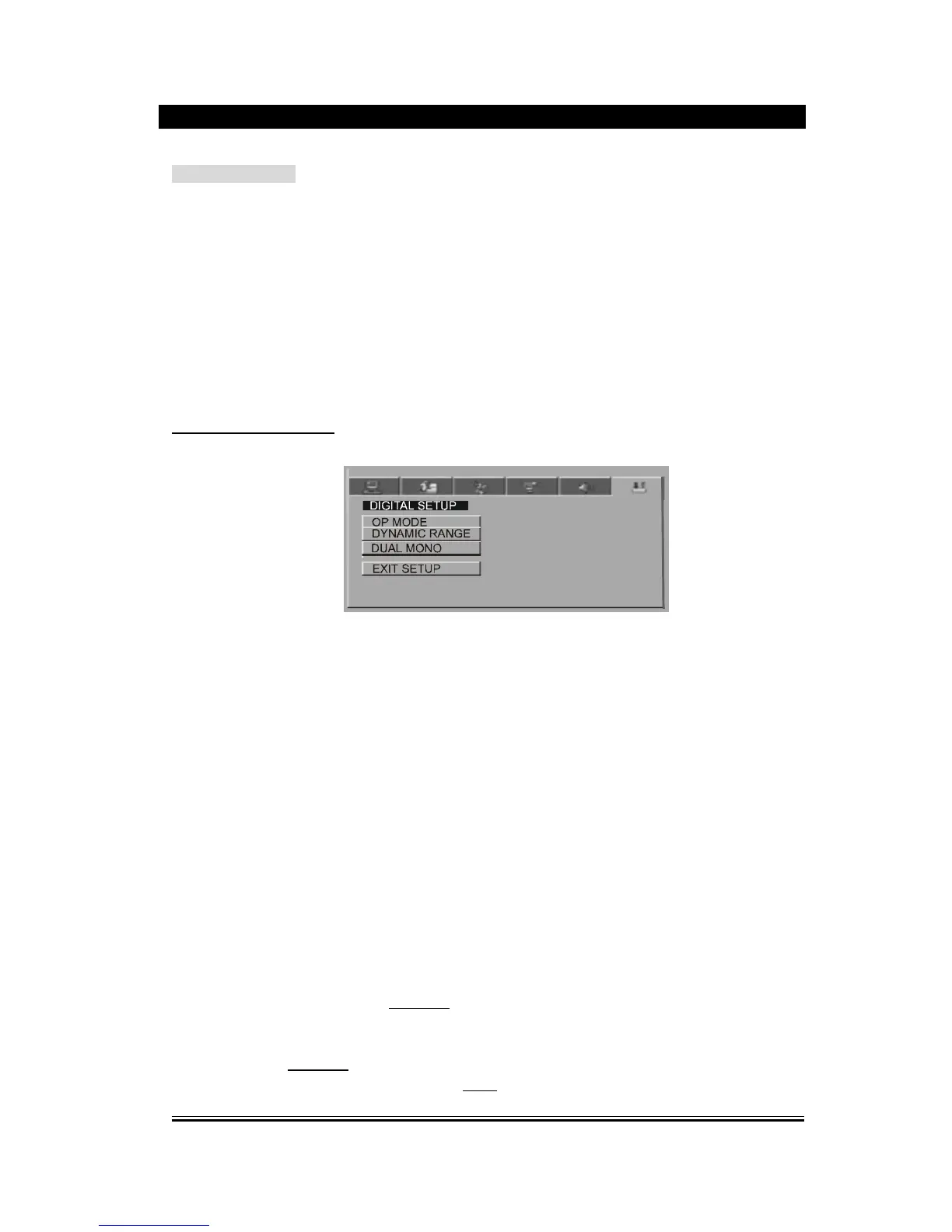
DIGITAL SETUP PAGE
1)
Op Mode
(1)
Line Output: to compress the input signal linearly, lower in volume and
applicable
to night.
(2)
R F Remod: no compression for the input signal, higher volume and applicable
to day.
2). Dynamic Range
When the output mode is Line Output, this unit will automatically adjust the linear
compression ratio to acquire different compression effect of signals. When the
option FULL is chosen, the peak-peak value of audio signal will be the minimum;
when OFF is chosen, it will be the maximum.
3). Dual Mono
to set the output mode for left and right audio
signal
, when the downmix is set, the
played disc must be 5.1 CH format. Available options: Stereo, Downmix, left
soundtrack
and right soundtrack. It is mainly aimed at the mode selection of Karaoke
of AC
-
3.
The pictures above will appear on the TV screen in case of menu setup. Every time a picture is
c
hosen
,
you can use the direction buttons or Play/Enter
button to switch over to a certain picture you are to set,
then use the
direction
buttons to move the cursor onto a specific directory, press the left direction button
to enter the subdirectory and press the up / down direction button to change various status of a
specific
item. At last, press Play/Enter
button to make the
setup
effective. And press the left
direction
button to
return back to the upper level directory. Press the
Setup
button to exit the
menu setup page.


 To Next Page