Reading E-Books
Transfer E-books from Computer
Before reading, you need to transfer or download e-books to the device. You can copy
e-books from your computer’s local drive to the device by USB connection (see the
“Transferring files” section mentioned before).
Note: Make sure your e-books are in format of PDF, EPUB, TXT, FB2, RTF or PDB supported by
the device.
Start Reading
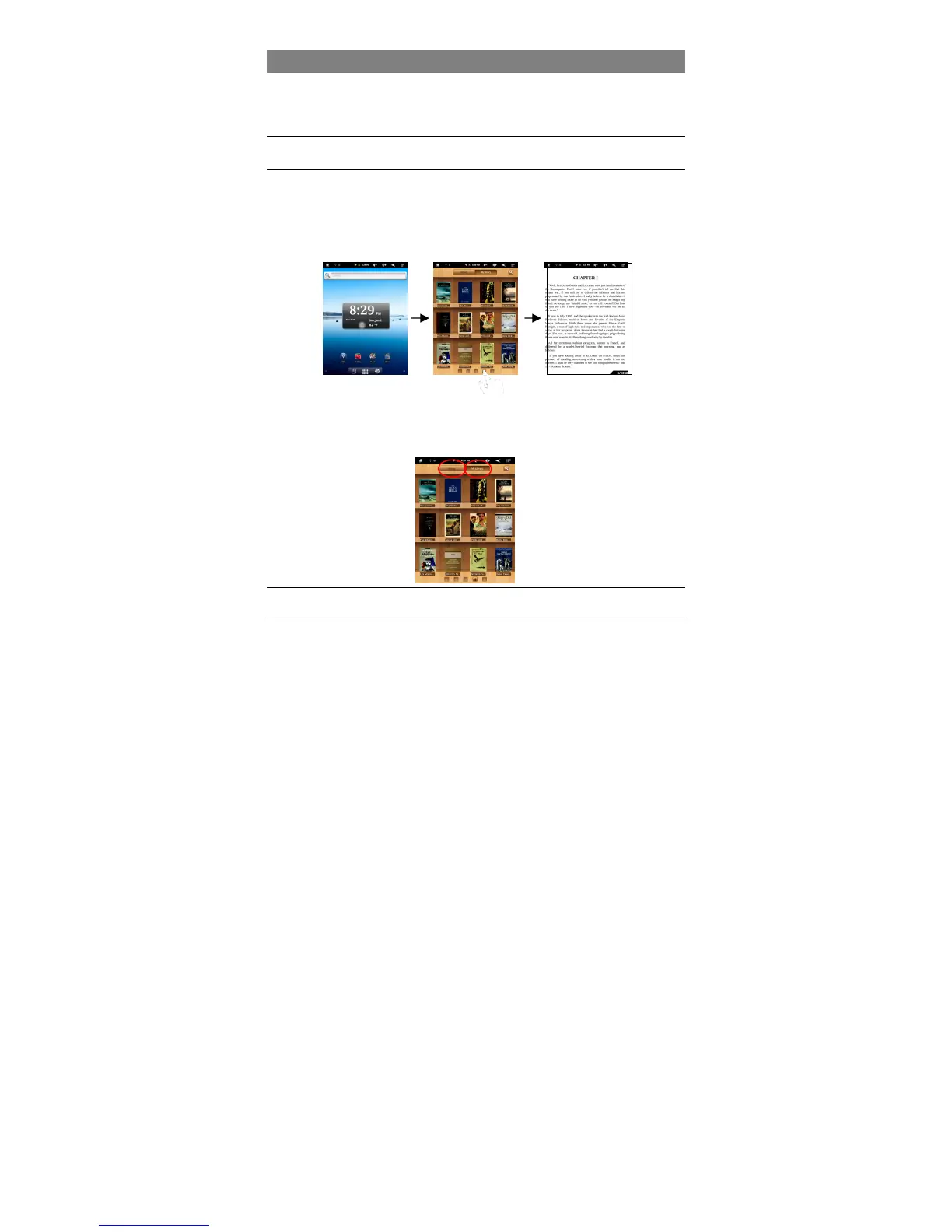
(1) In the Home Screen, tap the E-book Reader shortcut to enter the e-book reader
mode.
(2) Tap the page number at the bottom or slide your finger left and right on the book
shelf to view more e-books.
(3) Tap an e-book to start reading immediately.
History and My Library
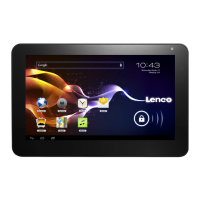
You can tap “History” to view your reading history or tap “My Library” to enter the
e-book library. “History” shows all of the e-books that you have read by date. “My
Library” shows all of e-books stored in the device.
Note: The bookshelf will show the cover of the e-book. If the e-book does not have a cover, the bookshelf will
show a “standard” cover.



 To Next Page