10
Sort
Sort your channels from the following opons:
[By LCN]
[By ONID]-Sort the channels according to the original network ID.
[By Service Name]
[By Service ID]
- Sort the channels in ascending order.
- Sort the channels in alphabecal order.
- Sort the channels according to the staon.
LCN (Logical channel number)
Set LCN on or off.
Video Seng
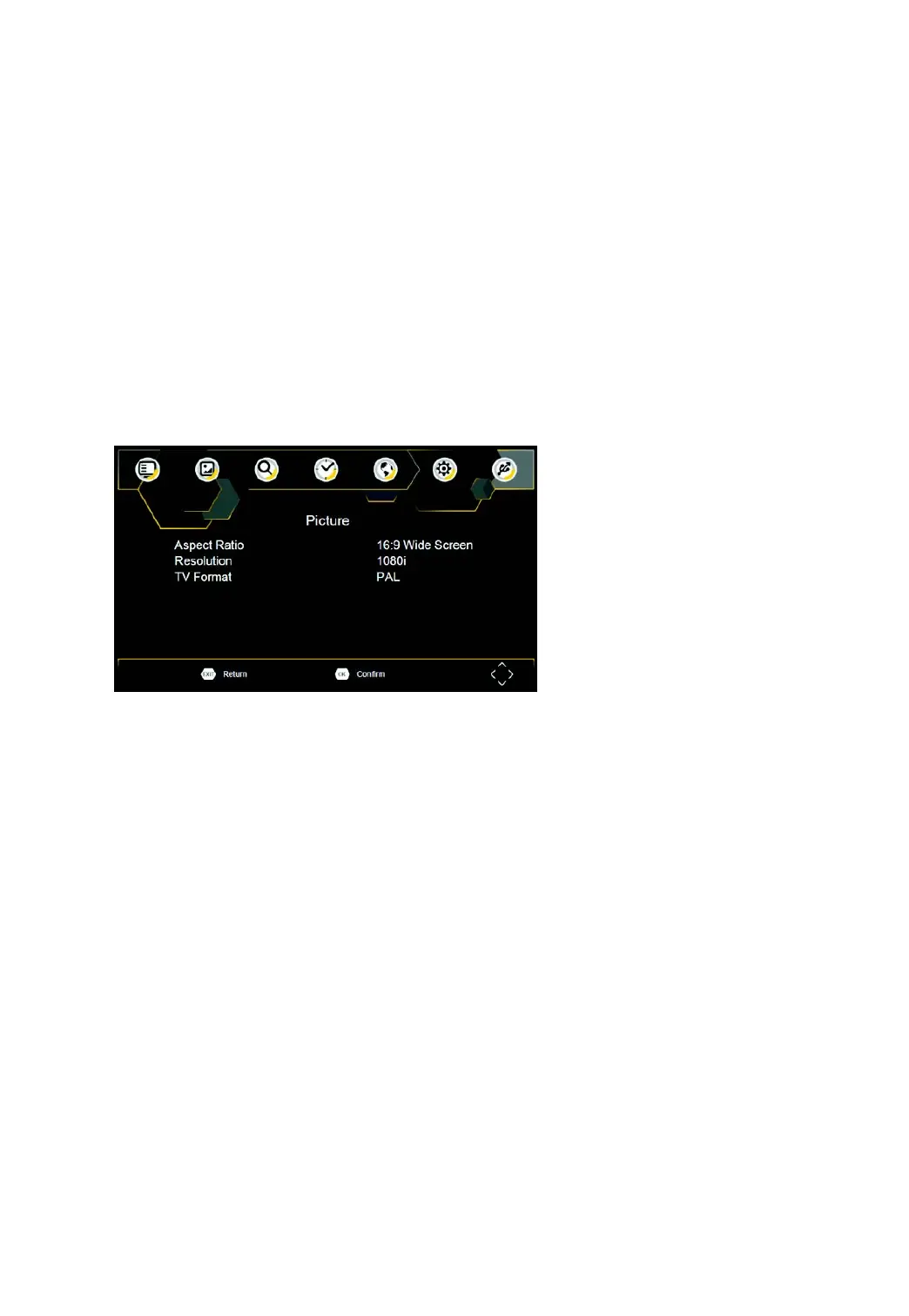
To access the Menu, press SETUP then select [Picture]. The Menu provides opons to adjust the video sengs.
Press UP/DOWN to select an opon and press RIGHT/LEFT to adjust that seng. Press EXIT to exit the menu.
Aspect Rao
You must set the display format to either 4:3 PanScan, 4:3 Leer Box, 4:3 Full, 16:9 Wide Screen, 16:9 PillarBox,
16:9 Pan & Scan or Auto to get the maximum display when watching TV.
Resoluon
If the video does not appear correctly, change the seng. Th
is seng is to match the most common seng for
HDMI.
[576i] for PAL system TV.
[576P]: for PAL system TV.
[720P]: for NTSC or PAL system TV.
[1080I]: for NTSC or PAL system TV.
[1080P]: for NTSC or PAL system TV.
TV format
If the video does not appear correctly, you need to change the sengs. This should match the most common
seng for TVs in your country.
[NTSC]: for NTSC system TV.
[PAL]: for PAL system TV.



 To Next Page