11
ChannelSearch
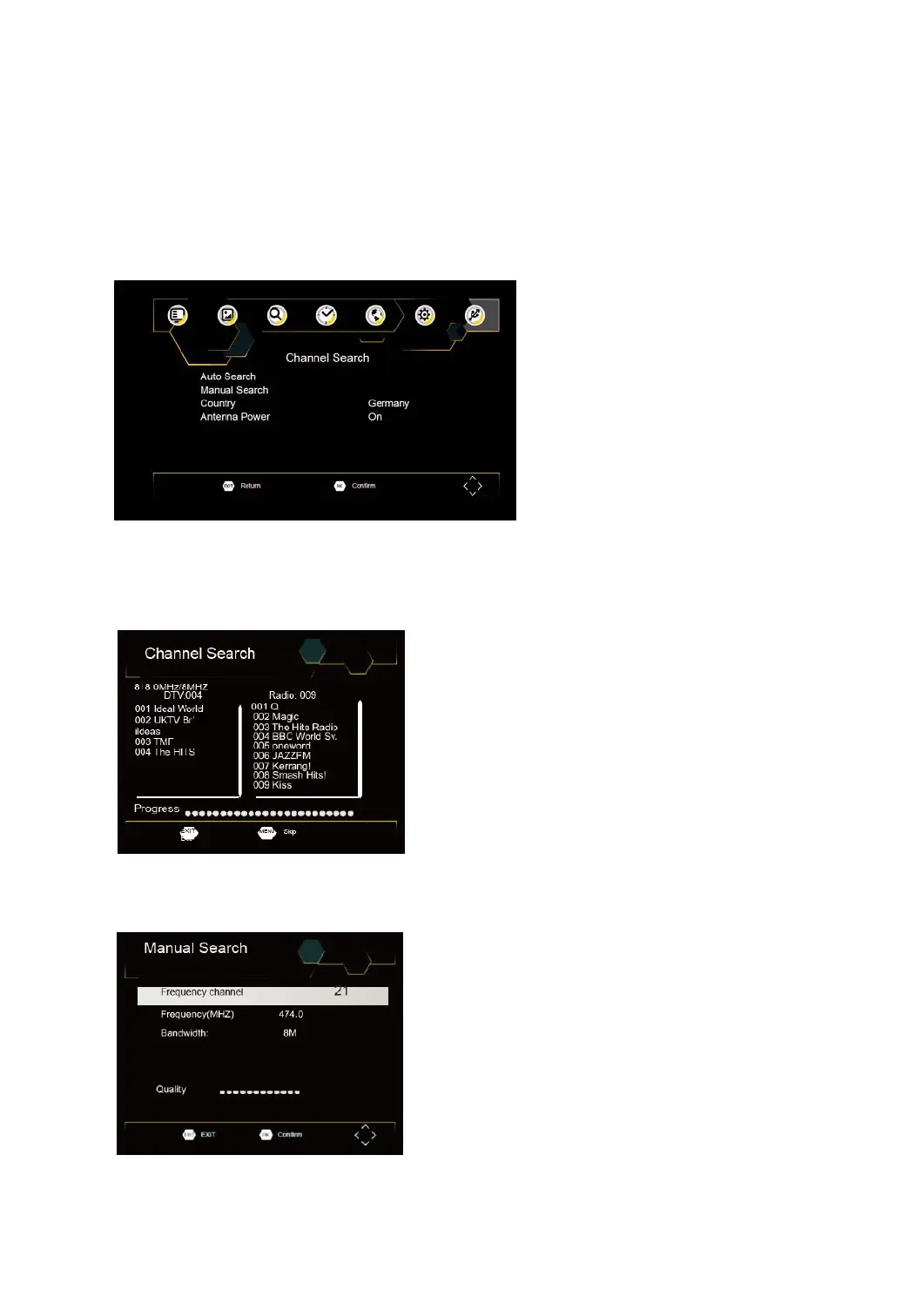
Toaccessthemenu,pressSETUPandselect[SearchChannel].
TheMenuprovidesoptionstoadjusttheSearchChannelsettings.SelectanoptionandpressRIGHT/LEFTto
adjustthesettings.
PressEXITtoexittheMenu.
AutoSearch
Searchandinstallallchannelsautomatically.Thisoptionoverwritesallpresetchannels.
1. Select[AutoSearch]andpressOKorRIGHTtostartchannelsearch.
2. Tocancelchannelsearch,pressEXIT.
ManualSearch
Installnewchannelsmanually.Thisoptionaddsnewchannelswithoutchangingthecurrentchannelslist.
1. Select[ManualSearch]thenpressOKorRIGHT.Thechannelsearchscreenwillappear.



 To Next Page