This document describes the Lennox Commercial Touchscreen Thermostat, model 505,104M, released in December 2005. It serves as an owner's guide, detailing the thermostat's features, operation, programming, and maintenance.
Function Description:
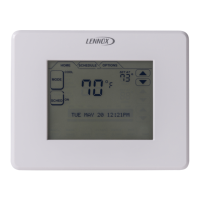
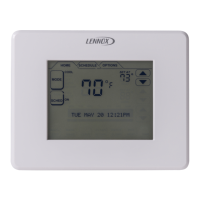
The Lennox Commercial Touchscreen Thermostat is a sophisticated device designed to control heating, ventilation, and air conditioning (HVAC) systems in commercial settings. Its primary function is to maintain a comfortable and energy-efficient indoor environment by allowing users to program heating and cooling schedules, set desired temperatures, and manage fan operation. The thermostat features a touch screen interface for intuitive interaction and menu-driven programming to guide users through various tasks. It supports up to four different schedule periods per day (OCC 1, UNOCC1, OCC 2, UNOCC2) to accommodate varying occupancy and energy-saving needs. The device also includes advanced features like temperature recovery, which intelligently activates heating or cooling prior to a scheduled time to reach the desired temperature precisely when needed, and outdoor temperature indication (if connected to an outdoor sensor) to aid in planning.
Important Technical Specifications:
- Model: 505,104M
- Release Date: 12/2005
- Interface: Touch screen with backlighting
- Temperature Control Precision: ±1°F
- Schedule Periods: Up to four programmable periods per day (OCC 1, UNOCC1, OCC 2, UNOCC2)
- Schedule Time Intervals: 15-minute intervals
- Clock: Real-time clock with automatic daylight savings updates and power failure retention
- Battery Type (if applicable): Three AAA alkaline batteries (for models requiring batteries)
- Battery Life Recommendation: Replace annually
- Calendar Memory: Up to ten years of time and day memory
- Temperature Display Options: Fahrenheit (°F) or Celsius (°C)
- Time Format Options: 12-hour or 24-hour clock
- Programmable Periods per Day Options: 2 or 4 periods
Usage Features:
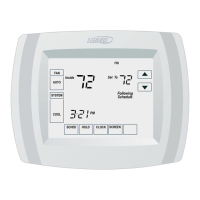
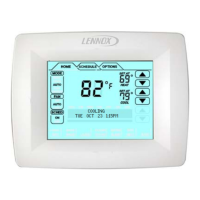
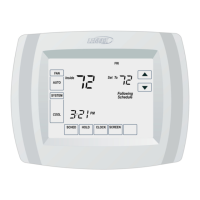
- Large, Clear Display with Backlighting: Ensures current temperature, set temperature, and time are easily readable on the main screen.
- Menu-Driven Programming: Guides users through the scheduling process by displaying only necessary information and choices, simplifying complex tasks.
- Multiple Day Selection: Allows for easy customization of unique schedules by selecting multiple days to edit simultaneously.
- Real-Time Clock: Maintains accurate time during power failures and automatically adjusts for daylight savings, reducing manual adjustments.
- Armchair Programming: The thermostat can be removed from the wall for convenient schedule setup.
- Precise Temperature Control: Offers reliable and consistent comfort with a temperature control precision of ±1°F.
- Multiple OVERRIDE Options: Provides flexibility to modify the schedule indefinitely or for a specific period, such as "Hold Temperature Until" or "Holiday" overrides.
- Programmable Fan: Enhances indoor air quality when integrated with air cleaning equipment, allowing the fan to run continuously (ON) or follow the schedule (AUTO).
- Outdoor Temperature Indication: Displays the current outdoor temperature (if an outdoor sensor is connected), assisting in planning outdoor activities.
- Remote Indoor Temperature Reading: If connected to remote indoor temperature sensor(s), the thermostat displays the temperature from the remote sensor(s) or an average of multiple sensors, ensuring accurate temperature readings in the desired location.
- Screen Lock Functionality: Allows for full or partial locking of the touch screen to prevent unauthorized changes or to facilitate cleaning without affecting settings.
- Temperature Recovery: An intelligent feature that eliminates guesswork by automatically activating heating or cooling in advance of a scheduled time to ensure the desired temperature is reached precisely at the start of the scheduled period.
- Calendar Setting: The thermostat automatically keeps current time and day in memory for up to ten years once the calendar is initially set. The calendar can be set during initial power-up or adjusted later through advanced settings.
Maintenance Features:
- Battery Replacement: For models requiring batteries, a low battery warning flashes on the main screen for approximately 30 days. If not replaced, the thermostat will display "LO batt" continuously and cease operation. It is recommended to replace the three AAA alkaline batteries annually to prevent leakage and ensure continuous operation of the HVAC system. The process involves removing the thermostat from its base, installing new batteries with proper polarization, and reattaching the thermostat. All programming (schedule, date, and time) is retained during battery replacement.
- Screen Cleaning: The touch screen can be cleaned without making thermostat changes. By pressing the "SCREEN" button, the keypad locks out for 30 seconds, allowing users to wipe the screen clean with a damp cloth slightly moistened with water or household glass cleaner. It is crucial not to spray liquid directly onto the screen. The device automatically returns to the main screen if no button is pressed for two minutes after locking the screen for cleaning.

 Need help?
 General



 To Next Page
