17
Table 1. Alert Codes and Troubleshooting
GF= Gas Furnace, AH=Air Handler, ID=Indoor unit (GF or AH), HP=Heat Pump, AC=Air Conditioner, OD=Outdoor Unit (AC or HP), PA=Pure Air S, ZA=Zone system and
TS=Thermostat
Alert
Code
Priority
Condition
Actual Displayed
Alert Text
Under dealer
control center >
Notications
Component or System Operational State and Troubleshooting Tip
How to clear
alert code
105
Service
Urgent
Communication
Problem
One of the system components has lost communication with the system. The system component (device) is
unable to communicate.
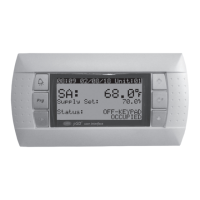
S30 - Access dealer control center, select notications icon, review alert code details to determine which device
or unit has the communication problem. Review both active and cleared alerts.
Wi-Fi – Press and hold the Lennox logo on the bottom right of stat for 5 seconds to access the dealer control
center. Follow the prompts to access the dealer / installer screen and select the “Alerts” tab. Review alert code
details to determine which device or unit has the communication problem. Review both active and cleared
alerts.
Zoning - Remove wire from smart hub to iHarmony control and just have wiring from furnace.
Troubleshooting:
Check each control for additional codes
In most cases issues are related to electrical noise. Verify that high voltage power is separated from the low
voltage communication wires.
Check for proper grounding on line voltage and low voltage wiring, transformer and equipment.
Check for incorrectly wired or loose or spliced connections between system components (devices or units).
Make sure all unused wires are tied together and taken back to the C terminal on the indoor control board as
shown in the installation and setup guide.
Disconnect all wiring to other system components (except thermostat to indoor unit) and reconnect one device at
a time and recommission system each time a device is reconnected until the issue is located.
Zoning: If zoning is installed and is wired directly from smart hub to iHarmony control then disconnect that wiring.
Run control wiring from the iHarmony control directly to the indoor unit control. Wiring diagrams are provided in
the iHarmony Installation and Setup Guide.
Float Switch: When using a oat switch, use isolation relay to break common wire to outdoor unit. For testing
purposes, remove oat switch from the circuit.
Firmware and Accessories: Make sure that smart hub has correct rmware version for added accessory. (Example:
Pure Air S and/or Apple Home Kit must have software version 3.4 or higher before it will connect to system
properly. (If software is not updated in system it will cause system operation issues).
Inductive voltage from surrounding sources. Check each wire in AC mode to C on circuit board.
> Good voltage is .03-.3VAC inductive voltage is not an issue.
> Acceptable can be up to .7VAC with moderate success.
> Some units have worked with up to 1.2VAC with occasional success.
> Voltage over 1.2VAC needs to be addressed.
Automatically clears when
the system detects the
issue no longer exists.


 To Next Page