16
Table 1. Alert Codes and Troubleshooting
GF= Gas Furnace, AH=Air Handler, ID=Indoor unit (GF or AH), HP=Heat Pump, AC=Air Conditioner, OD=Outdoor Unit (AC or HP), PA=Pure Air S, ZA=Zone system and
TS=Thermostat
Alert
Code
Priority
Condition
Actual Displayed
Alert Text
Under dealer
control center >
Notications
Component or System Operational State and Troubleshooting Tip
How to clear
alert code
12
Service
Urgent
Indoor Unit Not
Detected
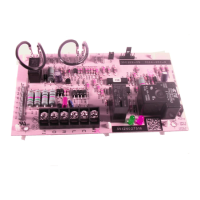
Thermostat did not nd an indoor unit. Make sure there is an Lennox communicating indoor unit on the system.
Check for voltage and missing component.
Check R, i+, i- and C connections at mag-mount or subbase, smart hub and all attached communicating
components.
Ohm wires for electrical continuity.
Cycle power to both indoor unit rst and then thermostat.
Verify that equipment interface module (if applicable) is congured as either an air handler or furnace when used
with a non-communicating indoor unit.
Go to menu > settings > advanced settings > view dealer control center > equipment and press reset all
equipment. This will allow the system to auto-detect any Lennox communicating components attached.
Replace indoor unit control if there is no response.
Automatically clears when
the system detects that the
issue no longer exists.


 To Next Page