EasyManua.ls Logo

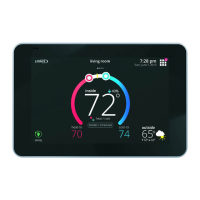
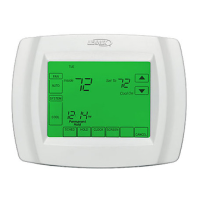
Lennox icomfort Wi-Fi - User Manual

Lennox icomfort Wi-Fi
2 pages
Print Icon
To Next Page IconTo Next Page
Loading...
©2014 Lennox Industries Inc.
Dallas, Texas, USA
CONTROLS
QUICK START GUIDE
507345-01
2/2014
Supersedes 507144-01
iComfort Wi‐Fi
®
Thermostat
INSTALLATION INSTRUCTIONS
THIS MANUAL MUST BE LEFT WITH THE
HOMEOWNER FOR FUTURE REFERENCE
iComfort Wi‐Fi
®
Thermostat, Touch
Screen, 7-Day
Programmable
NOTICE
Before beginning installation, note the type of equipment, number of stages, and any ac
cessories being installed. The iComfort
Wi‐Fi
®
thermostat is a 24VAC Class 2 thermostat
and requires a common wire to the thermostat to operate.
NOTE: Return mercury‐switch thermostats, intact, to participating recycling
wholesalers at hundreds of locations across the nation. For a list of partici
pating wholesalers, see www.nema.org/trc
. If your wholesaler is not partici
pating, ask them to start now.
DO
Shut off all power to system before installing.
Read this entire document, noting which instructions pertain to your equipment
& system requirements. Also, consult Installer's Guide 507145-01.
Make sure that all wiring conforms to local and national building and electrical
codes and ordinances.
Use 18 gauge thermostat wire or larger.
Install all sensors and accessories before powering up.
NOTE - If electric heat strips are used, the strips MUST be configured on the air han
dler control (AHC) board before beginning the “discovery” sequence as described in
the Installer's Guide.
DO NOT
Install on voltages higher than 30VAC.
Install on outside walls or in direct sunlight.
Install in commercial applications unless used with approved split‐system
matches.
WARNING
Improper installation, adjustment, alteration, service or maintenance can cause property
damage, personal injury or loss of life.
Installation and service must be performed by a licensed professional HVAC installer (or
equivalent) or service agency.
Installation
1. Unpack the thermostat and separate the baseplate from the thermostat by using
hand slot (shown in figure 4) and pulling apart, tilting away from the top. Open
to 45 degrees and separate the two halves.
2. When determining the location for the Wi-Fi thermostat, be sure it is in an area
near enough to the homeowner's router to ensure good communications signal
between the thermostat and the router. (Hint: use a smart phone with Wi-Fi to
find and determine signal strength.)
3. Install thermostat using wall mounting instructions (figures 1 through 4).
4. Connect wiring between thermostat, indoor unit, and outdoor unit and other de
vices as shown in the wiring diagrams (figures 5).
Wall mounting instructions
A. Use a level to align the thermostat baseplate against the wall where the thermo
stat will be installed (see figure 1). Mark an appropriate hole location on the wall
for routing the wires and mark (4) mounting holes at the same time.
6 HOLE LOCA
TIONS; MARK 4
FOR MOUNTING
BASEPLATE.
MAKE A HOLE JUST
LARGE ENOUGH TO
BRING FOUR
THERMOSTAT
WIRES THROUGH
WALL
LEVEL
Figure 1. Hole locations
B. Drill (4) 3/16” holes in wall for anchors. Insert wall anchors in holes (see figure 2)
and tap the anchor until flush with the wall.
TAP ANCHORS
UNTIL FLUSH
WITH WALL.
INSERT WALL
ANCHORS IN HOLES.
BASEPLATE
THERMOSTAT WIRE
SCREWS (USE
AT LEAST 4)
THERMOSTAT
Figure 2. On-wall mounting
C. Route the thermostat wire and feed approximately six inches of wire through the
hole and into the room.
D. Feed the thermostat wires through the opening in the baseplate. Align the ther
mostat mounting bracket with the anchors and fasten to wall with four screws
being sure to maintain level.
E. Trim 1/4” insulation from end of each wire (figure 3, wiring detail A). Insert the
trimmed ends of the wires in the appropriate holes on the bottom of the thermo
stat's terminal block and tighten the screws to secure the wires (figure 3, wiring
detail B).
1/4”
B
A
THERMOSTAT WIRES
THERMOSTAT
TERMINAL BLOCK
Figure 3. Wiring details
F. After running the thermostat wire through the hole, seal to prevent air from the
wall cavity from affecting the thermostat's temperature sensor.
G. Align the tabs on the thermostat with the slots on the base, holding it at about a
45 degree angle to the wall. When the tabs seat into the slot, rotate the thermo
stat upward until it snaps into place (see figure 4).
TAB
SLOT
HAND SLOT
Figure 4. Installing thermostat onto bracket

Other manuals for Lennox icomfort Wi-Fi

Questions and Answers

  • S
    Seth RodriguezAug 13, 2025
    What to do if my Lennox icomfort Wi-Fi Thermostat lost communication with the unit?
    • M
      Mr. Jason HebertAug 13, 2025
      If your Lennox Thermostat has lost communication with the furnace, air handler, or outdoor unit for more than 3 minutes, it's likely because the indicated unit hasn't communicated with the thermostat during this time. Check the connections and ohm the wires. If the problem continues, cycle the power. The fault should clear once communication is restored.
  • T
    Terry TaylorAug 17, 2025
    What to do if my Lennox Thermostat is reading a temperature higher than 99ºF?
    • C
      Catherine SalazarAug 17, 2025
      If your Lennox Thermostat reads an indoor temperature above 99ºF, it might be because the indoor temperature rose above this level during heating or cooling. First, check that the heating equipment isn't stuck ON. Then, verify the accuracy of the thermostat temperature sensor. Finally, switch to cooling mode to lower the indoor temperature.
  • C
    Christian FosterAug 20, 2025
    What to do if my Lennox Thermostat is reading a temperature lower than 40ºF?
    • J
      Jeffrey GutierrezAug 21, 2025
      If your Lennox Thermostat displays a temperature below 40ºF, it's likely because the indoor temperature has dropped below this threshold. Ensure that the cooling equipment is not stuck in the ON position. Check the accuracy of the thermostat's temperature sensor. Switch to heating mode to raise the indoor temperature above 40ºF.
  • M
    Michelle RodriguezAug 25, 2025
    What to do if my Lennox (furnace, air?handler or outdoor unit) is resetting itself?
    • S
      sarahallisonAug 25, 2025
      If your furnace, air handler, or outdoor unit is resetting itself, check the power connections and the amp draw at the transformer. The transformer might be overloaded. Also, check the 24VAC voltage at the device. You can clear the alarm by pressing the clear button on the Installer Alerts Tab. If the problem continues after checking the connections, replace the unit’s control board.
  • J
    James KellyAug 28, 2025
    What to do if my Lennox Thermostat cannot find a previously installed unit?
    • M
      Margaret ThomasAug 28, 2025
      If your Lennox Thermostat cannot find a previously installed unit, check all connections and cycle the system power. If the issue remains, reconfigure the system by pressing the setup tab, then start, and then confirm. If the problem persists, check all device connections to ensure they are icomfort compatible.
  • C
    Charles MaddoxSep 1, 2025
    Why my Lennox icomfort Wi-Fi Thermostat cannot find an icomfort enabled indoor unit?
    • J
      Joseph SmithSep 1, 2025
      If your Lennox Thermostat cannot find an icomfort enabled indoor unit, first ensure that there is an icomfort indoor unit on the system. Check the R, i+, i−, and C connections. Ohm the wires and cycle the power. If there's still no response, consider replacing the indoor unit control board.
  • A
    Anthony CarlsonSep 4, 2025
    What to do if my Lennox Thermostat says it found more than one unit?
    • E
      Eric GardnerSep 5, 2025
      If your Lennox Thermostat indicates that it has found multiple thermostats, indoor units, or outdoor units on the system, check the wiring and remove any duplicate equipment. Then, reconfigure the system.
  • J
    Jeremy ScottSep 8, 2025
    What to do if my Lennox icomfort Wi-Fi Thermostat found an unknown device?
    • W
      Whitney RileySep 9, 2025
      If your Lennox Thermostat has found an unknown device on the system, clear it by reconfiguring the system. Press the setup tab, then start, and then confirm. If the problem continues, check all device connections to ensure they are icomfort compatible.

Summary

iComfort Wi-Fi Thermostat Installation Guide

Notice and Warnings

Important pre-installation notice, including recycling for mercury-switch thermostats, and critical safety warnings.

Installation Steps

Detailed instructions for mounting the thermostat, routing wires, and making electrical connections.

Lennox icomfort Wi-Fi Specifications

General IconGeneral
Wi-Fi ConnectivityYes
Touchscreen DisplayYes
Energy ReportsYes
Humidity ControlYes
Remote AccessYes
ProgrammableYes
Mobile AppYes (Lennox iComfort App)
Power SourceHardwired
Indoor Air Quality IntegrationYes
AlertsYes

Related product manuals