EasyManua.ls Logo

Lennox icomfort Touch Thermostat - User Manual

Lennox icomfort Touch Thermostat
20 pages
Print Icon
To Next Page IconTo Next Page
Loading...
*2P1210* *P506053-01*
2010 Lennox Industries Inc.
Dallas, Texas, USA
HOMEOWNER’S MANUAL
icomfort Touch
®
Thermostat
Touch Screen Programmable Communicating Thermostat
CONTROLS
506053−01
12/10
Supersedes 10/10
General
The icomfort Touch
®
thermostat is shipped complete with mounting
hardware, installation and setup instructions, warranty information, and
a Homeowner’s Manual.
Most operational information is contained in the thermostat’s HELP
screens, however this Homeowner’s Manual provides general informa-
tion and tips on how to access the HELP screens.
Litho U.S.A.
Question and Answer IconNeed help?

Do you have a question about the Lennox icomfort Touch Thermostat and is the answer not in the manual?

Summary

iComfort Touch Thermostat Homeowners Manual

iComfort Touch Thermostat Overview

Touch Screen Programmable Communicating Thermostat overview.

Thermostat Safety and Usage Guidelines

Cooling System Warning

Warning about switching to cool below 45°F to prevent system damage.

User Preferences Configuration

Configurable User Preference Settings

Lists settings like Time/Date, Dealer Info, Display Scale, Lock-out, etc.

Adjusting Indoor Temperature

Temperature Adjustment (Program OFF)

How to adjust temperature when the program is not running.

Temperature Adjustment (Program ON)

How to adjust temperature when the program is running, including hold options.

Setting Humidity Controls

Humidity Control Setup Notice

Notice that humidity controls require installer setup to be visible.

Setting Humidity Controls (Continued)

Dehumidifier Settings Adjustment

How to adjust dehumidifier settings between 40 and 60% RH.

Humidifier Settings Adjustment

How to adjust humidifier settings between 15 and 45% RH.

Setting Up Custom Programs

Accessing the Program Screen

How to access program settings from the Home screen dashboard.

Setting Up Custom Programs (Continued)

Scheduling by Day Groups or Specific Days

Options for scheduling by all 7 days, weekdays/weekends, or specific days.

Setting Comfort Levels and Event Times

Setting comfort levels, event start times, and fan modes.

System Alerts and Notifications

Clearing and Confirming Alerts

Clearing Service Reminders

How to clear a service reminder after action is taken.

Overview

The Lennox icomfort Touch® Thermostat is a touch screen programmable communicating thermostat designed for residential heating, cooling, humidification, and dehumidification systems. It offers advanced control and monitoring capabilities, making it a central component for managing indoor climate and air quality.

Function Description:

The primary function of the icomfort Touch® Thermostat is to provide precise control over a home's HVAC system. It is a 7-day universal multi-stage programmable thermostat with a color display, allowing users to set custom heating and cooling schedules. The thermostat supports both heat pump and non-heat pump units, accommodating up to 4 stages of heat and 2 stages of compressor operation. This includes 2 stages of heat pump heating, 2 stages of auxiliary backup heat, and 2 stages of emergency heat.

A key feature is its autochangeover mode, which automatically switches between heating and cooling based on indoor temperature, eliminating the need for manual intervention. The thermostat also integrates enhanced capabilities for humidification and dehumidification, including measurement and control of both humidity and dew point. It is compatible with Humiditrol® Enhanced Dehumidification Accessory (EDA) systems.

For air quality management, the thermostat supports time-based notifications for consumables such as media filters, UVC bulbs, humidifier pads, and PureAir™ catalyst service/replacement, ensuring timely maintenance and optimal indoor air quality.

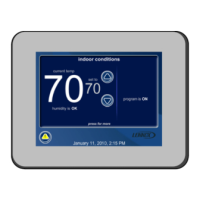
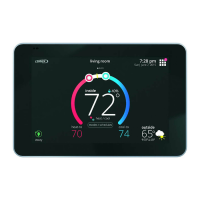
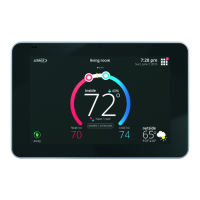
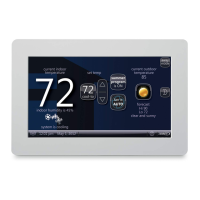
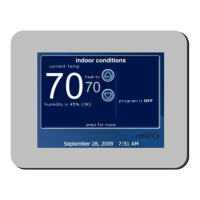
The device features a user-friendly interface with a "Home screen" that displays current temperature, desired "heat to" or "cool to" temperatures, humidity levels, and system status (e.g., program ON/OFF, system running). Users can manually adjust temperature settings from the Home screen, with options to set a "hold" for a selectable duration. The "User Dashboard" provides access to indoor settings, programs, indoor humidity controls, alerts, and help screens.

The thermostat includes on-board help screens that guide users through setup procedures and operational information. It also has a "Screen lock-out" feature that can partially or fully lock the thermostat to prevent unauthorized changes.

Important Technical Specifications:

  • Model: icomfort Touch® Thermostat
  • Part Number: CONTROLS 506053-01
  • Revision Date: 12/10 (Supersedes 10/10)
  • Display: Color touch screen
  • Programmability: 7-day universal multi-stage
  • System Compatibility: Heat pump and non-heat pump units
  • Heating Stages: Up to 4 stages (including heat pump, auxiliary backup, and emergency heat)
  • Cooling Stages: Up to 2 stages of compressor operation
  • Memory: Nonvolatile memory (retains data during power failure)
  • Humidity Control: Humidification measurement and control, dew point adjustment control, dehumidification measurement and control. Adjustable humidity range for dehumidification (40-60% RH) and humidification (15-45% RH).
  • Air Quality Monitoring: Time-based notifications for media filters, UVC bulbs, humidifier pads, and PureAir™ catalyst service/replacement.
  • Temperature Display Scale: Fahrenheit (F) or Celsius (C)
  • Clock Format: 12 Hour or 24 Hour
  • Backlight Setting: Power Save or Always On
  • Backlight Intensity: 20 to 100% (in 20% increments)
  • Circulate Fan ON Time: 15 to 45% (in 1% increments)

Usage Features:

  • Touch Screen Interface: Intuitive control through a color touch screen.
  • Manual Temperature Adjustment: Easily adjust desired temperature using up/down arrows from the Home screen.
  • Temporary Holds: Set temperature "holds" for specific durations (e.g., 1 hour, 2 hours, 24 hours, until next program, custom time).
  • User Dashboard: Centralized access to indoor settings, programs, humidity controls, alerts, and help.
  • System Settings: Toggle between "heat & cool" (autochangeover), "cool only," "heat only," and "off" modes.
  • Fan Settings: Choose between "auto," "on," or "circulate" fan operation.
  • Custom Programming: Create personalized 7-day schedules with options for common schedules across days or unique schedules for specific days. Users can skip events within a program by holding down the event time button.
  • Daylight Saving Time: Enable or disable daylight saving time adjustment.
  • Outdoor Temperature and Indoor Humidity Display: Option to display these values on the Home screen.
  • Screen Lock-out: Secure the thermostat with partial or full lock options, accessible through User Preferences.
  • Dealer Information: Store and display dealer contact information (name, address, phone, email, website) for easy access.
  • Language Display: English.
  • Help Screens: Integrated on-board help provides guidance for all setup and operational questions.
  • Alerts System: Notifies users of critical system problems (red icon) requiring immediate service and service reminders (yellow icon) for routine maintenance (e.g., filter replacement). Alerts can be cleared or snoozed ("remind later") for a specified period.

Maintenance Features:

  • Consumable Reminders: Provides time-based notifications for replacing media filters, UVC bulbs, humidifier pads, and scheduling PureAir™ catalyst service.
  • Maintenance Timer: Customizable timer for general system maintenance reminders.
  • Alert Management: Users can view active alerts, access service information, clear alerts after action is taken, or set reminders for later.
  • Screen Cleaning Mode: A 30-second timer allows for safe cleaning of the touch screen without accidental input.
  • Nonvolatile Memory: Ensures all system parameters and settings are retained even during power outages, eliminating the need for reprogramming after a power interruption.

Lennox icomfort Touch Thermostat Specifications

General IconGeneral
BrandLennox
Modelicomfort Touch Thermostat
CategoryThermostat
LanguageEnglish

Related product manuals