
 Need help?
Do you have a question about the Lennox MERIT 51M32 and is the answer not in the manual?
How to enable or disable heat mode using the HEAT button.
How to adjust the desired temperature setpoint using arrow keys.
Indicates when the equipment requires service from a technician.
Provides detailed technical specifications of the thermostat.
Conditions under which the SERVICE indicator is displayed.
Lists thermostat output states for various input conditions.
How to adjust the desired temperature setpoint using arrow keys.
Indicates when the equipment requires service from a technician.
Provides detailed technical specifications of the thermostat.
Conditions under which the SERVICE indicator is displayed.
Lists thermostat output states for various input conditions.
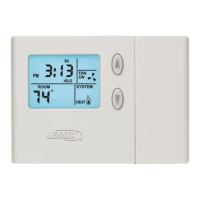
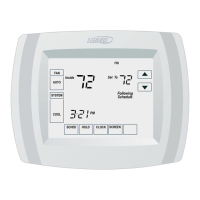
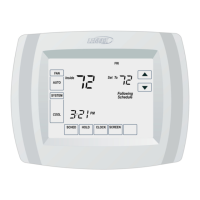
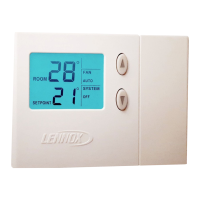
The Lennox Merit® Series Thermostat is a non-programmable electronic thermostat designed for ease of use, featuring a large, easy-to-read display and excellent temperature control. This device is available in two models: the 51M32 and the 51M33.
The primary function of the Lennox Merit® Series Thermostat is to control heating and cooling equipment to maintain a desired indoor temperature. It operates by detecting temperature demands and activating the appropriate equipment (furnace, air conditioner, or heat pump) to satisfy those demands.
The 51M32 model is suitable for non-heat pump, single-stage heat/single cool applications, typically matched with a gas or electric furnace. It manages heating and cooling cycles, ensuring the system runs efficiently.
The 51M33 model expands on this by supporting heat pump systems, including single-stage heat/single cool applications with gas or electric backup heat sources. This model incorporates additional features like balance point control, which allows the thermostat to use the outdoor temperature to govern the operation of the heat pump and backup heat source, optimizing energy use in varying weather conditions.
Both models include a programmable filter change reminder and a system check indicator. The filter reminder helps users maintain optimal system performance by prompting them to change air filters at regular intervals. The system check indicator alerts the user to the need for equipment service, ensuring timely maintenance and preventing potential issues.
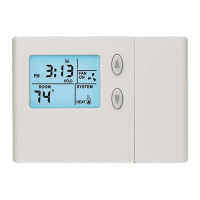
The thermostat's operation is straightforward, primarily controlled through buttons located behind a small door on the right-hand side of the unit.
Initial Power-up and Display: When power is first applied, all display segments are momentarily activated as part of the initialization process. Within a few seconds, the display settles to the HOME screen, showing the indoor room temperature (defaulting to 70°F or 21°C) and the system mode. A pale blue backlight illuminates the display for 8 seconds each time a key is pressed, improving visibility.
Heating Control: To enable or disable heat mode, the HEAT button is used. When enabled, "HEAT" appears in the SYSTEM box. If the room temperature falls below the setpoint, a heating demand is detected, and the thermostat activates the heating equipment. A flame icon in the SYSTEM box indicates heating operation. In the 51M33 model, pressing the HEAT button cycles through normal heat mode (heat pump and backup heat), emergency heat mode (backup heat only), and off mode. Emergency heat mode is indicated by "EMG. HEAT" in the SYSTEM box.
Cooling Control: The COOL button enables or disables cool mode. When enabled, "COOL" appears in the SYSTEM box. If the room temperature rises above the setpoint, a cooling demand is detected, and the thermostat activates the cooling equipment. A snowflake icon in the SYSTEM box indicates cooling operation.
Adjusting Temperature Setpoint: The desired temperature setpoint can be adjusted using the UP or DOWN arrow keys. The current setpoint is displayed below the actual room temperature. Each press of an arrow key adjusts the setpoint by 1°F (or 1°C). After adjustment, the HOME screen reappears after about 8 seconds.
Fan Control: The FAN button allows selection between continuous fan mode ("ON") and auto fan mode ("AUTO"). In continuous mode, the fan runs constantly, regardless of heating or cooling operation. In auto mode, the fan only runs when the heating or cooling equipment is active. A fan icon in the FAN box indicates when the fan is running.
Filter Reminder: The filter reminder can be set for 1, 3, 6, or 12-month intervals via the SETTINGS button. When the programmed interval elapses, "FILTER" is displayed. After changing the filter, the reminder can be reset by pressing the SETTINGS button for 4 seconds, which causes the screen to blink briefly.
Balance Point (51M33 only): This feature, available with an optional outdoor sensor, allows the thermostat to optimize heat pump and backup heat operation based on outdoor temperature. The balance point can be set between 1°F and 55°F (-17°C to 13°C) using the SETTINGS button. A setting of zero disables the function. The balance point helps prevent excessive cycling of equipment when outdoor temperatures are near the balance point.
Service Indicator: The thermostat includes a SERVICE indicator that flashes in the upper-right corner of the screen when abnormal equipment operation is detected. This signals that the equipment requires service from a qualified technician. The indicator is triggered if the Y1 terminal (first stage cooling/heating, compressor generated) has been activated for at least 5 minutes, and the L terminal (service indicator) is shorted to either the R terminal (24VAC) or the C terminal (24VAC common).
Thermostat Reset: In cases of abnormal behavior (e.g., after an electrical storm or power outage), the thermostat can be reset to its default condition. A recessed RESET button, located behind the door just below the SETTINGS button, can be pressed with a paper clip or small pencil. This action returns all thermostat settings to their factory defaults.
Equipment Protection Timers: The thermostat incorporates protection timers to prevent rapid cycling of equipment, which can extend its lifespan. These include minimum compressor OFF time (5 minutes), minimum compressor ON time (4 minutes), minimum furnace ON time (3 minutes), minimum backup furnace cycle time (6 minutes), and minimum elapsed time between compressor activations (6 minutes). Most protection timers can be overridden by holding the HEAT or COOL button for 4 seconds, allowing for immediate response to temperature changes if needed.
Over-Temperature Protection: A thermal mechanical switch opens the W1 circuit at 93°F +/- 6°F, providing an additional layer of safety.
Power Loss/Recovery: The thermostat retains its memory (programmed temperature setpoint, heat/cool and fan mode settings, filter reminder status, and equipment protection timers) for a minimum of 24 hours during a power loss. However, for memory to be retained for this specified time, power must have been applied to the thermostat for at least six consecutive hours prior to the power loss. After 24 hours without power, programmed settings will be lost and replaced with default settings.
LCD Backlight: The backlight activates for 8 seconds when any key is pressed. It may also activate briefly during electrical disturbances, which is considered normal.
 General
| Product Type | Thermostat |
|---|---|
| Series | MERIT |
| Model Number | 51M32 |
| Type | Non-Programmable |
| Temperature Range | 45°F to 90°F (7°C to 32°C) |
| Display | LCD |
| Stages | 1 Heat/1 Cool |
| Hold Feature | Yes |
| Filter Change Indicator | Yes |
| Warranty | 5-Year Limited Warranty |
| Power Source | 24V AC |

 To Next Page