
 Need help?
Do you have a question about the Lennox iComfort 10F81 and is the answer not in the manual?
Explains the Precise Comfort™ system for enhanced temperature control and airflow.
Guides on setting up and customizing daily heating and cooling schedules.
Steps and tips for connecting the thermostat to your home wireless network.
Common issues and solutions for Wi-Fi connectivity problems.
Guides on registering the thermostat for online access and firmware updates.
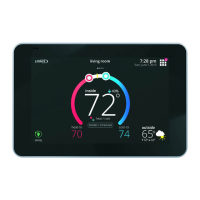
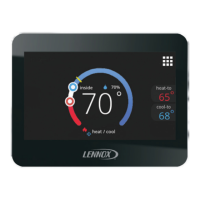
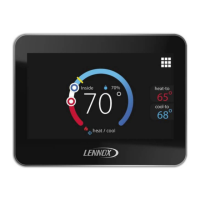
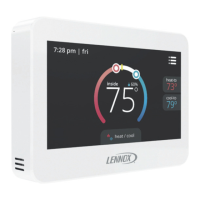
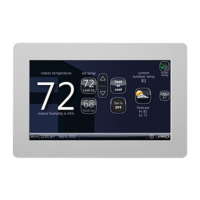
The iComfort Wi-Fi® Thermostat is a touch-screen, programmable, and communicating thermostat designed to manage home comfort settings. It offers a range of features for precise temperature, humidity, and system control, accessible both locally and remotely via internet access.
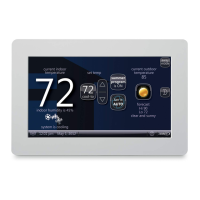
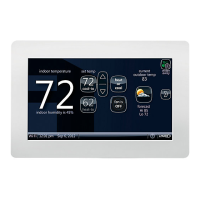
The iComfort Wi-Fi® Thermostat serves as the central control unit for a home's heating, cooling, humidification, and dehumidification systems. It is a 7-day programmable device with a color touch-screen display, allowing users to set schedules for optimal comfort and energy efficiency. When integrated with compatible Lennox indoor or outdoor units, it becomes part of a "Precise Comfort™" system, which enhances its control capabilities.
The thermostat's core function is to maintain desired indoor temperatures. With "Precise Comfort™ Cooling (XC/XP25)," it can keep room temperature within 0.5 degrees of the cooling setpoint by adjusting airflow in small 1% increments. Similarly, "Precise Comfort™ Heating (SLP98V)" maintains the heating setpoint within 0.5 degrees by precisely adjusting airflow. This fine-tuned control ensures consistent comfort.
Beyond temperature, the thermostat also manages humidity. It offers humidification and dehumidification measurement and control, including dew point adjustment and compatibility with Humiditrol® Enhanced Dehumidification Accessory (EDA). An autochangeover mode allows the thermostat to seamlessly switch between heating, cooling, humidification, and dehumidification without manual intervention.
The Wi-Fi capability is a key feature, enabling the thermostat to connect to the internet via the home's Wi-Fi access point. Once registered online, users can access and control the thermostat remotely using a computer, smartphone, Android™ device, iPhone®, or iPad®. This remote access also allows the thermostat to receive automatic weather information.
The device stores system parameters in nonvolatile memory, ensuring that all data and settings are retained even during power failures or when the unit is turned off. On-board help screens are available for quick assistance.
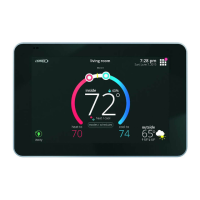
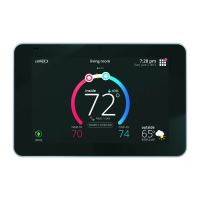
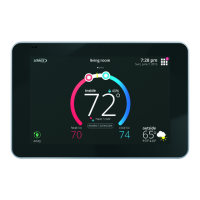
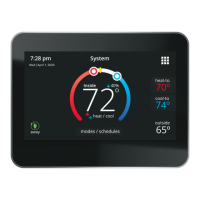
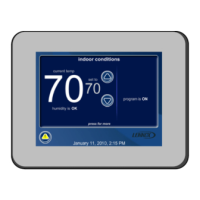
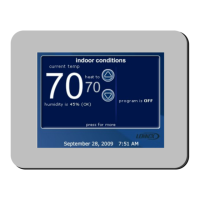
The thermostat's "Home Screen" provides an intuitive interface for daily operation. From this screen, users can:
The thermostat supports 7-day programming, allowing users to create custom schedules for different times of the day and days of the week. "Season programs" (e.g., summer, winter, spring/fall) can be edited to reflect personal preferences. Users can select specific days for programming, adjust times in 15-minute increments, and set desired cool-to and heat-to temperatures in 1-degree increments. The fan mode can also be programmed.
The "Away Mode" is an energy-saving feature for extended periods of absence. When activated, the system will only operate if the indoor temperature falls below 62°F (for heating) or rises above 85°F (for cooling). These default settings can be adjusted.
For homes with a zone control system, the thermostat allows individual temperature control or "Away Mode" activation for each enabled zone. Zones can also be renamed for easier identification.
If the indoor or outdoor unit includes humidity features, users can set desired humidity levels. The system offers "ClimateIQ™" settings (Dry, Moderate, Humid) that adjust airflow to optimize humidity removal based on regional weather conditions.
Users can customize the display, including:
The thermostat connects to a home Wi-Fi router, enabling remote access and weather updates. The setup process involves selecting a network (open or secure), entering passwords if necessary, and registering the thermostat online through a web portal. The signal strength (RSSI) can be checked to ensure a reliable connection.
The screen-saver can be customized by uploading personal photos (800x480 DPI JPG format) via the web portal. After 30 seconds of inactivity, the screen will display either the default screen-saver, a custom image, or the Lennox logo if no custom image is uploaded.
The iComfort Wi-Fi® Thermostat includes several features to assist with system maintenance and reminders:
The thermostat displays alerts to inform users of system issues or routine service needs.
Users can set reminders for various maintenance tasks, choosing from preset intervals (3, 6, 12, 24 months) or a custom date and time. This helps ensure timely upkeep of indoor air quality accessories. After performing maintenance, users can clear the reminder and set the next one.
The thermostat stores dealer contact information (name, address, phone, email, website, number) and system description. This information is typically entered by the installer but can be modified by the homeowner through the consumer portal.
After successful connection to the server, the thermostat can automatically download and install firmware updates in the background without impairing normal operations. This feature can be disabled, but it is not recommended.
The manual provides guidance on troubleshooting Wi-Fi connectivity issues, including checking router signal strength (RSSI), ensuring compatibility with 802.11b, g, or n wireless network modes, and identifying potential sources of electromagnetic interference (e.g., portable phones, baby monitors, wireless speakers, Bluetooth devices, garage door openers, neighbor's wireless devices). Users can temporarily disable interfering devices to improve Wi-Fi performance.
 General
| Model | iComfort 10F81 |
|---|---|
| Category | Thermostat |
| Display | Color touchscreen |
| Connectivity | Wi-Fi |
| Compatibility | Lennox HVAC Systems |
| Programmable | Yes |
| Energy Monitoring | Yes |
| Humidity Control | Yes |
| Dehumidification | Yes |
| Air Quality Integration | Yes |
| Remote Access | Yes |
| Smart Home Integration | Yes |
| Alerts | Yes, system alerts available |
| Voice Control | Yes |

 To Next Page