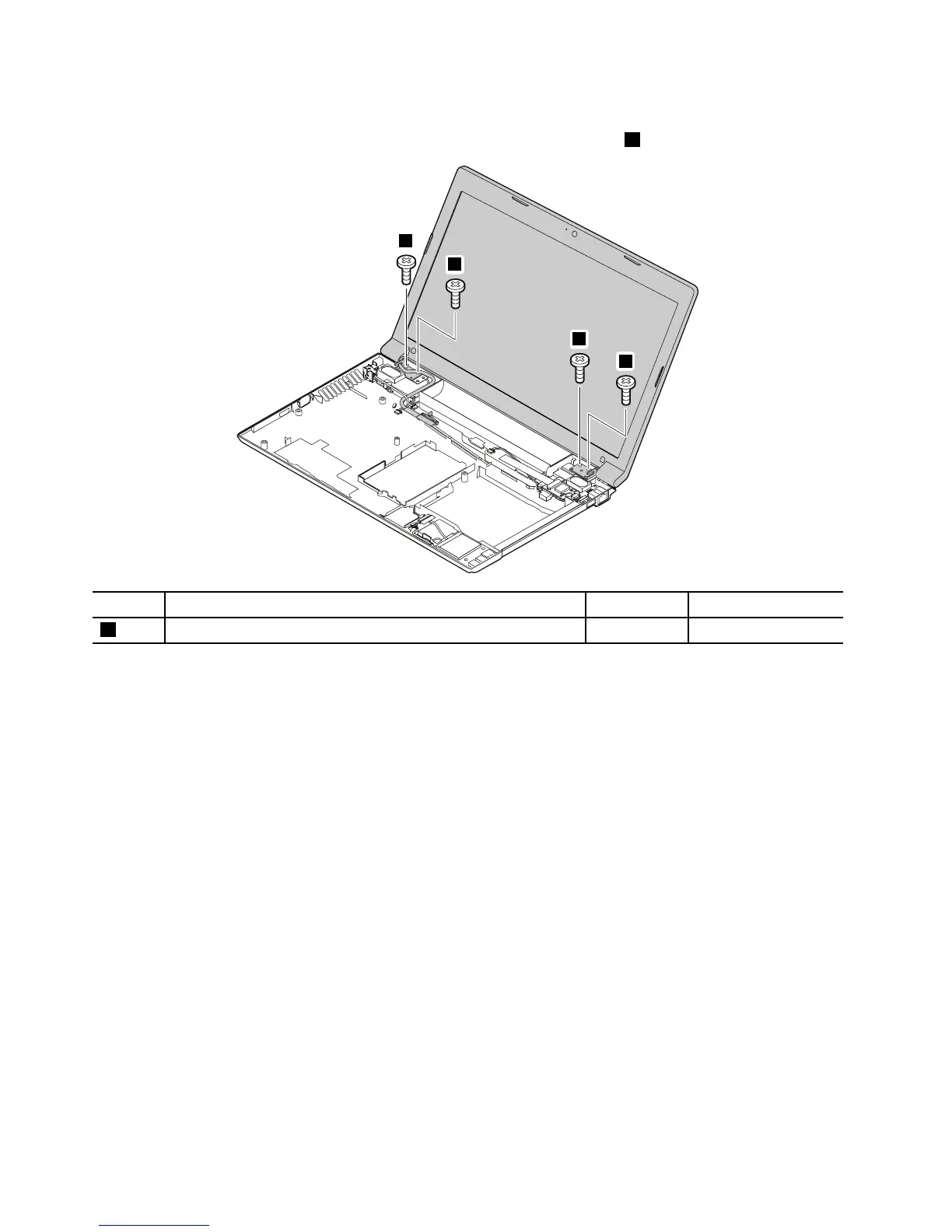
StepScrew(quantity)Color
Torque
2
M2×5mm,at-head,nylon-coated(4)
Black
1.6kgf-cm
Wheninstalling:
•Routetheantennacablesalongthecableguides.Asyouroutethecables,makesurethattheyarenot
subjecttoanytension.Tensioncouldcausethecablestobedamagedbythecableguides,orawireto
bebroken.
•MakesurethattheLCDconnectorisattachedrmlyandmakesurethatyou••donotpinchtheantenna
cableswhenyouattachtheLCDassembly.RoutetheLCDcablealongthecableguides.
66HardwareMaintenanceManual



 To Next Page