1. Remove any media (diskettes, CDs, or memory cards) from the drives, shut
down your operating system, turn off all attached devices, and the computer.
2. Unplug all power cords from electrical outlets.
3. Disconnect all cables attached to the computer. This includes power cords,
input/output (I/O) cables, and any other cables that are connected to the
computer. Refer to “Locating connectors on the rear of the computer”.
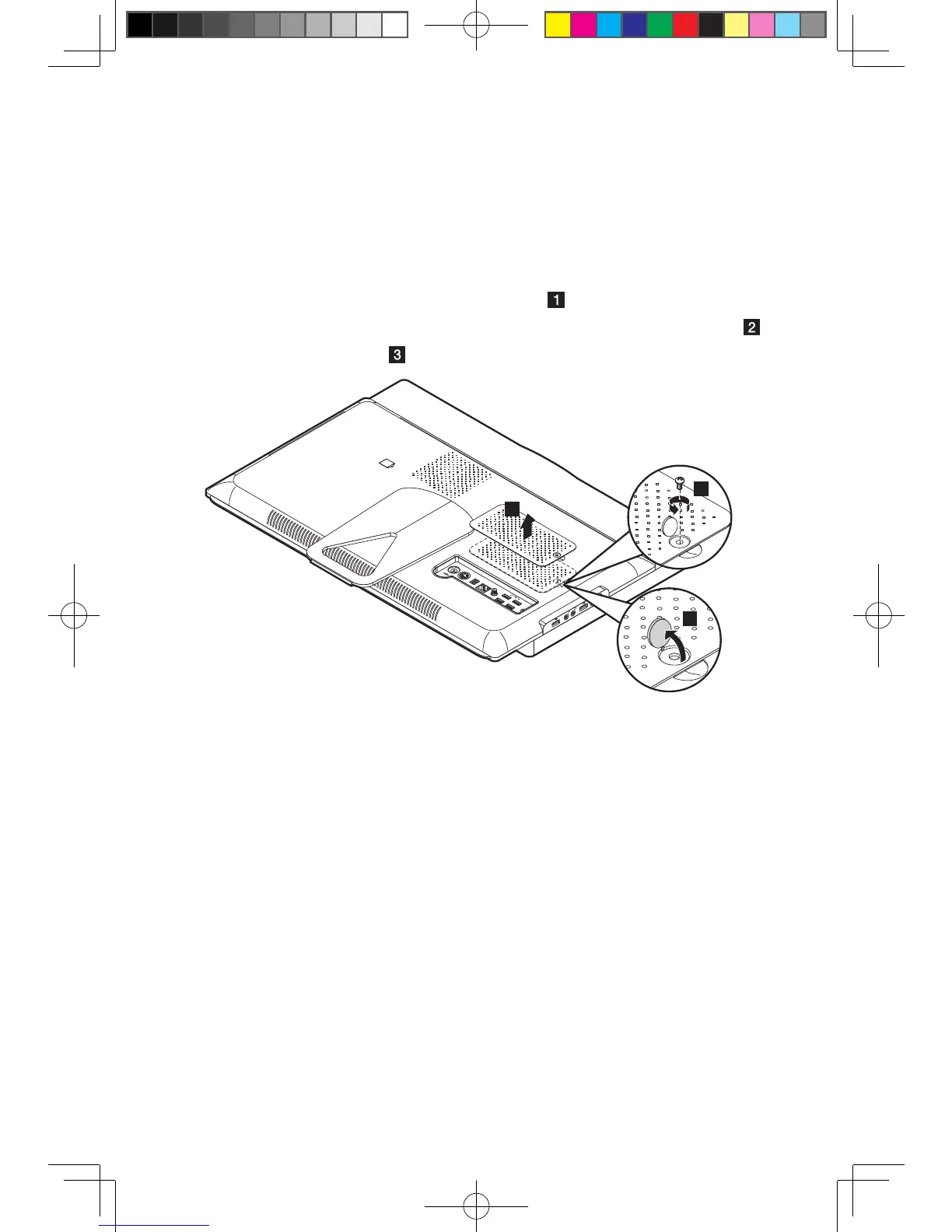
4. Removetherubbercapthatprotectsthescrew.
5. Remove the screw that secures the memory cover to the computer chassis.
6. Lift up the memory cover.












 To Next Page