EasyManua.ls Logo

Lenovo IdeaCentre B310 - Memory Card Reader Usage; Safe Computer Handling and Power-On

Lenovo IdeaCentre B310
25 pages
Print Icon
To Next Page IconTo Next Page
To Previous Page IconTo Previous Page
Loading...
11
Hardware Replacement Guide
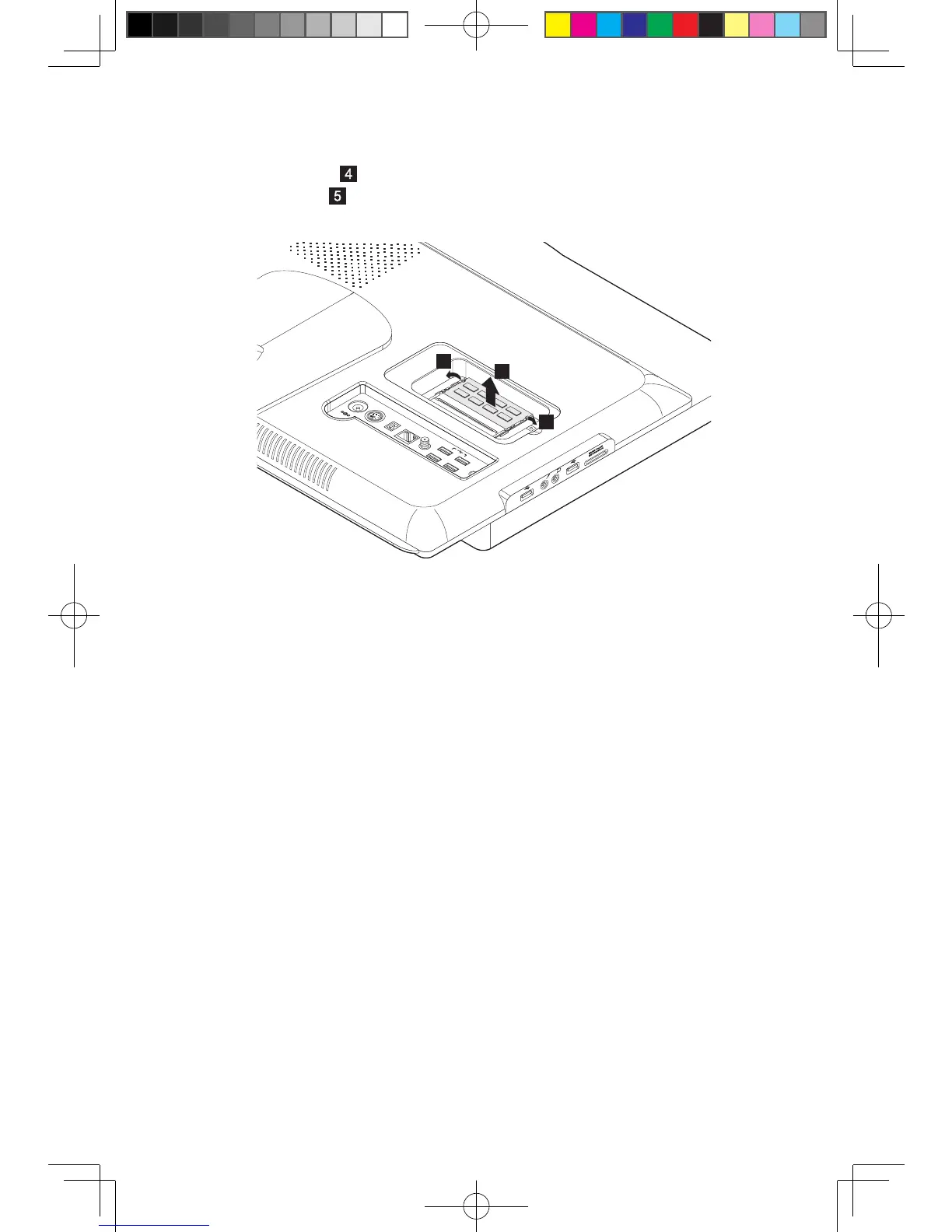
7. Pushoutthelatchesonbothsidesofthememorysockettoreleasethe
memory module
and gently pull the memory module upward to remove it
from its socket
.Bothmemorymodulescanberemovedbyusingthesame
procedure.
4
5
4
8. Aligntheninsertthenewmemorymoduleintothesocketandpushdownon
the top edge of the memory module. Make sure the latches lock the memory
module in place.
9. Alignthenslidebackthememorycover.
10. Screw the memory cover back.
31045699 IdeaCentre B3 HRG V1.1 (EN)(R).indd 11 2010-7-23 17:02:46

Other manuals for Lenovo IdeaCentre B310

Related product manuals