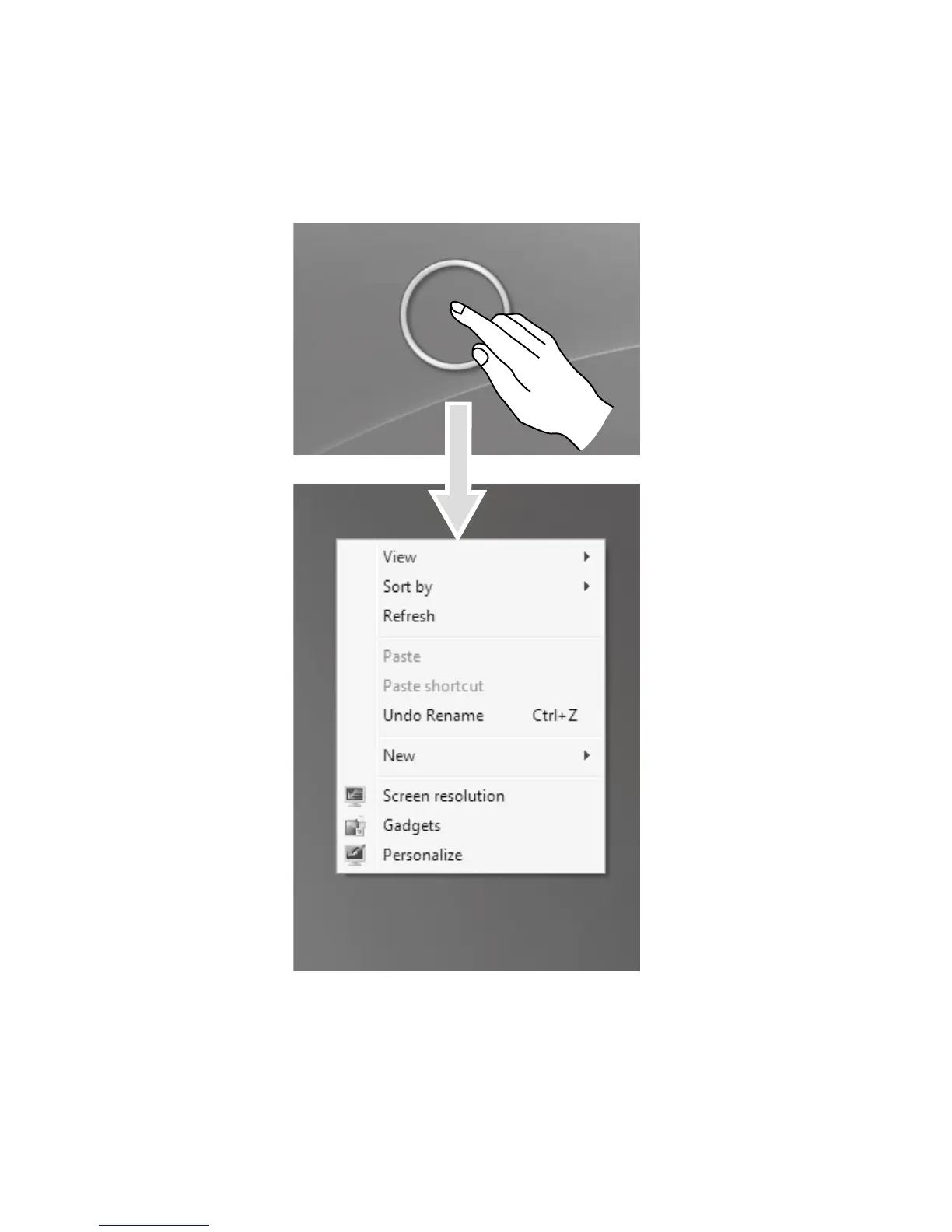
2. Single Finger Right Click
For the item selected on the touch screen, press and hold your finger on the
screen until a circle appears. After lifting your finger from the touch screen, a menu
bar will pop up, completing the single finger right click operation. This is similar to
the action performed by clicking the right mouse button.












 To Next Page