Lenovo IdeaPad S310 Hardware Maintenance Manual
30
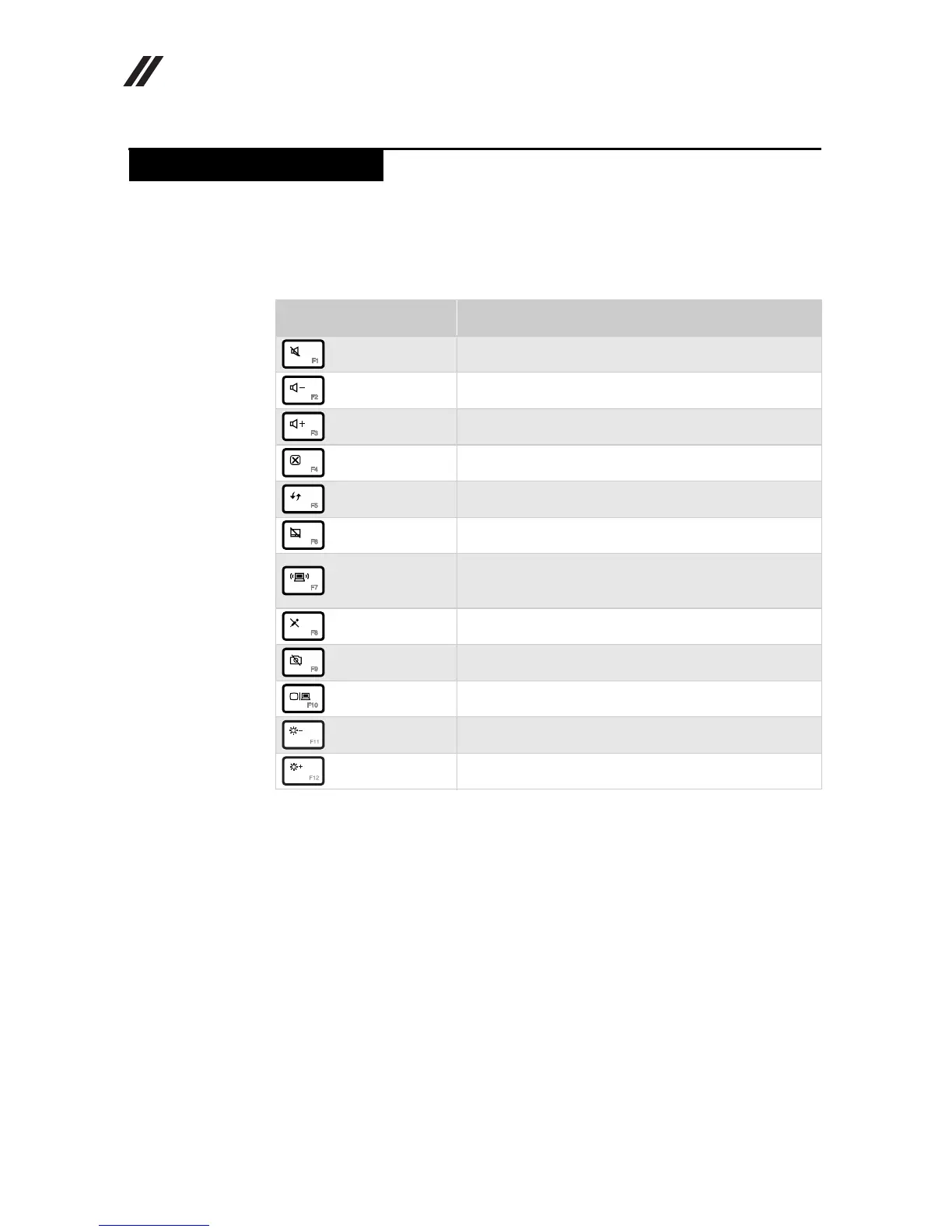
The hotkeys are located in the function key row of the keyboard.By pressing the
appropriate hotkey, you can change system settings instantly.
The following describes the function of each hotkey.
Table 4. Hotkeys
Hotkeys Description
: Mute/Unmute.
: Decrease sound volume.
: Increase sound volume.
: Close active window or program.
: Refresh desktop or Web pages.
: Enable/Disable the touch pad.
:
Open the interface for integrated wireless devices
settings (on/off).
: Enable/Disable the built-in microphone.
: Turn on/off the integrated camera.
: Open the interface for changing display devices.
: Decrease display brightness.
: Increase display brightness.
Hotkeys









 To Next Page