Lenovo IdeaPad S310
37
1030 DIMM
For access, remove this FRU:
• “1010 Battery pack” on page 33
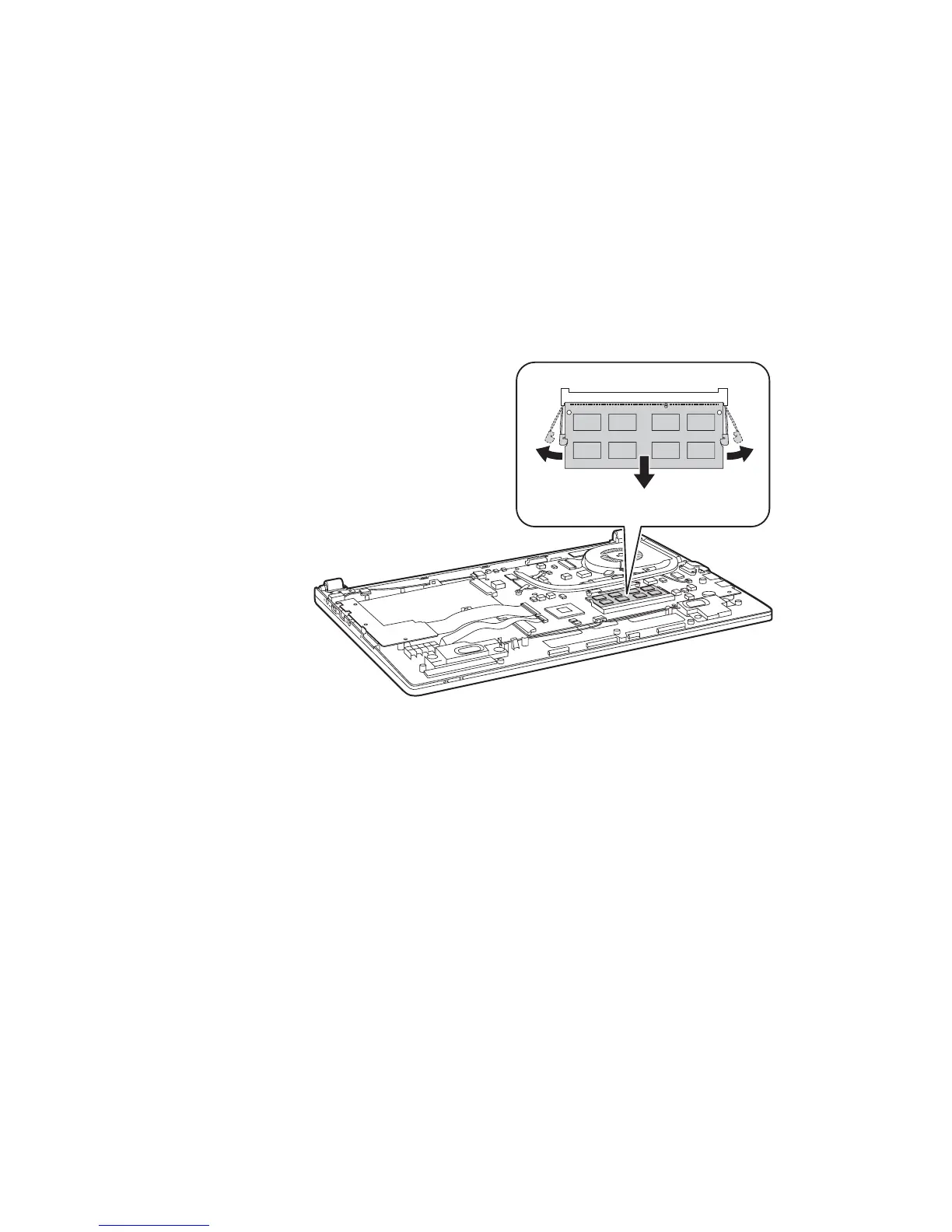
Figure 3. Removal steps of DIMM
Release the two latches on both edges of the socket at the same time in the
direction shown by arrows , and then unplug the DIMM in the direction
shown by arrow .
When installing: Insert the notched end of the DIMM into the socket. Push the
DIMM firmly, and pivot it until it snaps into the place. Make sure that it is firmly
fixed in the slot and difficult to be moved.
a
b
aa
b




 To Next Page