Lenovo IdeaPad S310 Hardware Maintenance Manual
36
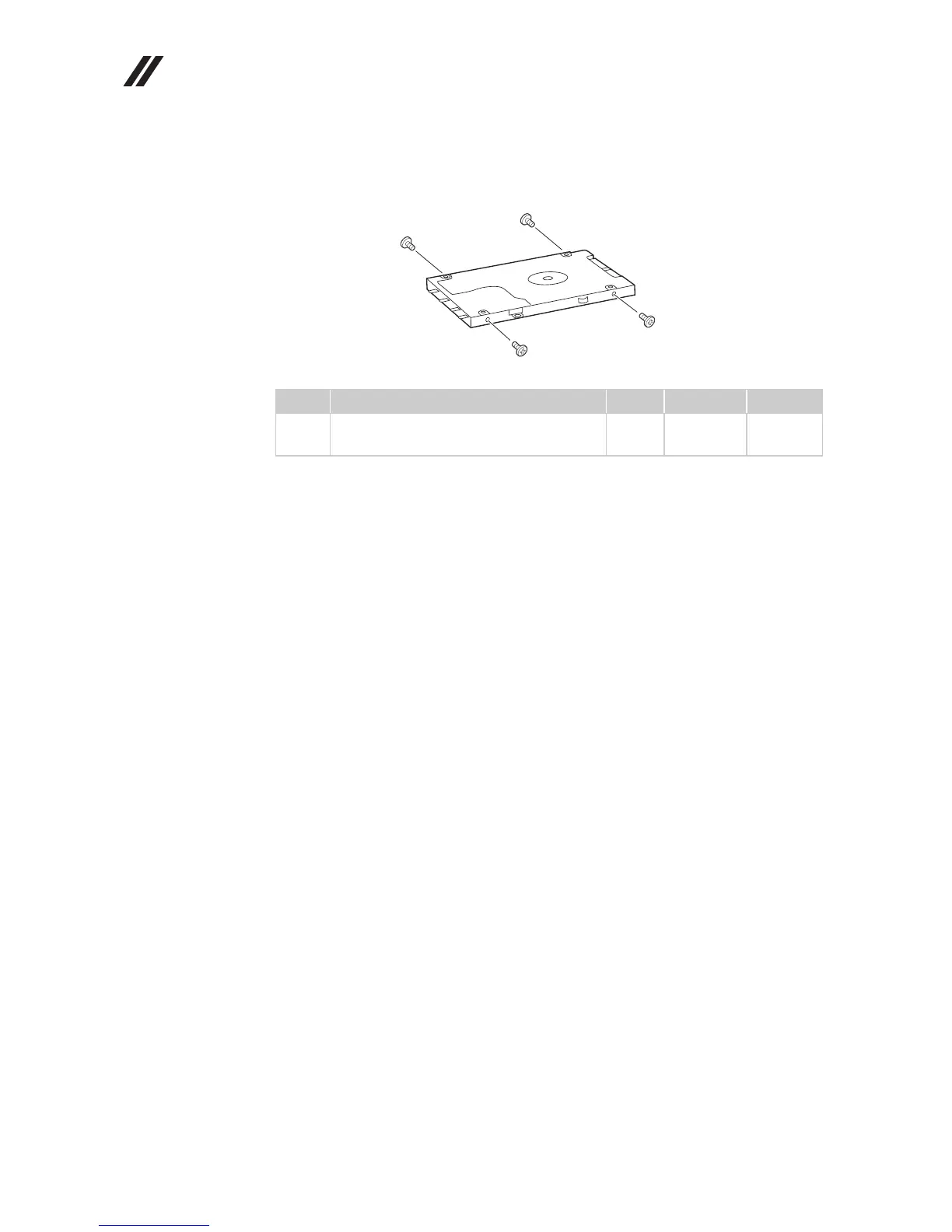
Figure 2. Removal steps of hard disk drive (continued)
Remove four screws and detach the metal frame from the hard disk drive.
When installing: Make sure that the HDD connector is attached firmly.
Step Screw (quantity) Color Torque P/N
M3.0 × 3.0 mm, flat-head, nylok-coated
(4)
Silver 3.0 kgfcm 90202855
c
c
c
c




 To Next Page