Lenovo IdeaPad S310 Hardware Maintenance Manual
52
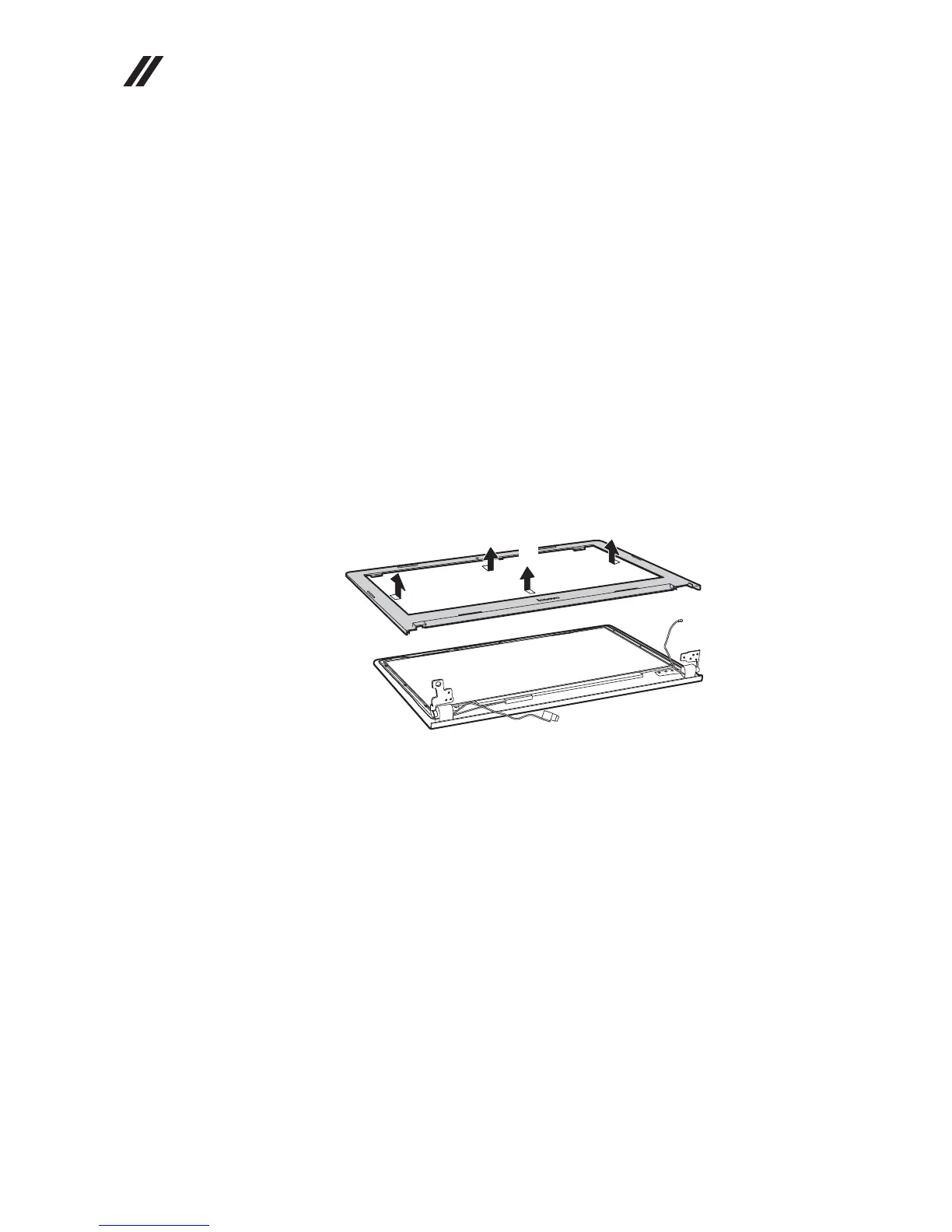
1100 LCD front bezel
For access, remove these FRUs in order:
• “1010 Battery pack” on page 33
• “1020 Hard disk drive” on page 35
• “1030 DIMM” on page 37
• “1040 PCI Express Mini Card for wireless LAN/WAN” on page 38
• “1050 Fan assembly and Heat Sink assembly” on page 40
• “1060 Keyboard” on page 42
• “1070 System board” on page 44
• “1080 LCD unit” on page 47
• “1090 Speakers, base cover, USB board, power assembly and power board”
on page 49
Figure 10. Removal steps of LCD front bezel
Remove the LCD front bezel in the direction shown by arrows .
a
a
a
a
a




 To Next Page