Lenovo IdeaPad S310 Hardware Maintenance Manual
42
1060 Keyboard
For access, remove these FRUs in order::
• “1010 Battery pack” on page 33
• “1050 Fan assembly and Heat Sink assembly” on page 40
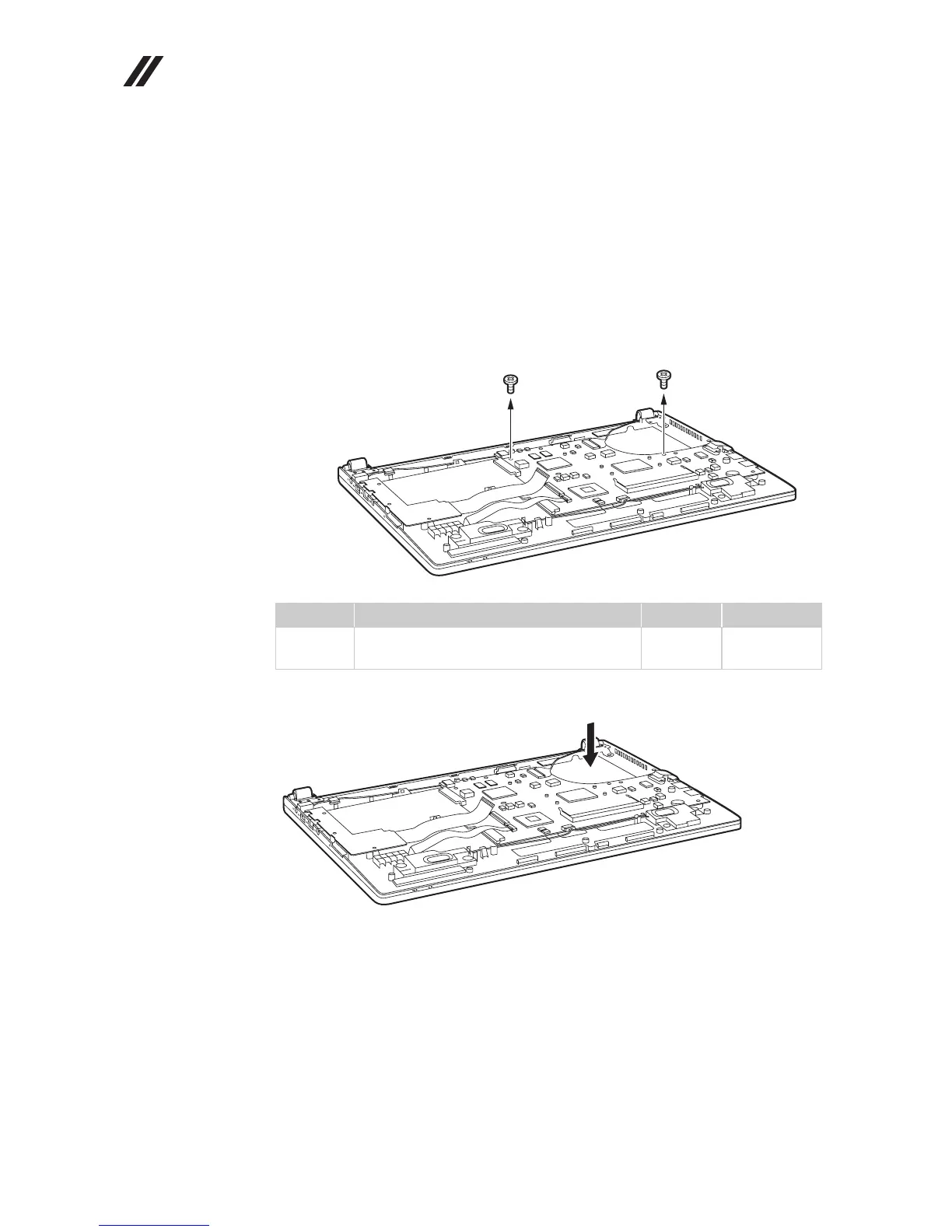
Figure 6. Removal steps of keyboard
Remove screws .
Push the back of the keyboard in the direction shown by arrow .
Step Screw (quantity) Color Torque
M2.0 × 3.0 mm, flat-head, nylok-coated
(2)
Silver 1.85 kgfcm
a
a
a
a
b
b




 To Next Page