Lenovo IdeaPad S310
45
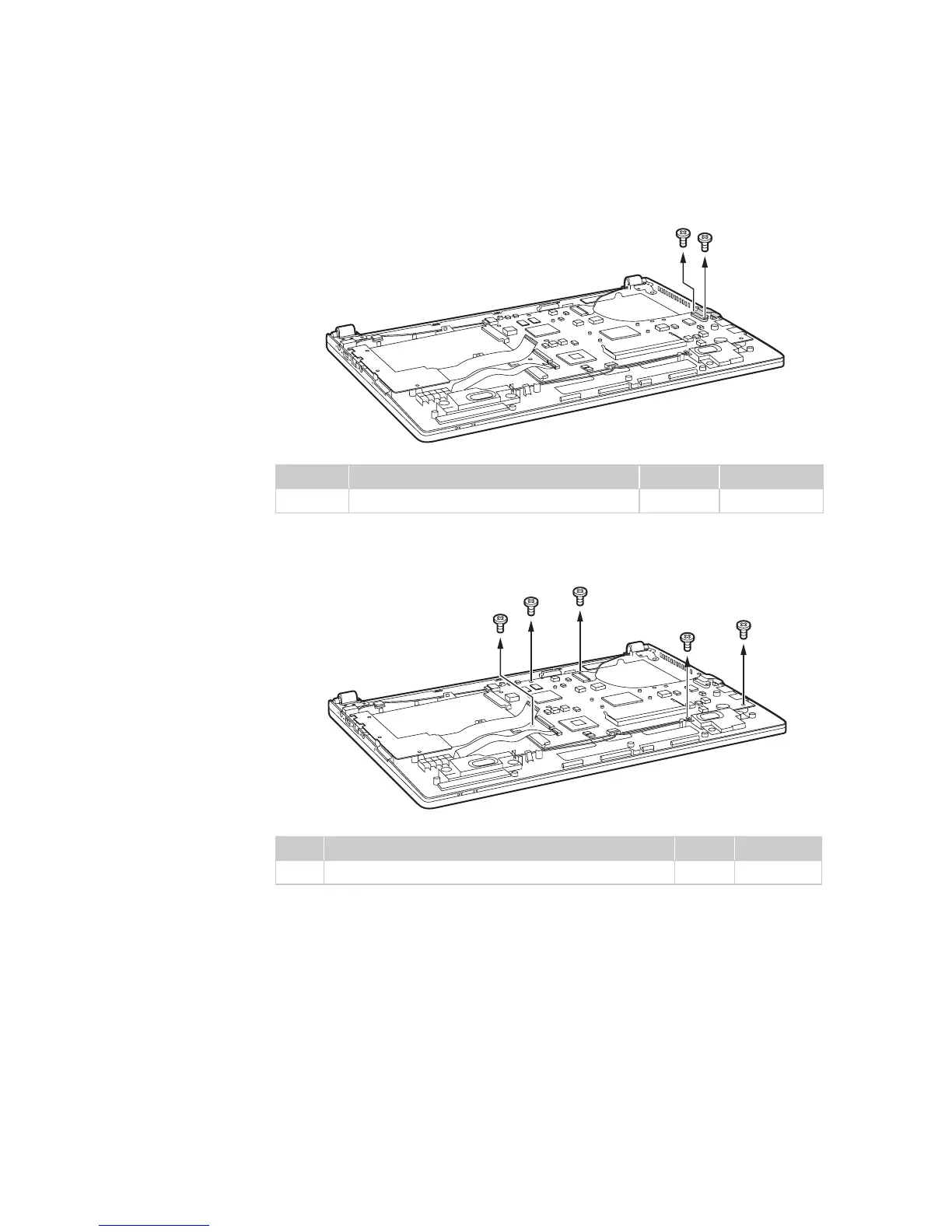
Figure 7. Removal steps of system board (continued)
Remove two screws , then remove the RJ-45 door.
Remove five screws .
Step Screw (quantity) Color Torque
M2 × 3 mm, flat-head, nylok-coated (2) Silver 1.85 kgfcm
Step Screw (quantity) Color Torque
M2 × 3 mm, flat-head, nylok-coated (5) Silver 1.85 kgfcm
a
a
a
a
b
b
b
b
b
b
b




 To Next Page