10
Chapter 2. Learning the basics
Using the touchpad
- - - - - - - - - - - - - - - - - - - - - - - - - - - - - - - - - - - - - - - - - - - - - - - - - - - - - - - - - - - - - - - - - - - - - - - - - - - - - - -
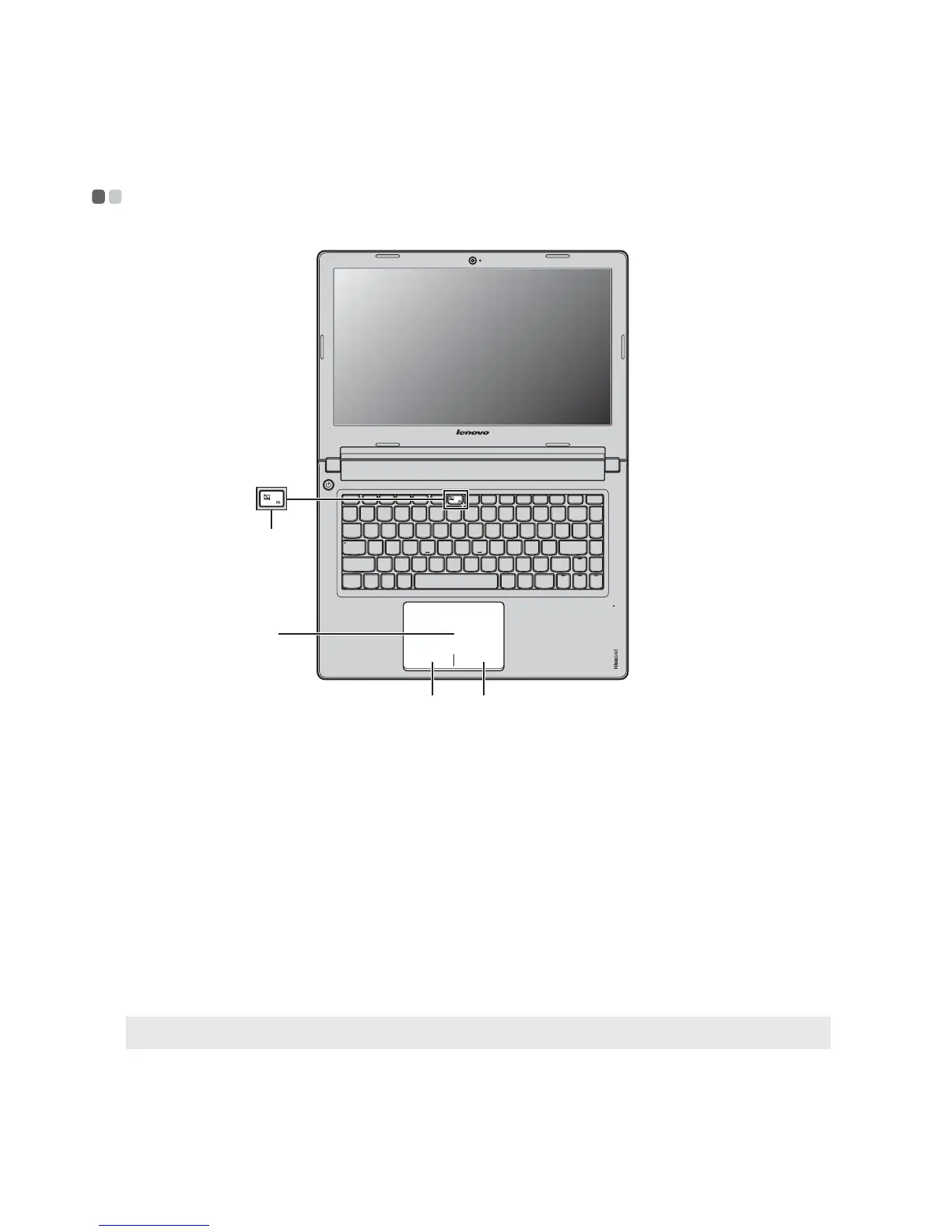
Touchpad
To move the cursor on the screen, slide your
fingertip over the pad in the direction in which
you want the cursor to move.
Left-click area
The function corresponds to that of the left
mouse button on a conventional mouse, which
can be implemented by clicking this area.
Right-click area
The function corresponds to that of the right
mouse button on a conventional mouse, which
can be implemented by clicking this area.
Note: You can enable/disable the touchpad by pressing .
b c
a
d
a
b
c
d





 To Next Page