Apps
Take a bokeh photo
You can use the portrait mode to add a blur eect to the background, while keeping the
main subject in perfect focus.
Find it:
Camera > Bokeh
1 Line up your subjects. The closest subject is prioritized automatically. Tap the screen
to change the focal point.
2 Slide the bar to increase or decrease the background blur.
3 Tap to take the photo.
Tip: For best results, subjects should be one to six feet away.
Capture your screen
There’s more than one way to capture your phone’s screen.
» Press and hold the Power button and tap Screenshot.
» Press and hold both the Power and the Volume Down buttons at the same time.
» Set up Gestures so you can capture screenshots by touching the screen with three
fingertips.
Tip: To see the screen capture, tap
Gallary > Folders > Screenshots.
Gallary Go
View, edit, and share photos.
Find it:
Gallary
» View, share, or delete: Tap a thumbnail to open it, then tap to share, to delete,
or Menu for more options.
Tip: To select multiple files, open a folder, touch and hold a photo, then tap others. Or
group photos in an album and share the whole album.
» Zoom: Open a photo in your gallery, then double-tap or drag two fingers apart or
together on the screen.
Tip: Turn your phone sideways for a landscape view. To turn Auto-rotate screen on or
o, swipe up and tap
Settings > Display > Advanced > Auto-rotate screen.
» Wallpaper or Contact photo: Open a photo, then tap Menu > Use as.
» Edit: Open a photo, then tap Edit.
Note: For more about Google Photos™, visit https://support.google.com/photos.
Gmail
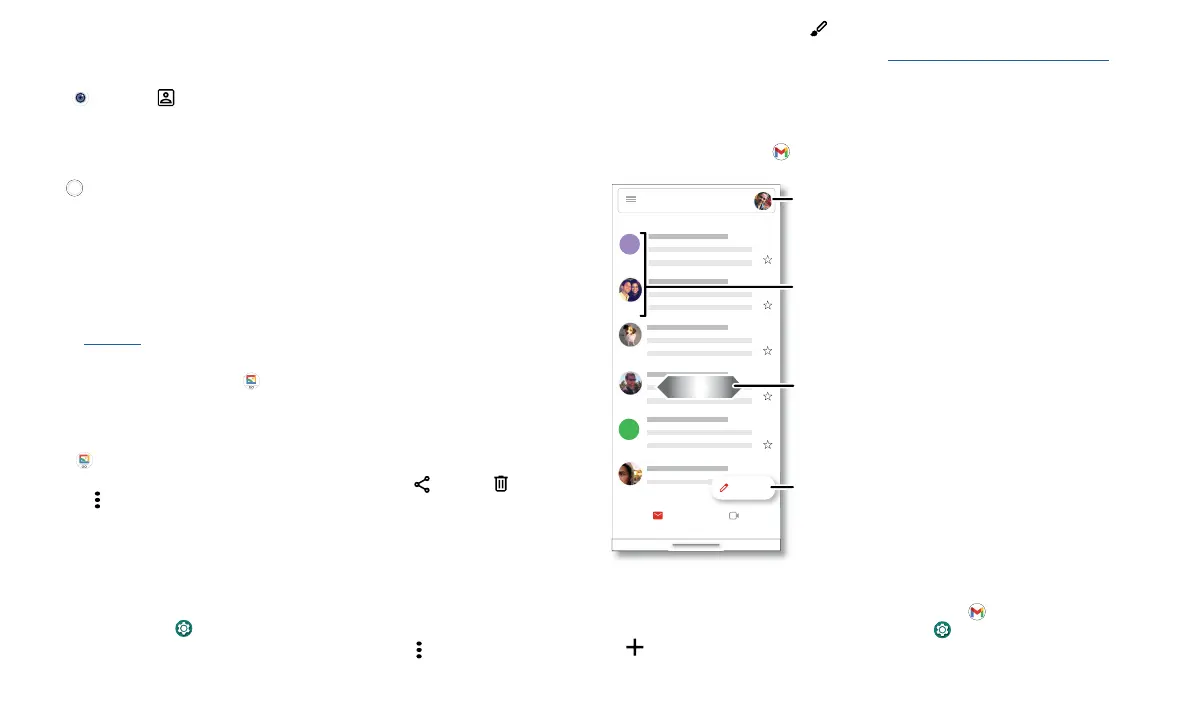
Send and receive email from all of your personal accounts (even if they’re not Gmail
accounts). You can manage your accounts in Gmail and easily switch between them.
Find it: Swipe up and tap
Gmail
Email screen listing emails for this account. Tap the magnifying icon in the top right to search email. Tap the Pencil icon in the bottom right to start a new email.
» Add Gmail accounts: The first time you turned on your phone, you probably set up
or logged in to your Google account—that sets up the
Gmail app for one account.
To add more Google accounts, swipe up and tap
Settings > Accounts, then tap
Add account > Google.
Apr 22
Apr 22
Apr 22
Apr 22
Apr 22
Inbox
B
A
H
Mail Meet
Compose
Search in mail
PRIMARY
Switch accounts.
Swipe left or right to
archive a message.
Touch and hold to choose
multiple messages, then
select an option at the top.
Compose a new email.


 To Next Page