Protect your phone
» PIN: Enter four to sixteen digits to unlock.
» Password: Enter four to sixteen letters, digits, or symbols to unlock.
2 After setting the lock type, tap for screen lock settings.
To change when your touchscreen goes to sleep, swipe up and tap Settings >
Display > Advanced > Screen timeout.
Note: You can make emergency calls on a locked phone (see Emergency calls). A
locked phone still rings, and you do not need to enter a PIN or password to answer a
call.
Smart lock
Keep your phone unlocked when it’s safe with you.
Find it: Swipe up and tap
Settings > Security > Smart Lock
» Tap On-body detection to keep your phone unlocked when it’s on you.
» Tap Trusted places and Trusted devices to add locations and nearby devices that
will keep your phone unlocked.
Unlock with your fingerprint
You can use the fingerprint sensor to unlock your phone.
Find it: Swipe up and tap
Settings > Security > Fingerprint
Can’t unlock?
If you forget your pattern, PIN, or password, you can enter your Google account email
and password on another device to unlock the phone.
If you don’t have a Google account on your phone, contact your service provider to
have your phone factory reset.
Warning: A factory reset will delete all data on your phone.
Your privacy
Keeping your information safe is important.
Find it: Swipe up and tap
Settings > Privacy
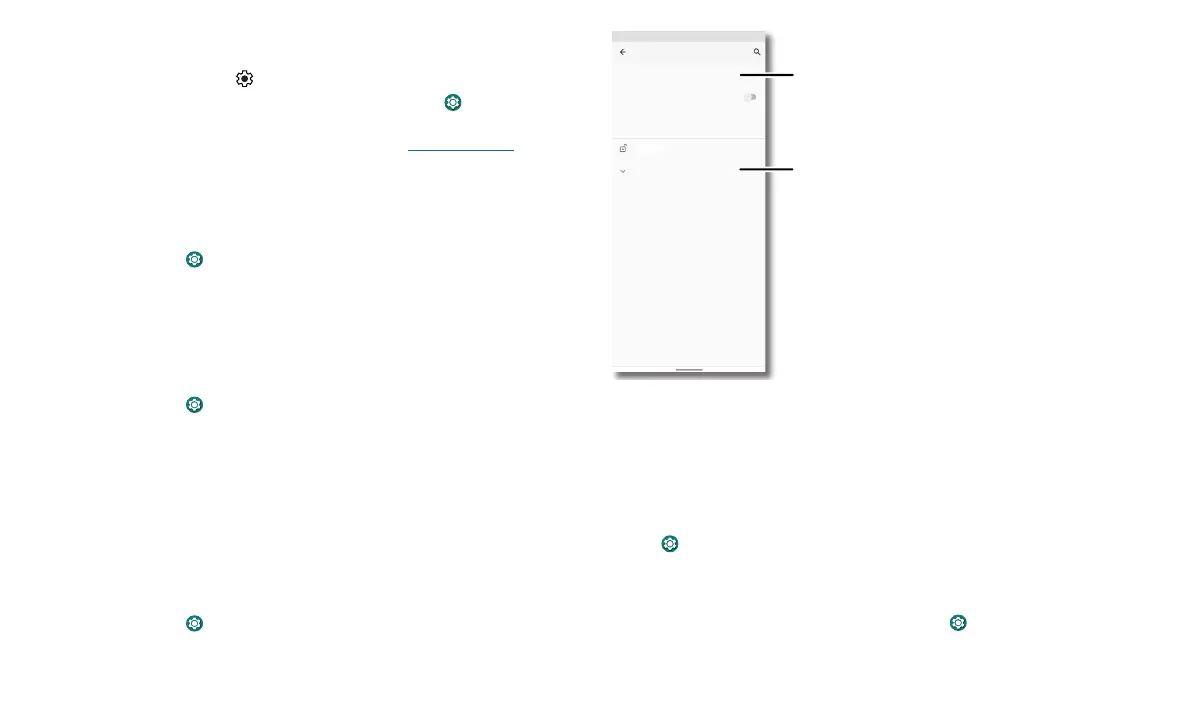
Security screen that shows options for locking your phone’s screen.
Tap Permission manager to see which apps have permissions to access private
information, such as calendar events, contacts, email, and your location.
Tap an app, then tap one of the apps that have permissions and tap Allow or Deny.
Note: Turning o permissions may cause an app not to function correctly.
Passwords
Your phone briefly shows password characters as you type. To turn this o, swipe up
and tap
Settings > Privacy > Show passwords.
Notifications
Your phone shows notifications even when it’s locked.
To choose which notifications show, swipe up and tap
Settings > Privacy > Lock
screen. Tap to show all, none, or only those that are not sensitive
Decide which apps can
access your information.
See more priv
Permission manager
Show passwords
Display characters briefly as you type
Show sensitive content only when unlocked
Lock screen
Advanced
Privacy
Privacy
Auto-fill service from Google, Google Location Hist..


 To Next Page