Troubleshooting
1. No image is displayed on the screen.
• Ensurethatthelenscapisopenandyourcomputerisworkingproperly.
• Ensurethatthesignalsareoutputandinputproperly.IfnowirelessorHDMI
signals are input into the projector, refer to the following instructions.
2. No wireless signals are input into the projector.
• Ensurethatyouhaveselectedwirelesssignals.See“Initialsetupinstructions”.
• Ensurethatthewirelesssignalsareoutputproperlyfromthecomputerpairedwith
the projector.
• Ensurethatthecomputerisplacedwithin5m(16.4ft)fromtheprojectorinthe
same room, without any obstruction between them.
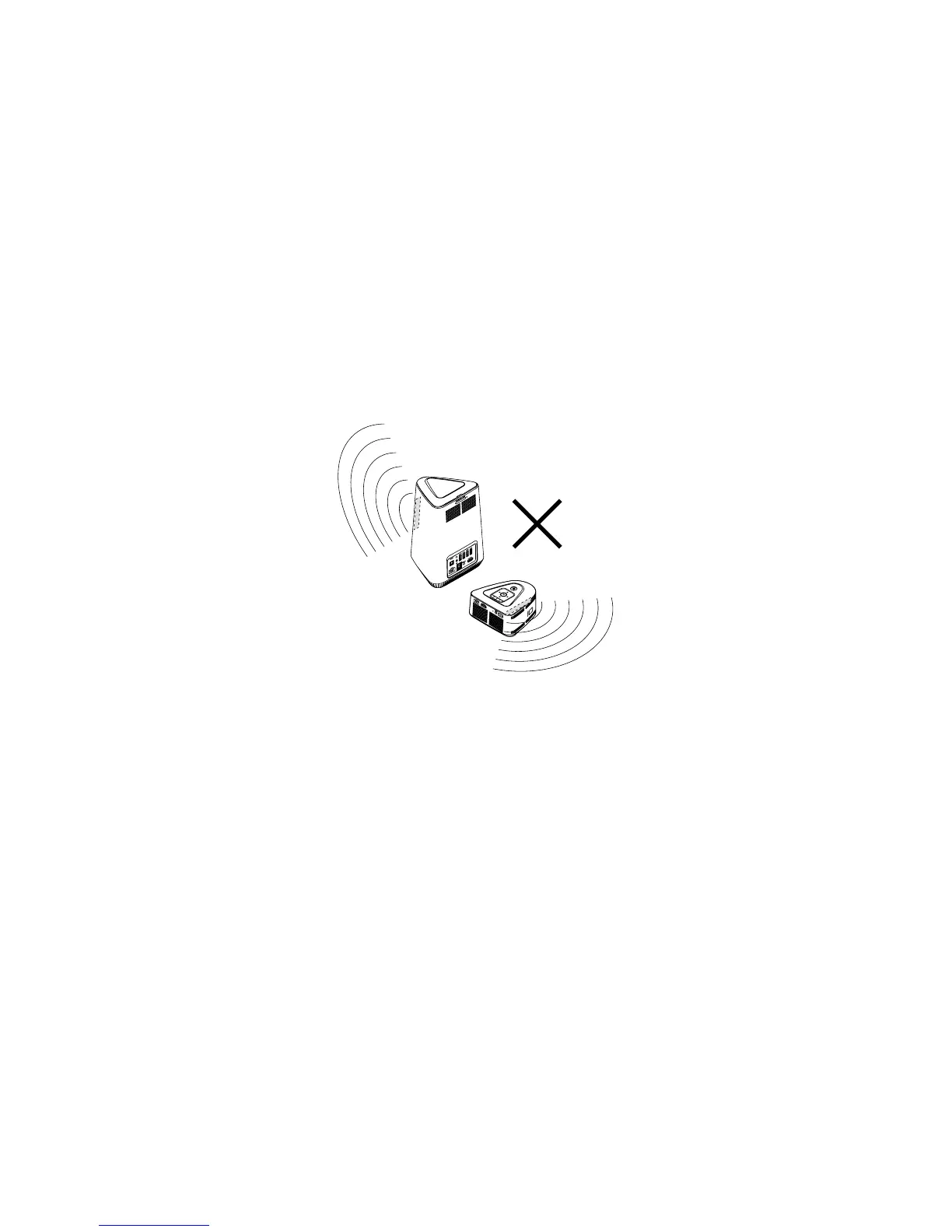
• Donotplacethecomputerandtheprojectorinthefollowingpositionhorizontally
or vertically, where the wireless signals from the computer and the projector are
sent out away from each other.
3. No HDMI signals are input into the projector.
• EnsurethatyouhaveselectedHDMIsignals.See“Initialsetupinstructions”.
• EnsurethattheHDMIcablecomingwiththeprojectorisintact,andconnectedto
the computer and the projector correctly and securely.
4. The image is not sharp.
• See“Adjustingtheprojectorscreen”.
• Ensurethatthesurfaceofthelensisclean.Wipethelenssurfacegentlywitha
lens cleaning cloth.
• Ifthereiscondensationonthelens,turnofftheprojectoranddetachitspower
supply. Do not use the projector until the condensation evaporates.
5. The image is distorted and flickering.
• IfyouhaveselectedHDMIsignals,ensurethattheHDMIcableisconnectedtothe
computer and the projector correctly and securely.
• Ensurethatyousettheproperscreenresolutiononyourcomputer.
6. The colors of the image are not pleasing.
Change the display settings. See “Changing the OSD settings”.



 To Next Page