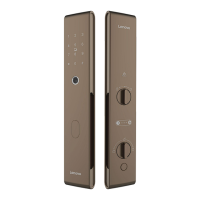
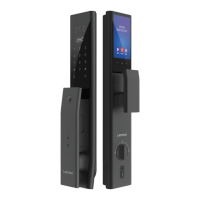
1 : ADMIN SETTINGS
a. Press [*] [#] key, voice prompt "factory status, please add 6-14 digits administrator password press
[#] key to confirm", the user enters the password, press [#] key to confirm.
b. Enter the password again when prompted, press the [#] key to confirm, and then enter the same
set of passwords.
c. Voice prompt "Registration successful", the system automatically jumps to the main menu, the user
exits according to the voice navigation or performs other operations.
1.1 : ENTER THE MAIN MENU
Press the [*] [#] key, please use the administrator password for verification. After entering the main
menu, the user can press the corresponding number key to select the operation according to the
menu number.
1. Network Settings
2. Set or Query The System Time
3. Volume Setting
4. Combined Door Opening
5. Check The Software Version
1. Register Regular Key Card
2. Delete a Single Key Card
3. Delete The Deparment-Wide Card
1. Change Administrator Password
2. Register a Normal Password
3. Remove Individual Password
4. Remove All Passwords
1. Register a Common Fingerprint
2. Delete Individual Fingerprint
3. Delete All Fingerprint
1
2
4
3
1. Password Managemet
2. Fingerprint Management
3. Key Card Management
4. System Settings
1
1. Set The Time
2. Query Time
2
1. Maximum Volume
2. Secondary Volume
3. Minimum Volume
4. Silent Mode
4
1. Password + Fingerprint
2. Card + Fingerprint
3. Fingerprint + Fingerprint
4. Single Certification
TIPS
1. If this product fails to verify the key 5 times during use, the system will lock it for 90 seconds, and
enter the correct key again after 90 seconds to use it normally.
2. Please pay attention to the battery level reminder before going out, and replace the battery in
time when the power is insufficient.
3. The spare emergency key must be placed outdoors, and do not leave all of it at home (can be
placed in a private car, parents' or children's home).


 To Next Page