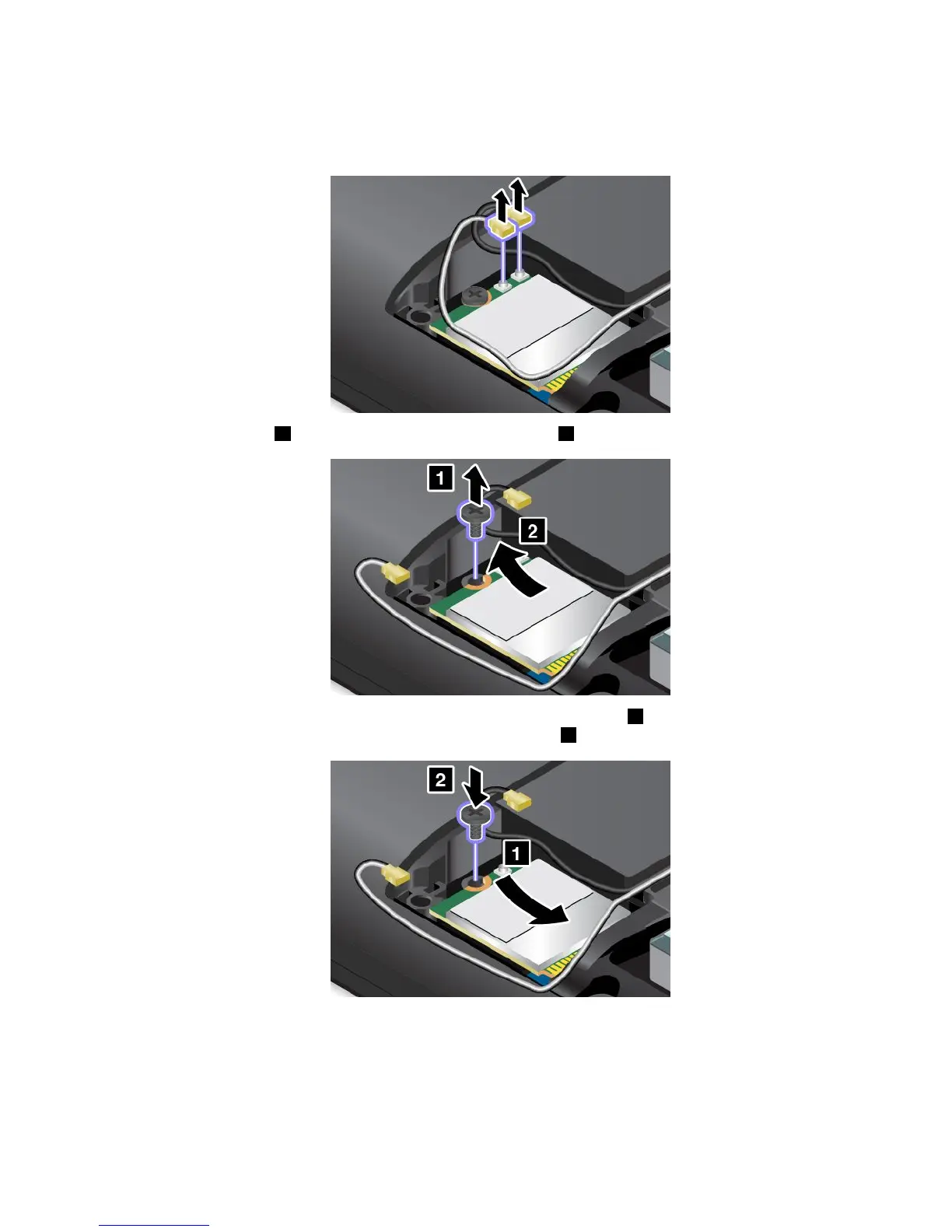
5.Ifatoolisprovidedwiththenewcardtohelpyoudisconnectcables,usethetooltodisconnectthe
cablesfromtheoldcard.Ifnosuchatoolisprovided,holdthecableconnectorwithyourfingersand
gentlydisconnecteachcablefromtheoldcard.
6.Removethescrew1.Thecardpopsup.Removethecard2.
7.Alignthecontactedgeofthenewcardwiththecorrespondingsocket1.Pivotthenewcarddownward
andtheninstallthescrewtosecurethenewcardintoplace2.
Chapter10.Replacingdevices127















 To Next Page