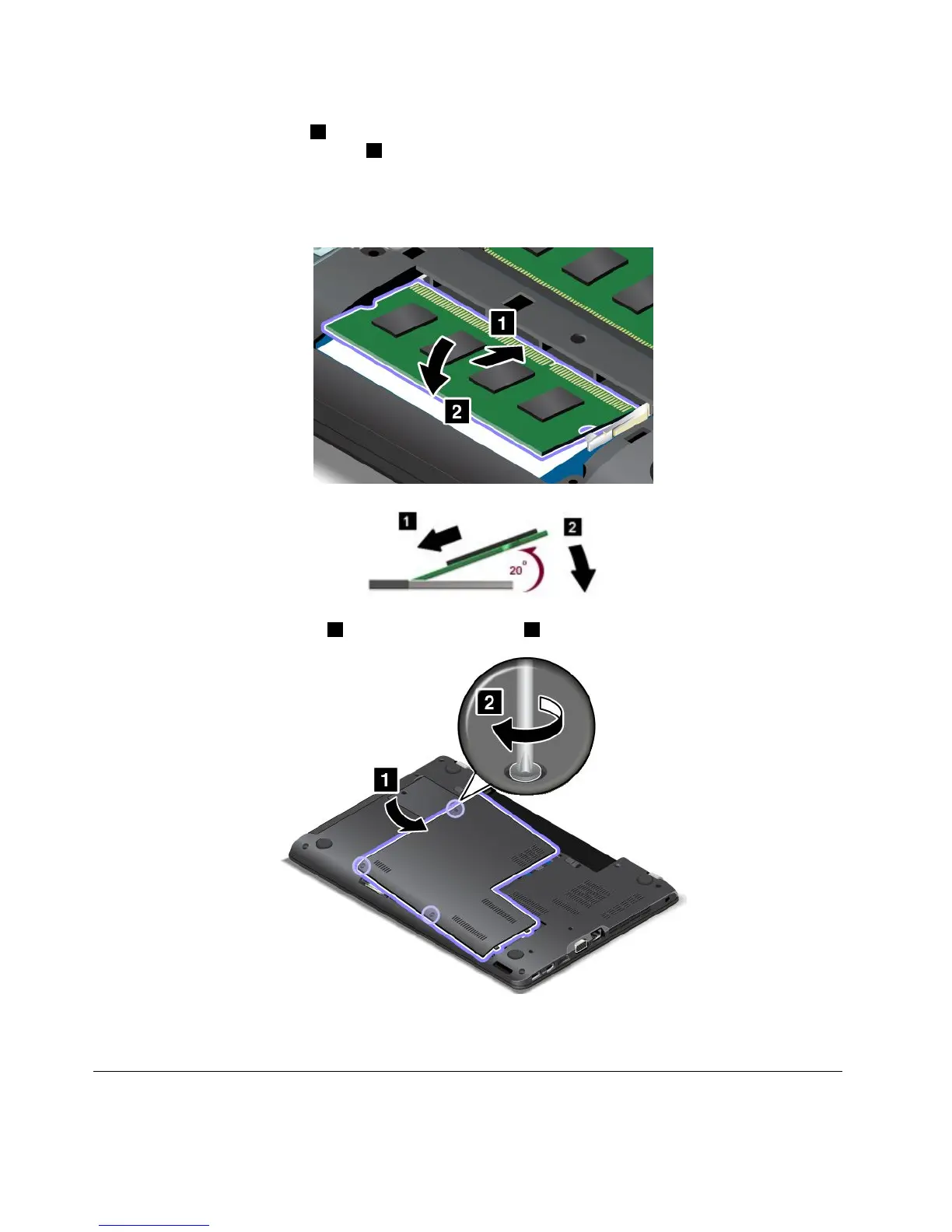
6.Placethenotchedendofthenewmemorymoduletowardthecontactedgesideofthememoryslot.
Insertthememorymodule
1intotheslotatanangleofabout20degrees.Pivotthememorymodule
downwarduntilitsnapsintoplace2.Ensurethatthememorymoduleisfirmlyinstalledintheslot
andcannotbemovedeasily.
Attention:Donottouchthecontactedgeofthememorymodule.Otherwisethememorymodule
mightgetdamaged.
7.Reinstallthecomputercover1.Thentightenthescrews2.
8.Reinstallthebattery.See“Replacingthebattery”onpage113.
9.Turnthecomputeroveragain.Connecttheacpoweradapterandallcables.
Replacingthecoin-cellbattery
Beforeyoustart,printtheseinstructionsandread“Importantsafetyinformation”onpagevi.
130UserGuide















 To Next Page