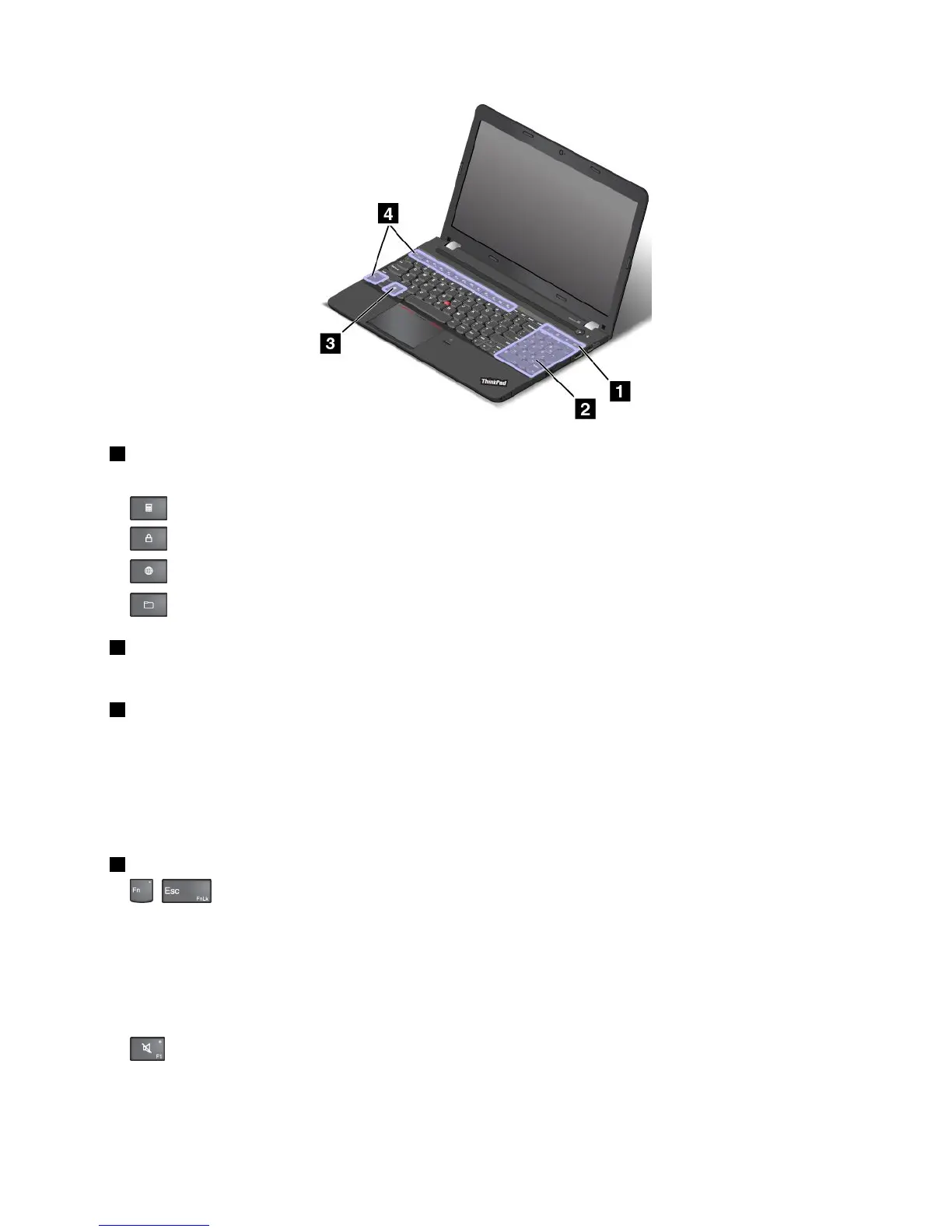
1Additionalshortcutkeys
Yourcomputermighthavefouradditionalshortcutkeys:
•:Launchescalculator
•:Locksoperatingsystem
•:Opensthedefaultbrowser
•:OpensComputer
2Numerickeypad
Youcanusethisnumerickeypadtoinputnumbersquickly.
3Windowskey
ForWindows7:PresstheWindowskeytoopentheStartmenu.
ForWindows8.1:PresstheWindowskeytoswitchbetweenthecurrentworkspaceandtheStartscreen.
ForinformationaboutusingtheWindowskeywithotherkeys,refertothehelpinformationsystemofthe
Windowsoperatingsystem.
4Functionkeys
•+:EnablesordisablestheFnLockfunction.
WhentheFnLockfunctionisdisabled:TheFnLockindicatorisoff.Toinitiatethespecialfunction
ofeachkey,pressthefunctionkeysdirectly.ToinputF1–F12,presstheFnkeyandthecorresponding
functionkey.
WhentheFnLockfunctionisenabled:TheFnLockindicatorturnson.ToinputF1–F12,pressthe
functionkeysdirectly.Toinitiatethespecialfunctionofeachkey,presstheFnkeyandthecorresponding
functionkey.
•
:Mutesorunmutesthespeakers.Whenthespeakersaremuted,thespeaker-muteindicatorturns
on.
Ifyoumutethesoundandturnoffyourcomputer,thesoundwillremainmutedwhenyouturnonyour
computeragain.Toturnonthesound,pressF1,F2,orF3.
Chapter2.Usingyourcomputer23















 To Next Page