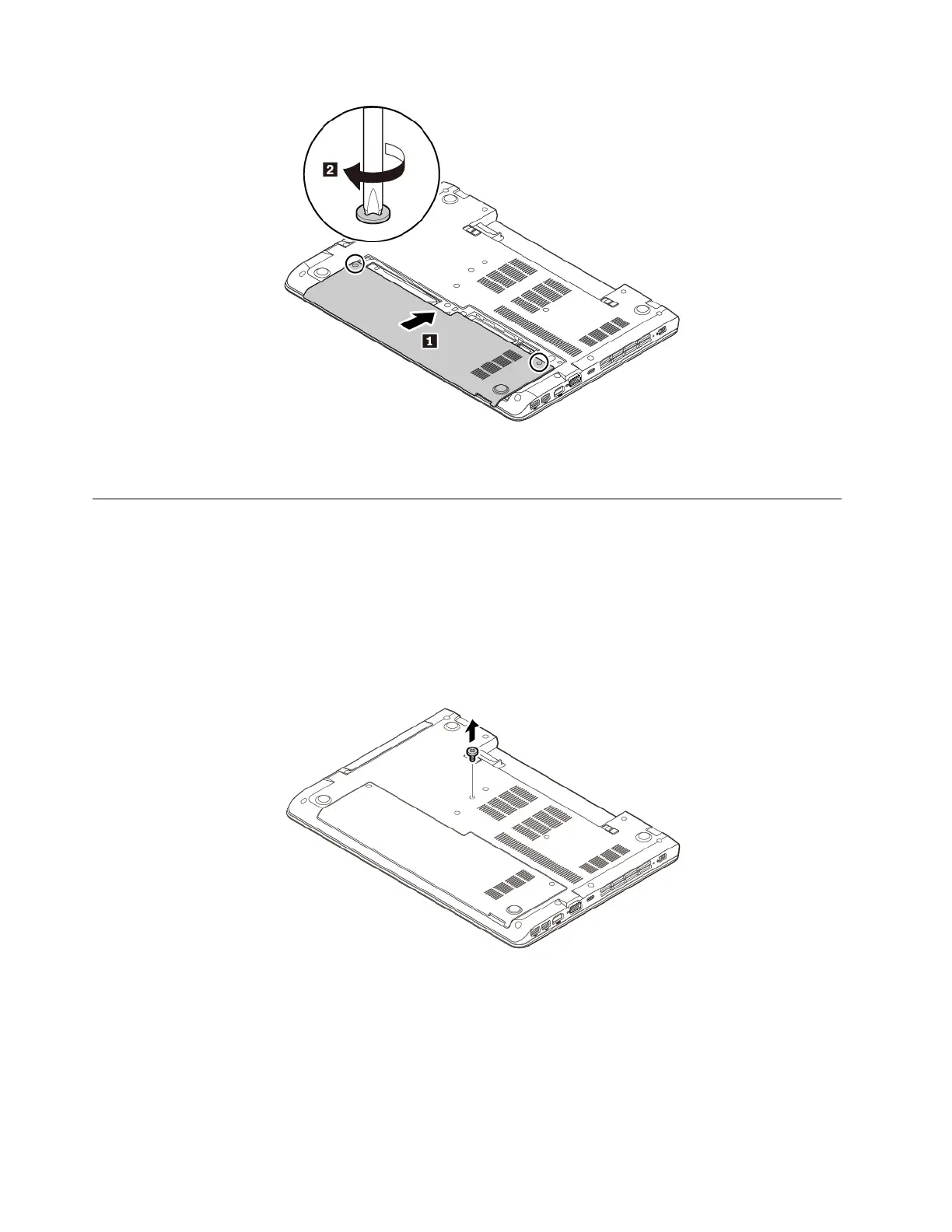
6. Install the removable battery. See “Replacing the removable battery” on page 89.
7. Turn the computer over. Connect the ac power adapter and all cables to the computer.
Replacing the optical drive
Before you start, read “Important safety information” on page v and print following instructions.
Some computer models might come with an optical drive. To replace the optical drive, do the following:
1. Ensure that the computer is turned off and disconnected from ac power and all cables.
2. Close the computer display and turn the computer over.
3. Remove the removable battery. See “Replacing the removable battery” on page 89.
4. Remove the screw that secures the optical drive.
5. Pull the optical drive out of the optical-drive bay.
96
ThinkPad E570, E570c, and E575 User Guide














 To Next Page