Chapter 1. Product overview
This chapter provides basic information to help you get familiar with your computer.
Computer controls, connectors, and indicators
This section introduces hardware features of the computer.
Front view
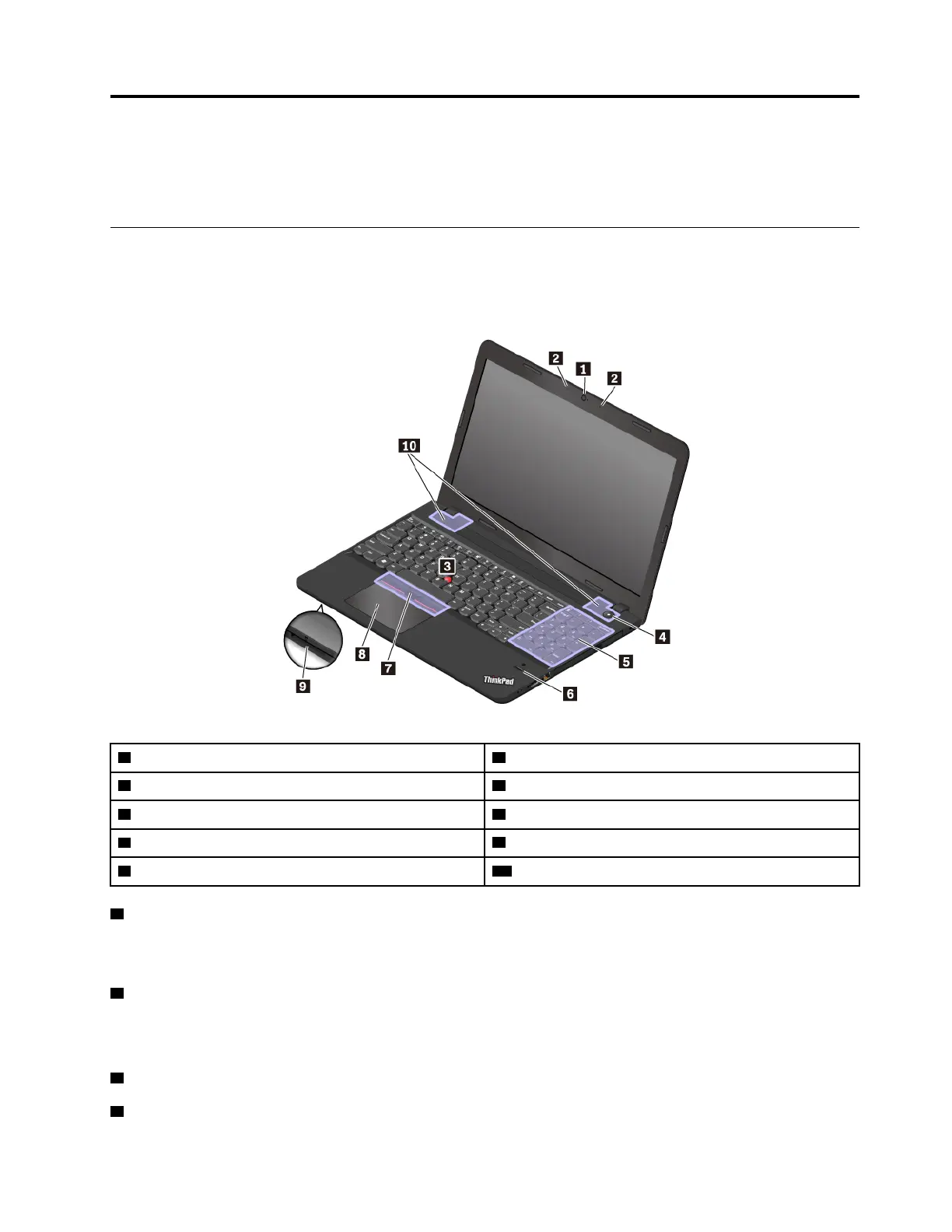
1 Camera
2 Microphones
3 TrackPoint
®
pointing stick 4 Power button
5 Numeric keypad
6 Fingerprint reader (available on some models)
7 TrackPoint buttons 8 Trackpad
9 Media-card slot
10 Speakers
1 Camera
The camera enables you to take pictures or hold a video conference. For more information, see “Using the
camera” on page 28.
2 Microphones
The microphones capture sound and voice when used with a program capable of handling audio.
ThinkPad pointing device
3 TrackPoint pointing stick
7 TrackPoint buttons
© Copyright Lenovo 2016, 2017 1













 To Next Page