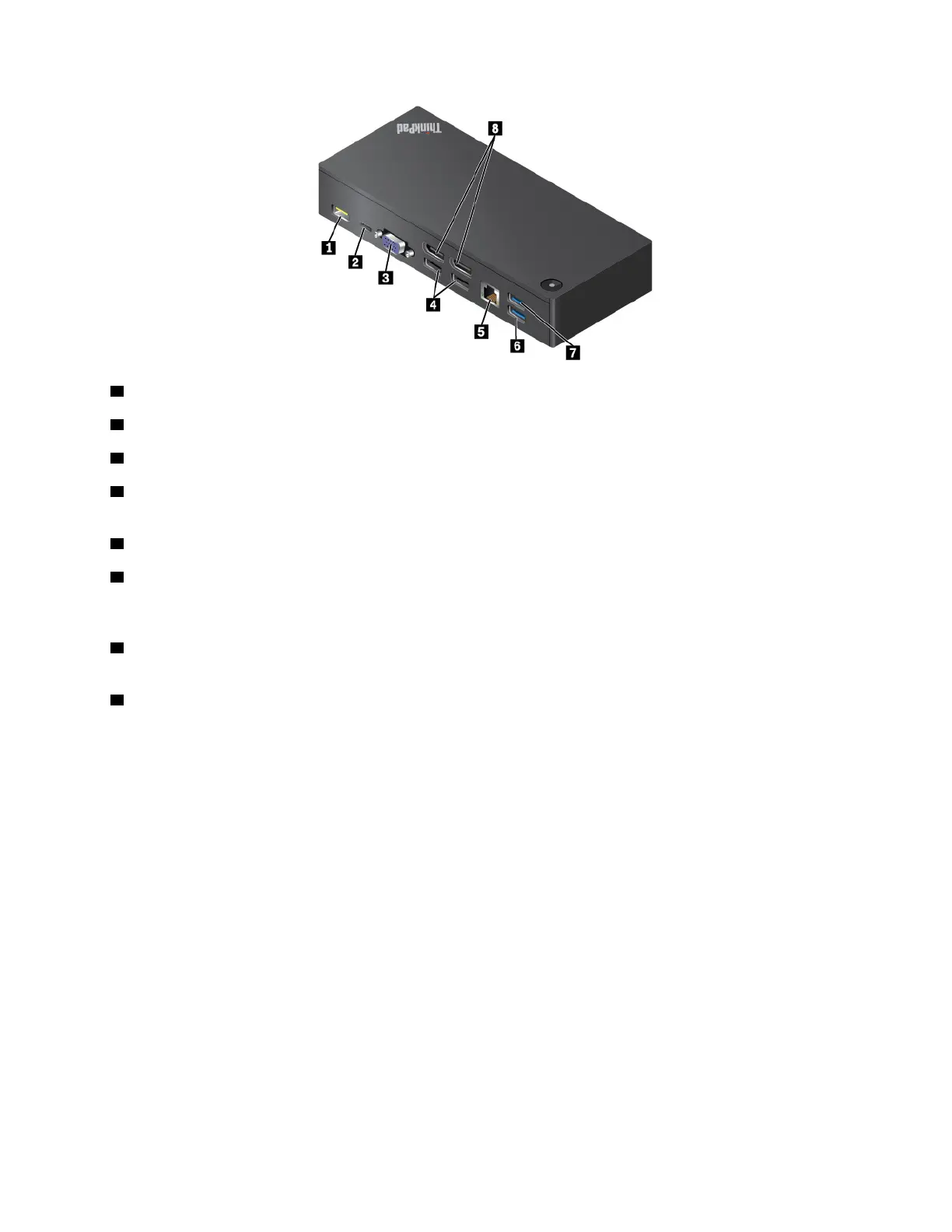
1 ac power connector: Connect the ac power adapter.
2 Lenovo USB-C connector: Connect the Lenovo USB-C cable to the computer.
3 VGA connector: Connect a VGA-compatible video device.
4 USB 2.0 connectors: Connect USB-compatible devices, such as a USB keyboard, a USB mouse, a USB
storage device, or a USB printer.
5 Ethernet connector: Connect the dock to an Ethernet LAN with an Ethernet cable.
6 USB 3.0 connector: Connect USB-compatible devices, such as a USB keyboard, a USB mouse, a USB
storage device, or a USB printer. For optimal data transfer, connect a USB 3.0 device to a USB 3.0
connector instead of a USB 2.0 connector.
7 Always On USB connector (USB 3.0): Connect USB-compatible devices or charge some mobile digital
devices and smartphones.
8 DisplayPort connector: Connect a high-performance monitor, a direct-drive monitor, or other devices
that use a DisplayPort connector.
Chapter 3. Enhancing your computer 35














 To Next Page