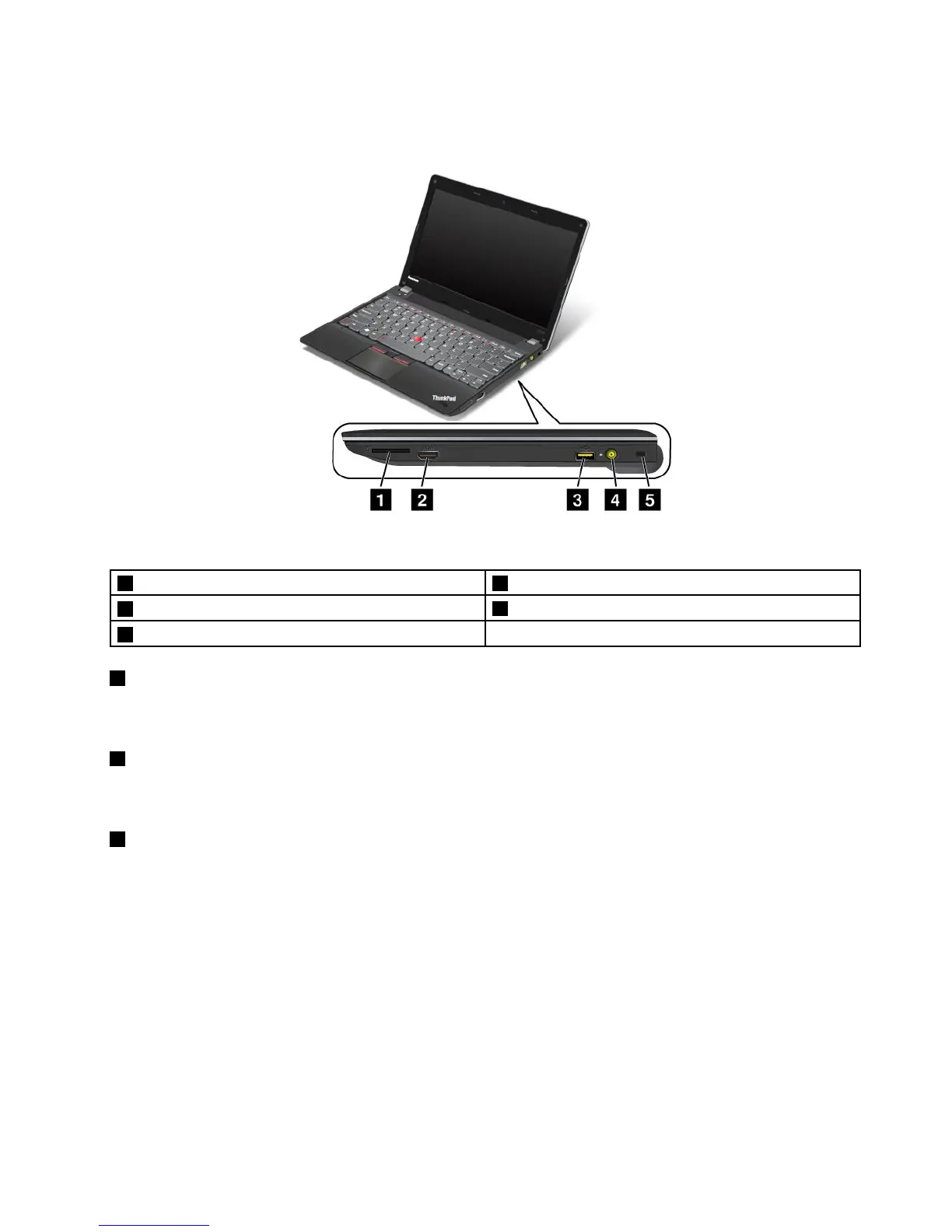
Right-sideview
Figure2.ThinkPadEdgeE130andE135right-sideview
1Mediacardreaderslot2HDMIport
3AlwaysOnUSBconnector
4Powerjack
5Securitykeyhole
1Mediacardreaderslot
Dependingonthemodel,yourcomputermighthaveamediacardreaderslot.Formoreinformationabout
thesupportedcards,see“Usingaashmediacard”onpage37
.
2HDMIport
Yourcomputersupportsthehigh-denitionmultimediainterface(HDMI)port,adigitalaudioandvideo
interfacethatcanconnectacompatibledigitalaudiodeviceorvideomonitor,suchasanHDTV.
3AlwaysOnUSBconnector
Bydefault,theAlwaysOnUSBconnectorenablesyoutochargesomemobiledigitaldevicesand
smartphoneswhenyourcomputerisinsleeporhibernationmode.
Ifyouwanttochargethesedeviceswhenyourcomputeristurnedoff,dothefollowing:
1.Connectthecomputertoanacpowersupply.
2.GotoThinkPadSetupandenableAlwaysOnUSBChargeinoffmode.Formoreinformation,see
“Congmenu”onpage88.
3.Dooneofthefollowing:
•ForWindows7:StartthePowerManagerprogramandclicktheGlobalPowerSettingstab.Then
selecttheEnableAlwaysOnUSBcheckbox.
•ForWindows8:PresstheWindowskeytogototheStartscreen.ClickLenovoSettings➙Power.
ThenselecttheEnablewhenthecomputerisoffcheckbox.
Chapter1.Productoverview3













 To Next Page