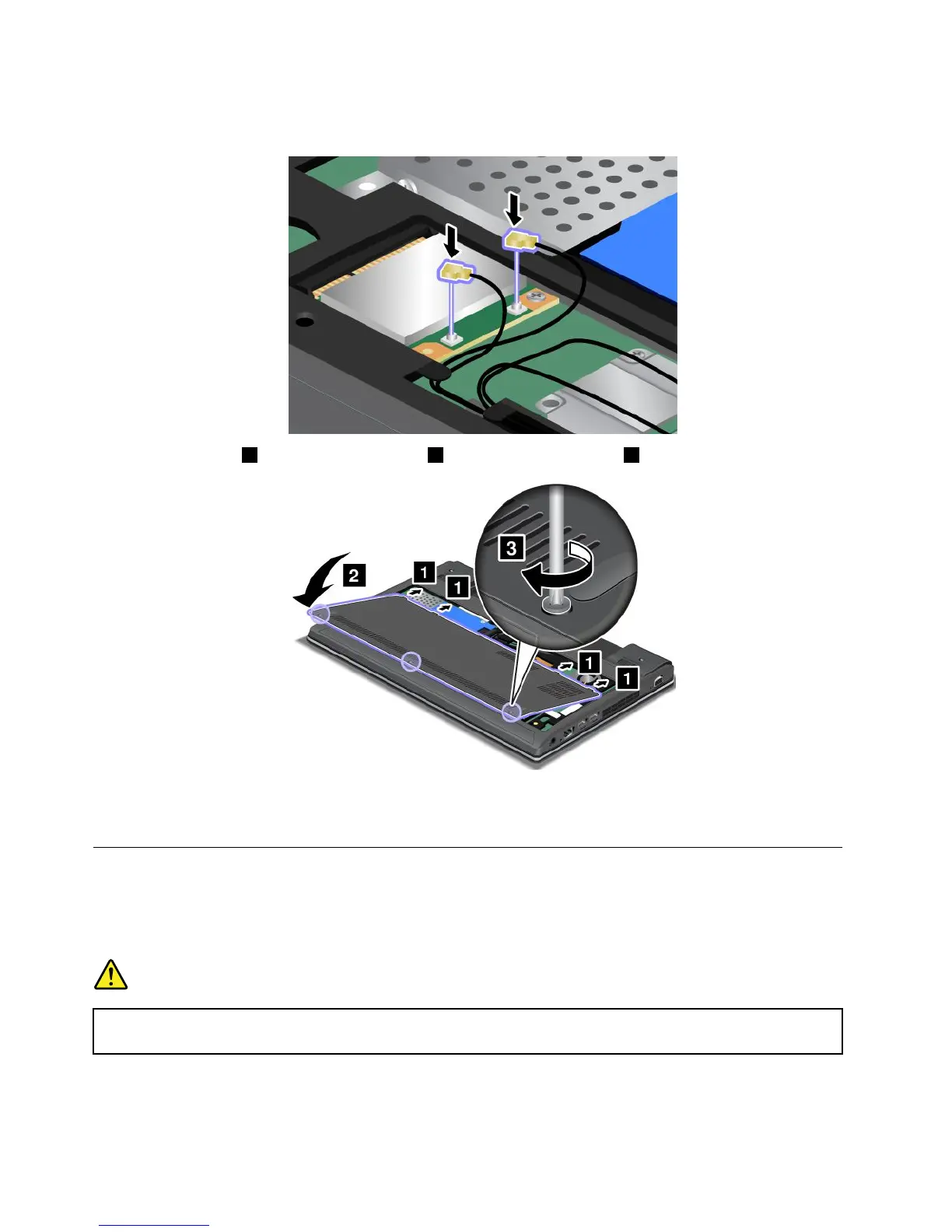
8.ConnecttheantennacablestothenewPCIExpressMiniCard.Besuretoattachthegraycabletothe
connectormarked“MAIN”or“M”onthecard,andtheblackcabletotheconnectormarked“AUX”or“A.”
9.Attachthecover1andpivotitdownwards2.Thentightenthescrews3.
10.Reinstallthebattery.See“Replacingthebattery”onpage59.
11.Turnthecomputeroveragain.Connecttheacpoweradapterandallcables.
ReplacingaPCIExpressHalfMiniCardforwirelessWANconnection
Beforeyoustart,printtheseinstructions.
PrerequisitesforreplacingorinstallingthewirelessWANcard
DANGER
Duringelectricalstorms,donotconnectthecabletoordisconnectitfromthetelephoneoutlet
onthewall.
68UserGuide












 To Next Page