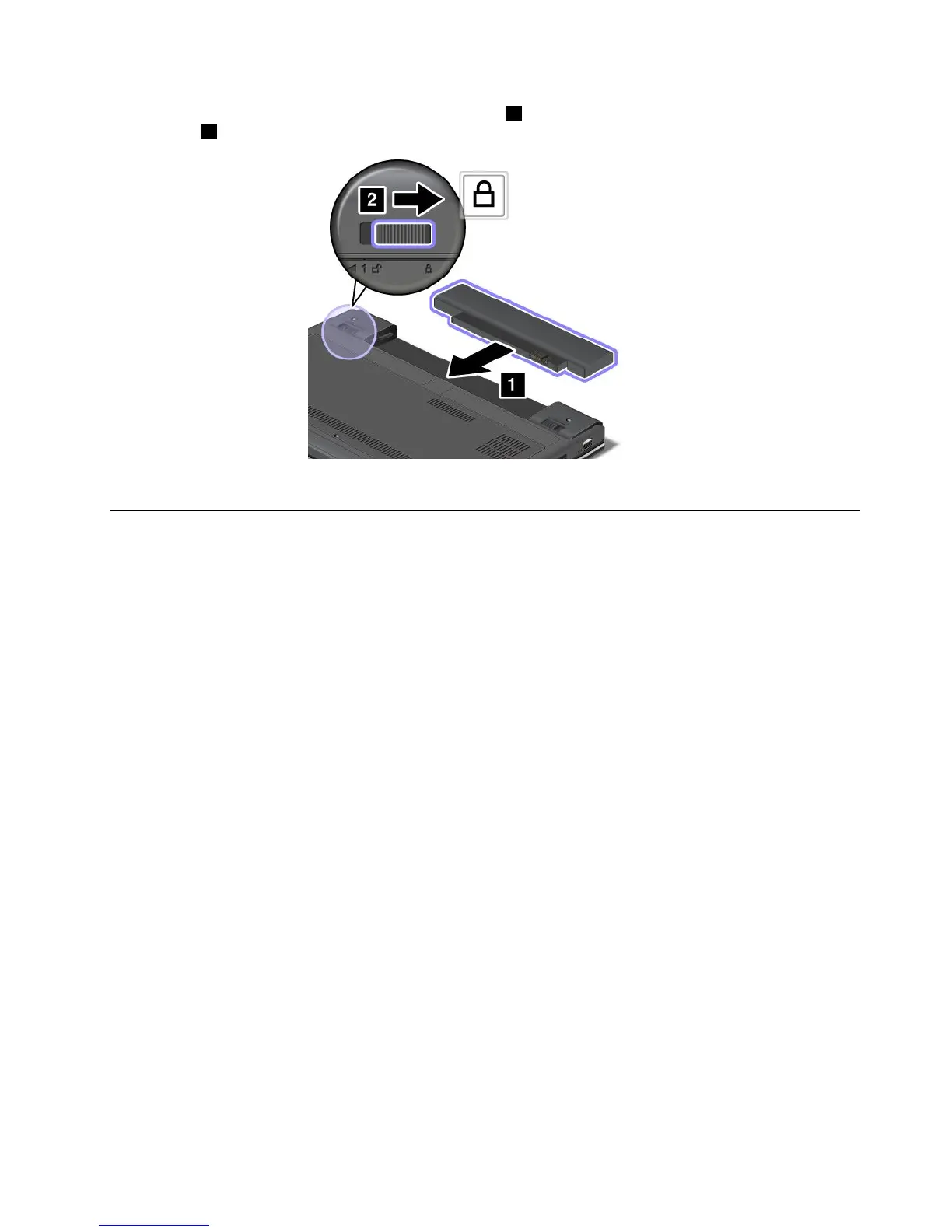
4.Insertafullychargedbatteryuntilitclicksintoplace1,andthenslidethebatterylatchtothelocked
position2.
5.Turnthecomputeroveragain.Connecttheacpoweradapterandallcables.
ReplacingtheSIMcard
Beforeyoustart,printtheseinstructions.
YourcomputermightrequireaSIMcardtoestablishwirelessWANconnections.Dependingonthecountry
ofdelivery,youmightneedtopurchaseaSIMcardoraSIMcardmightalreadybeinstalledinyourcomputer
orispartoftheshippingcontentsthatcomewithyourcomputer.
IfyoundaSIMcardincludedintheshippingcontents,adummycardisinstalledintheSIMcardslot.Then
proceedwiththefollowinginstructions.
Ifyoundthedummycardintheshippingcontents,theSIMcardisalreadyinstalledintheSIMcard
slot,andnofurtherinstallationisneeded.
Note:TheSIMcardisidentiedbytheICchipmountedononesideofthecard.
ToreplacetheSIMcard,dothefollowing:
1.Turnoffthecomputer;thendisconnecttheacpoweradapterandallcablesfromthecomputer.
2.Closethecomputerdisplay,andturnitover.
3.Removethebattery.See“Replacingthebattery”onpage59.
4.LocatetheSIMcarddoorattherearofthecomputer.GentlypivottheSIMcarddoorupwards.
Chapter6.Replacingdevices61













 To Next Page