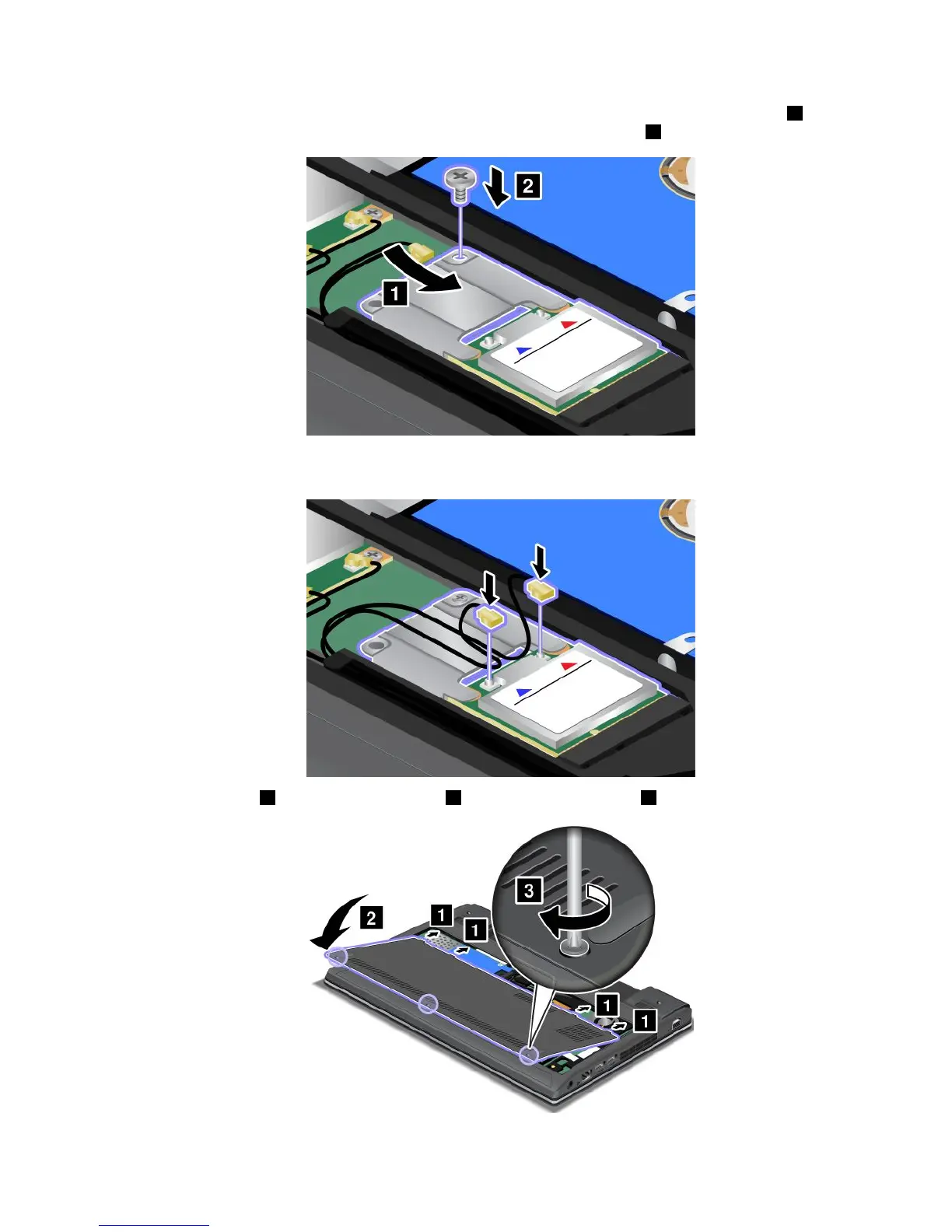
9.AlignthecontactedgeofthenewPCIExpressHalfMiniCardwiththecorrespondingsocket1.Pivot
thecarduntilyoucansnapitintoplace.Securethecardwiththescrew2.
10.ConnecttheantennacablestothenewPCIExpressHalfMiniCard.Besuretoattachtheredcabletothe
connectormarked“MAIN”or“M”onthecard,andthebluecabletotheconnectormarked“AUX”or“A.”
11.Attachthecover1andpivotitdownwards2.Thentightenthescrews3.
Chapter6.Replacingdevices71













 To Next Page