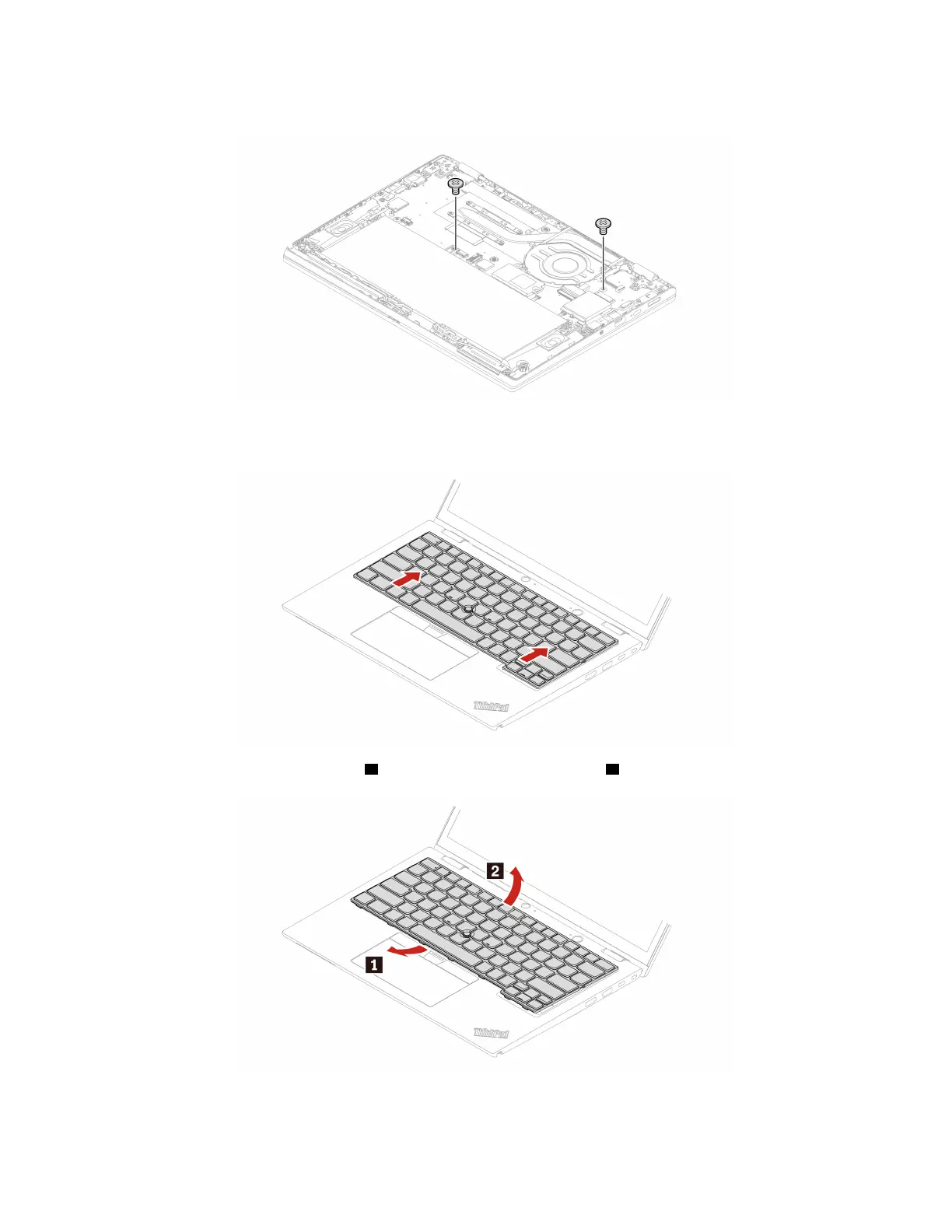
1. Remove the screws that secure the keyboard.
2. Turn over the computer. Then, push the keyboard in the direction as shown by arrows to release the
latches from the keyboard bezel.
3. Pivot the keyboard slightly upward 1 and then turn over the keyboard 2 .
38 ThinkPad L13 Gen 4, ThinkPad L13 Yoga Gen 4, ThinkPad S2 Gen 8, and ThinkPad S2 Yoga Gen 8 User Guide


 To Next Page
 Loading...