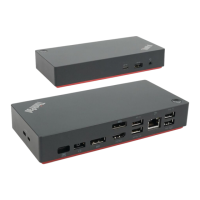
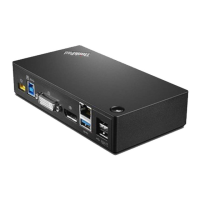
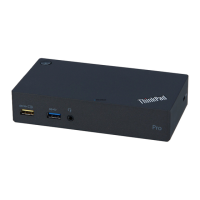
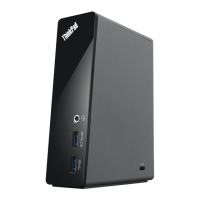
Chapter3.Usingthedock
Thissectionprovidesinstructionsonhowtousetheconnectorsonthedock:
•“Usingtheheadsetandmicrophonecomboconnector”onpage7
•“UsingtheEthernetconnector”onpage7
•“UsingtheUSBconnectors”onpage8
•“UsingtheDPandVGAconnectors”onpage8
Thedockexpandstheconnectioncapabilityofyourcomputer.Youcanconnectdevicestotheappropriate
connectorsonthedockafteryourcomputeristurnedon.Normallyittakesseveralsecondsforthecomputer
torecognizenewdevices.
Thedocksimplifiestheconnectionbetweenyourcomputerandmultipledevices.Forexample,youcan
connecttheUSBdevicesandexternalmonitorstothedockratherthanthecomputer.Whenyouwantto
takeyourcomputeraway,youcandisconnectthecomputerfromthedockratherthanremovetheUSB
devicesandexternalmonitors.Whenyoucomeback,simplyconnectyourcomputertothedocktoresume
allpreviousconnectionsandstartworkingatonce.
Usingtheheadsetandmicrophonecomboconnector
Theheadsetandmicrophonecomboconnectoronthedockisa3.5-mm(0.14-inch)microphonecombined
stereoline-outconnector.Itworksforthestandard3.5-mm(0.14-inch)headset,microphone,orspeaker.
Note:Theheadsetandmicrophonecomboconnectoronthedockareautomaticallyenabledafteryou
havesuccessfullyconnectedthedocktoyourcomputerandinstalledthedevicedriver.However,ifyou
cannothearanythingfromtheheadsetconnectedtothedock,youcanmanuallyenabletheheadsetand
microphonecomboconnectoronthedock.See“Manuallyenablingtheheadsetandmicrophonecombo
connector”onpage11
formoreinformation.
UsingtheEthernetconnector
TousetheEthernetconnectoronthedock,connectthedocktoastandard10Mbps,100Mbps,or1000
Mbpsnetwork.
TheEthernetconnectiononthedocksupportsthefollowingfunctions:
•ThinkVantageAccessConnections(Windows7only)
AccessConnectionsisaconnectivityassistantprogramforcreatingandmanaginglocationprofiles.
EachlocationprofilestoresallthenetworkandInternetconfigurationsettingsneededforconnecting
toanetworkinfrastructurefromaspecificlocationsuchasahomeoranoffice.Byswitchingbetween
locationprofilesasyoumoveyourcomputerfromplacetoplace,youcanquicklyandeasilyconnecttoa
networkwithnoneedtomanuallyreconfigureyoursettingsandrestartthecomputereachtime.
•PrebooteXecutionEnvironment(supportedonsomeLenovocomputers)
ThePXEtechnologymakesthecomputermoremanageablebyenablingthecomputertostartfroma
server.ForthePXEsupportedcomputerlist,gotowww.lenovo.com/accessoriesguide.
•MACaddressPassThrough
YourdockMACaddressisthesameasthatofyourcomputer,afterenablingtheMACaddressPass
Throughfunction.
•WakeonLAN
©CopyrightLenovo2016
7



 To Next Page
 Loading...