Chapter2.Settingupthedock
Thissectionprovidesinformationabouthowtoconnectthedocktoyourcomputer,andhowtoinstall
anduninstallthedevicedriver.
InstallingthedevicedriveronWindowsoperatingsystems
TheLenovocomputerwithUSB-Cconnectorshasthedockdevicedriverpreinstalled.Inthissituation,the
dockisreadyforuseafteryouconnectittoanacpowersourceandyourcomputer.Forthedetailed
computermodelinformation,gotohttp://www.lenovo.com/support/docksandclickThinkPadUSB-CDock.
ThelatestdevicedriverforthedockalsoisavailablefordownloadingfromtheLenovoWebsite.Goto
http://www.lenovo.com/support/docks,clickThinkPadUSB-CDock,anddownloadthedriverinstallation
file.Thenfollowtheinstructionsonthescreentoinstallthedevicedriver.
Connectingthedocktoyourcomputer
Toconnectthedocktoyourcomputer,dothefollowing:
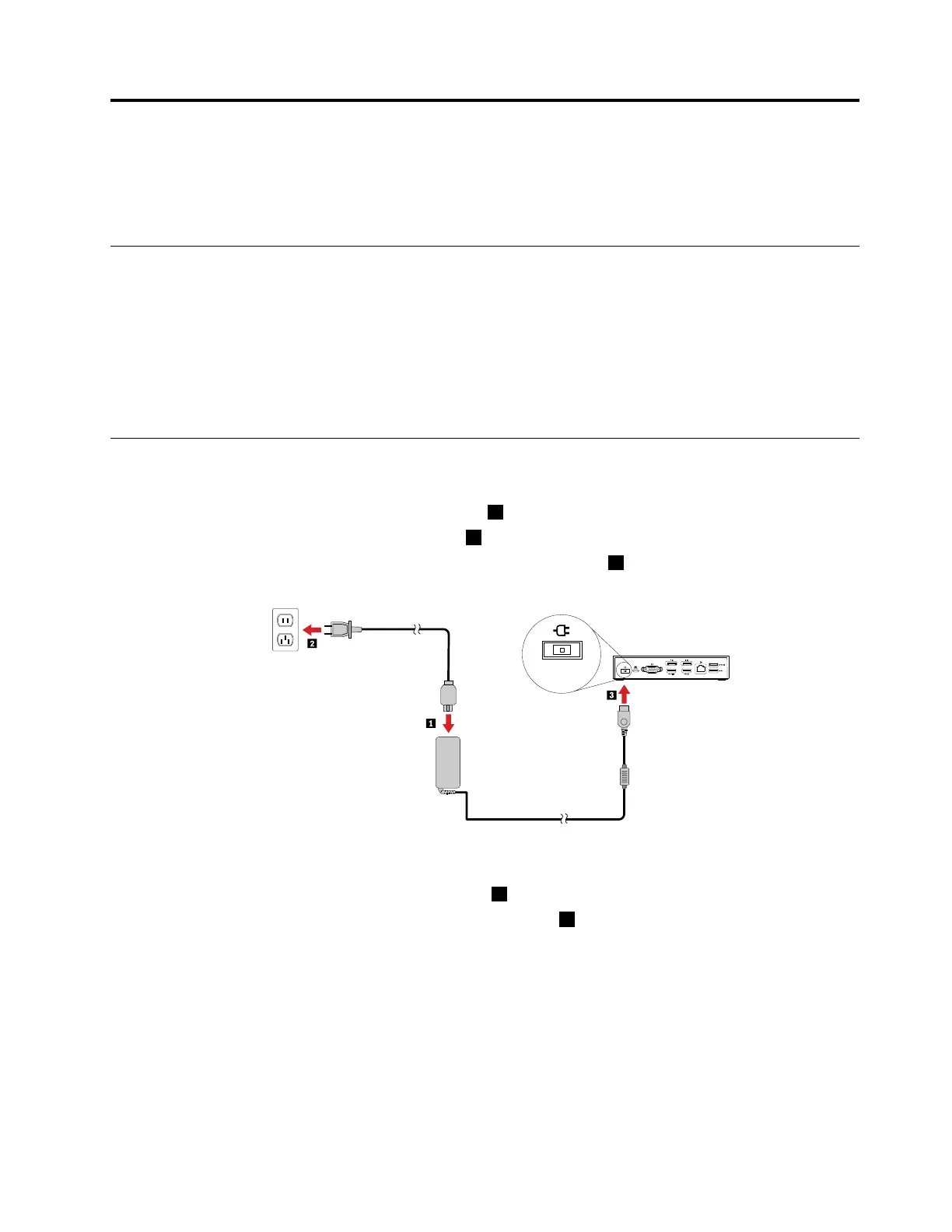
1.Connecttheacpoweradaptertothepowercord1.
2.Connectthepowercordtoanelectricaloutlet2.
3.Connecttheacpoweradaptertothepowerconnectorofthedock3.
Figure2.Connectingthedocktothepowersupply
4.ConnectoneendoftheUSB-Ccabletothedock1.
5.ConnecttheotherendoftheUSB-Ccabletothecomputer2.
©CopyrightLenovo2016
5



 To Next Page
 Loading...