Chapter4.Troubleshooting
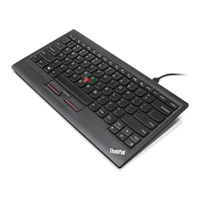
ThischaptercontainstroubleshootinginformationfortheThinkPadUSBKeyboardwithTrackPoint.
Problem:AllorsomeoftheFnfunctionkeycombinationsorfunctionkeysdonotwork.
Solution:Readthefollowingforsolutionsorexplanations:
•EnsurealltheFnfunctionkeycombinationsarefunctionalonthekeyboardofyourThinkPadcomputer.
TherearesoftwaredependenciestogetthemostcompleteFnkeyandhotkeycombinationsupportfor
yourThinkPadcomputer.YoucangetmoredetailedinformationabouttheFnfunctionkeycombinations
fromthedocumentationthatcomeswithyourThinkPadcomputer.Youmightneedtodownloadthe
updatedsoftwarecomponentsforyourThinkPadcomputerathttp://www.lenovo.com/support.
•Ensurethatyouhavecorrectlyinstalledthekeyboarddriver.
•TheFnfunctionkeycombinationsworkwithalltheThinkPadcomputersexceptSLseries.MostoftheFn
functionkeycombinationsdonotworkwithSLseries,Lenovodesktopcomputers,orcomputersfrom
othermanufacturers.
•ItisnormalifyoufoundsomeoftheFnfunctionkeycombinationsactdifferentlyondifferentThinkPad
computermodelsduetothedifferencesininternalnotebookapplications.
•SomefunctionkeysarenotsupportedontheWindows8orWindows8.1operatingsystem.
Problem:TheTrackPointcursordriftswhenthecomputeristurnedonorafteritresumesnormaloperation.
Solution:ThecursormightdriftwhenyouarenotusingtheTrackPointduringnormaloperation.Thisis
anormalfeatureoftheTrackPointandisnotadefect.Cursordriftingmightoccurforseveralseconds
underthefollowingconditions:
•Thecomputeristurnedon.
•Thecomputerresumesnormaloperation.
•TheTrackPointpointingstickiskeptpressedforalongtime.
•Thetemperaturechanges.
Problem:Anumberappearswhenyoutypealetter.
Solution:Thisisbecausethenumericlockmodeisenabled.Todisablethenumericlockmode,press
Fn+ScrLk/NmLk.
Problem:PressingtheThinkVantagebuttonopenstheWindowsSystemInformationwindow,ratherthan
anyofthefollowingprograms:
•LenovoCare
•LenovoDeviceExperience
•ThinkVantageProductivityCenter
•LenovoSimpleTap
•LenovoSolutionCenter
•LenovoThinkVantageToolbox
Solution:Thelistedprogramsmightnotbeavailableonyourcomputer.
©CopyrightLenovo2009,2013
17


 To Next Page
 Loading...