ThinkSmart View User Guide for Microsoft Teams phones
5
Integrated Touch Display
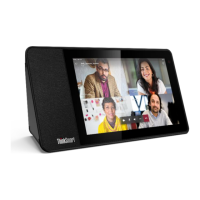
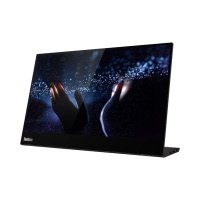
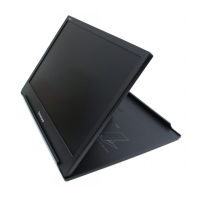
ThinkSmart View has a multi-touch 8” 1280 x 800 multi-touch wide angle viewing display. The design of the
device allows it to rest in landscape and portrait orientations. This touch display is where the Microsoft
Teams phone user interface will be displayed. All meeting content, such as video from remote participants
and desktop or slide sharing content will be seen on display.
View Technical Specifications
8” touch display
Anti-glare and Anti-fingerprint coating
integrated microphone array built into the top of the device
1.75” 10W Full-size speaker, Two passive tweeters
USB Type-C (Service and Support only)
Qualcomm® Snapdragon™ 624, Octa-Core A53 1.8 GHz, 14 nm
Android Open Source Project 8.1
Microsoft Teams for IP Phones
Volume Rocker, Microphone Mute Switch, Camera Shutter Switch
What’s Inside the Box
1. Lenovo ThinkSmart View
2. Lenovo Power Adapter
3. Quick Start user guide
Hardware Setup
1. Remove the ThinkSmart View from its packaging and place it on a flat surface
2. Plug one end of the AC adapter into the ThinkSmart View and the other end into a wall outlet
Software Setup
1. Select the system language from the menu
2. Select your WLAN network from the list and login (if protected)
TIP: Turn the device to portrait mode when logging into a network to see more settings on screen
3. Pair to Bluetooth headset or select Skip


 To Next Page