Always turn off the power to the display before performing any maintenance work on the
display.
Do not:
• Let water or liquids spill onto the display.
• Use solvents or abrasive substances.
• Use flammable cleaning materials to clean the display or any other electronic device.
• Touch the screen area of the display with sharp or abrasive objects. Such contact may
cause permanent damage to the screen.
• Use any cleaner that contains an anti-static solution or similar additive. Otherwise, the
coating of the screen area may be damaged.
Be sure to:
• Wipe the case and screen gently with a soft cloth lightly dampened in water.
• Use a damp cloth and a little flexible cleaner to remove fingerprints and grease.
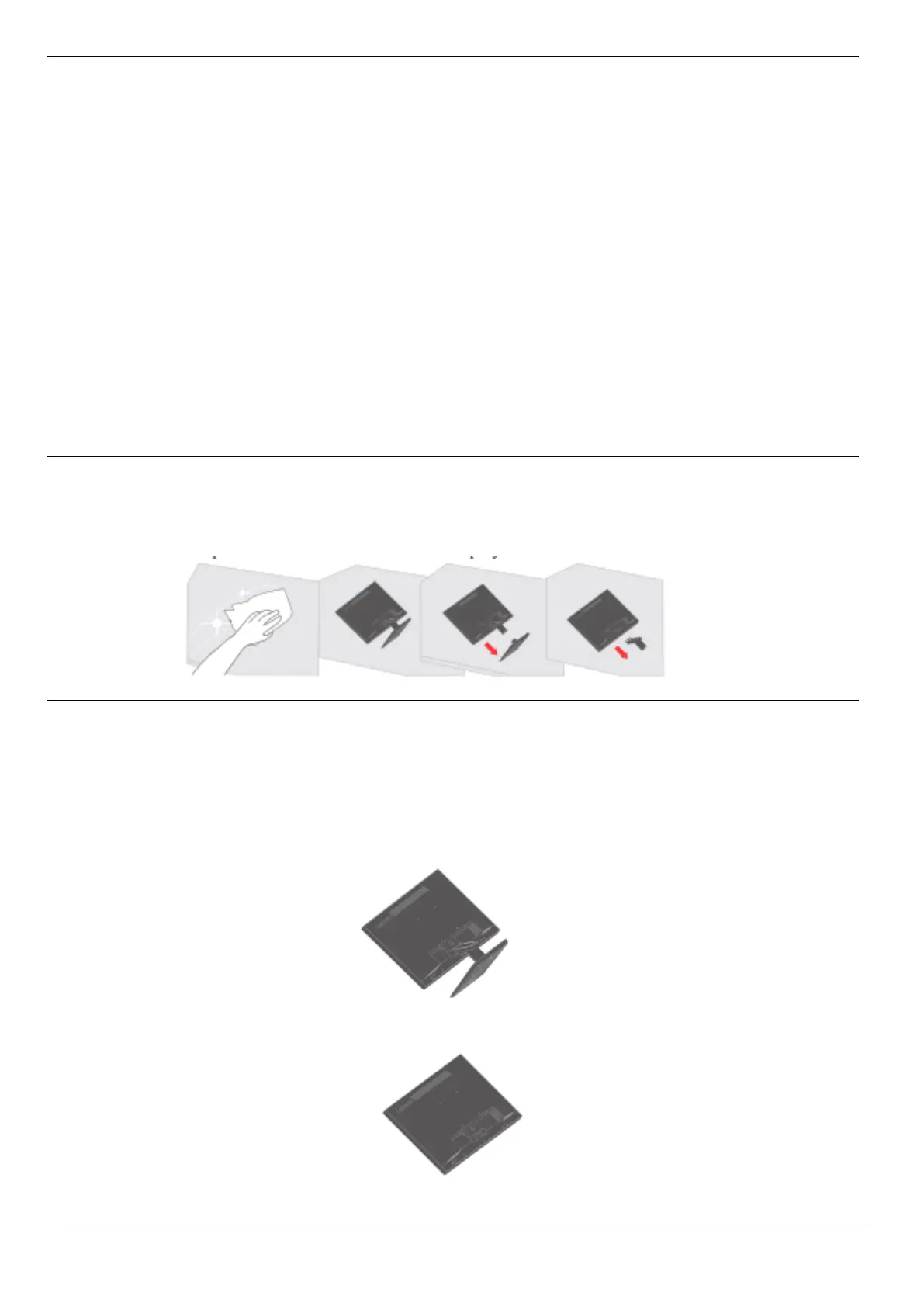
Refer to the instructions attached with the base assembly. To convert the LCD from a
desktop to a wall mount, perform the following steps:
Step 1: Make sure the power button is off and unplug the power cord.
Step 2: Place the LCD face down on a towel or blanket.
Step 3: Remove the base and stand from the display, see "Removing the Display Base
and Support Arm" on pages 2-9.






 To Next Page