CMVPFB01A 10
Commissioning
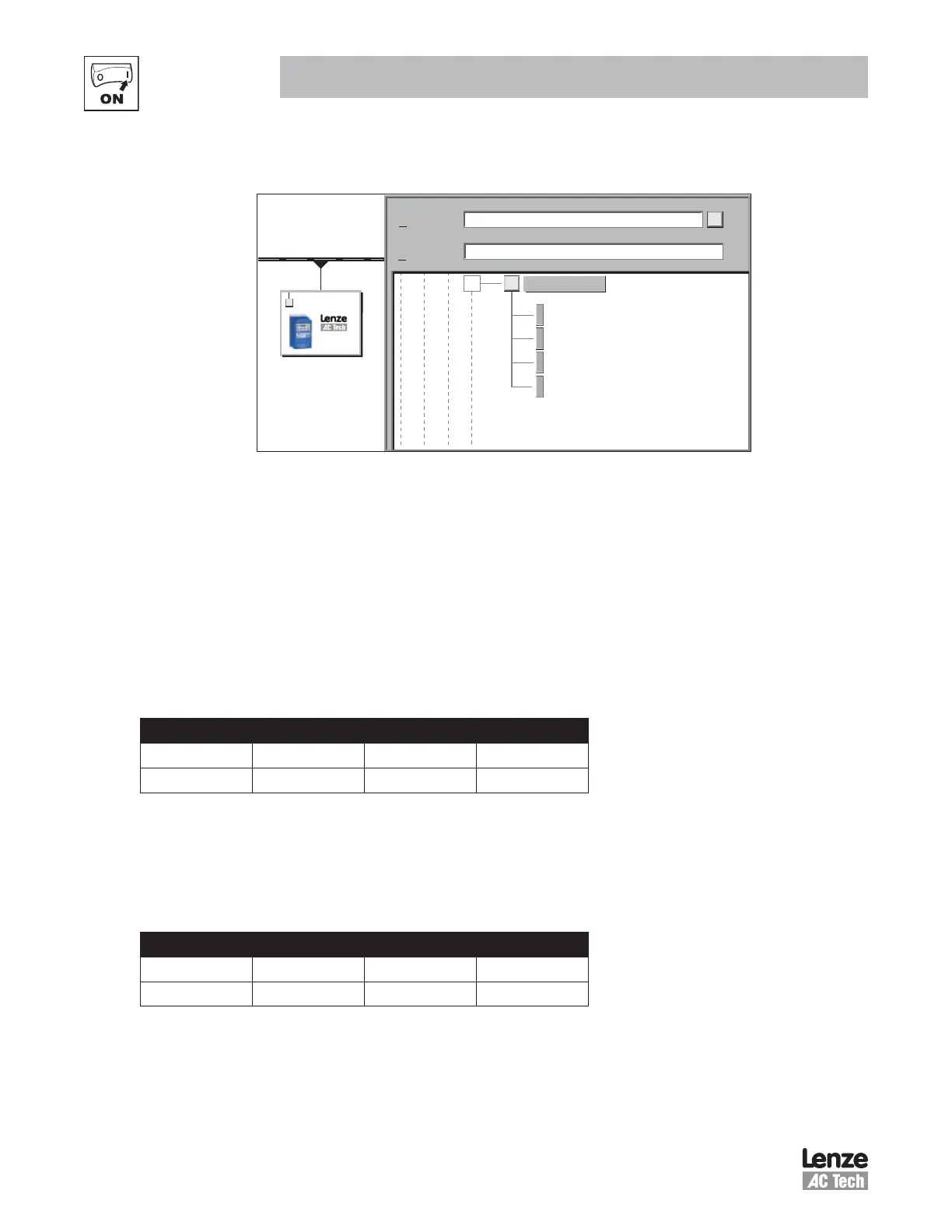
NOTE: Although there are only 4 modules listed in the GSD file, these can be used several times to create
the required amount of data.
Default Module: 2 IN 2 OUT
1 Word OUT Module
1 Word IN Module
4 Word Parameter Access Module
Find:
Profile:
-
Standard
SMVector
PROFIBUS(1): DP master
(5) SMVector
SMVector
SMVector
Figure 9: PROFIBUS-DP Master Setup
Save the configuration and download to the master.
4.3 Configuring the SMV PROFIBUS-DP Module
4.3.1 Connecting
With the drive power disconnected install the PROFIBUS-DP module and connect the network cable as
instructed in the preceeding sections. Ensure the drive Run / Enable terminal is disabled then apply the
correct voltage to the drive (refer to the drive's user manual for voltage supply details).
4.3.2 Setting the Network Protocol
P400 - Network Protocol
Default: 0 Range: 0 or 6
Access: RW Type: Integer
Set P400 = 6 (PROFIBUS-DP)
Some SMV option modules are capable of supporting multiple protocols; therefore it is necessary to set the
required protocol. The option module is only initialised after a protocol has been selected.
4.3.3 Node Address
P410 - Node Address
Default: 126 Range: 0 - 126
Access: RW Type: Integer
Set P410 to the required value. The default address is 126. The permissable address range is: 0 - 125
Each node on the network must have an individual address, if two of more nodes have duplicate addresses
this may prevent the network from functioning correctly. Node 126 is a special node address intended for
“New” nodes only where by node configuration is performed via a network master device.
7.



 To Next Page