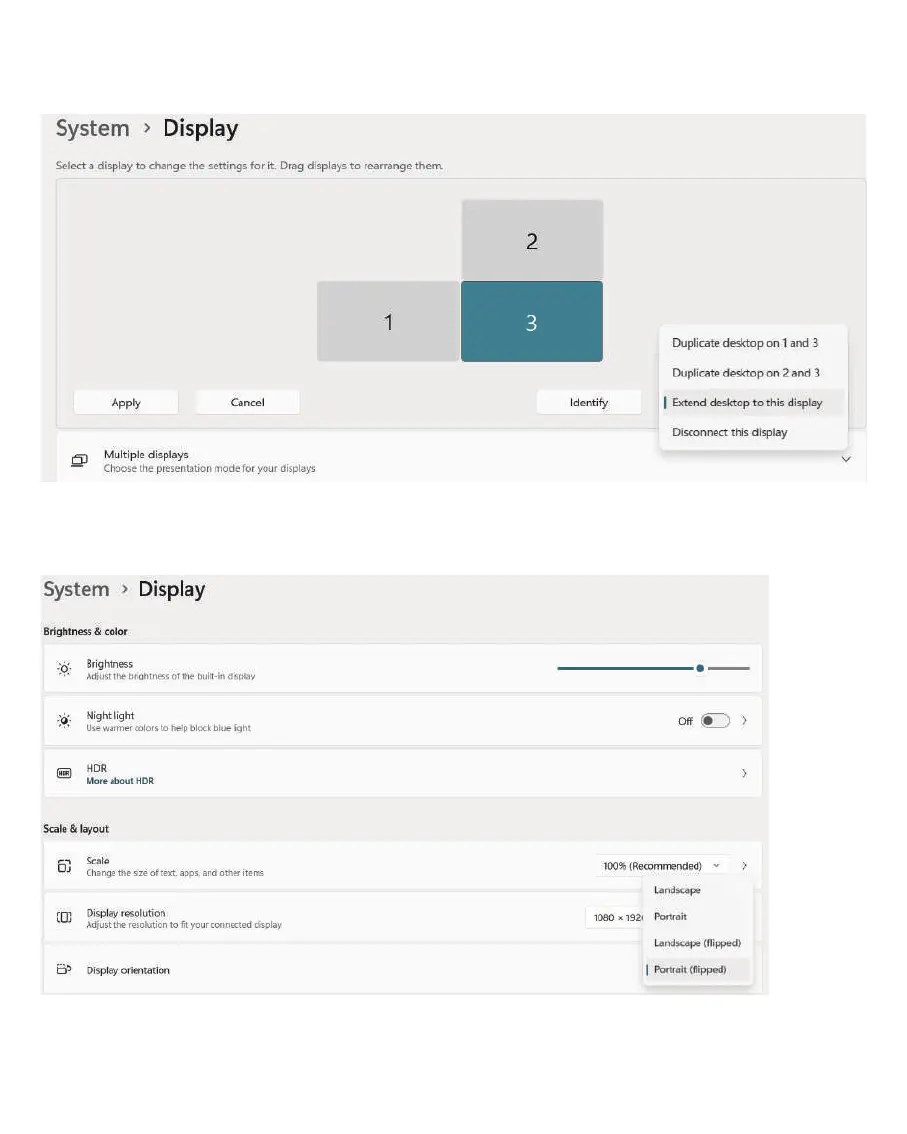
(b). For triple displays, if you want to duplicate desktop on 2 and 3, please click
on the display 2 or 3 first.
(4). Portrait Display Setting:
scroll down the Display orientation menu and select
Portrait or Portrait (flipped).
Portrait: the actual screen setup is the keys and the Type-C port is at the bottom.
Portrait (flipped): the actual screen setup is the keys and Type-C port is at the top.
8


 To Next Page