EasyManua.ls Logo

Leuze GSX14E - User Manual

Leuze GSX14E
19 pages
Print Icon
To Next Page IconTo Next Page
Loading...
GSX14E
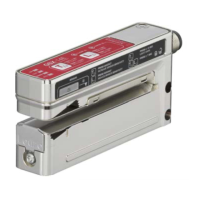
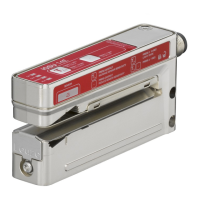
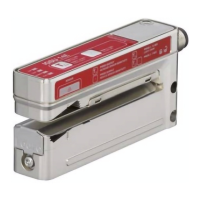
Ultrasonic label fork
Leuze electronic GmbH + Co. KG
info@leuze.com
In der Braike 1 73277 Owen Tel.: +49 7021 573-0
We reserve the right to make changes – 2020/05/07 – 50143648
www.leuze.com
Question and Answer IconNeed help?

Do you have a question about the Leuze GSX14E and is the answer not in the manual?

Summary

Intended Use

Function and Device Operation

Explains device operation and how label material affects precision and gap detection.

GSX 14 E Standard Functions

Select Active Detection Process

Dynamic Easy Teach Mode

Manual Easy Teach Mode

Static Teach Mode

Adjusting Switching Behavior (Light;Dark)

Configures the output signal for light switching (gap) or dark switching (label).

ALC (Auto Level Control) Function

ALC Function Activation;Deactivation

Easy Teach Mode Configuration

Mode Switching (Intelligent vs. Manual)

Details switching between intelligent and manual easy Teach modes.

EasyTune Function

Increase Sensitivity

Briefly press teach (+) button; confirmed by green ON LED flash.

Reduce Sensitivity

Briefly press label (-) button; confirmed by yellow OUT LED flash.

Manual Button Locking;Unlocking

Sensor Adjustment via Teach Input

Locking Buttons via Teach Input

Handling Narrow Labels

Easy Teach with Ultrasonic Detection

Guide labels <14-18mm under ultrasonic marking for automatic teach end.

Easy Teach with Optical Detection

Guide labels <14-18mm under optical marking for manual teach end.

Summary

Intended Use

Function and Device Operation

Explains device operation and how label material affects precision and gap detection.

GSX 14 E Standard Functions

Select Active Detection Process

Dynamic Easy Teach Mode

Manual Easy Teach Mode

Static Teach Mode

Adjusting Switching Behavior (Light;Dark)

Configures the output signal for light switching (gap) or dark switching (label).

ALC (Auto Level Control) Function

ALC Function Activation;Deactivation

Easy Teach Mode Configuration

Mode Switching (Intelligent vs. Manual)

Details switching between intelligent and manual easy Teach modes.

EasyTune Function

Increase Sensitivity

Briefly press teach (+) button; confirmed by green ON LED flash.

Reduce Sensitivity

Briefly press label (-) button; confirmed by yellow OUT LED flash.

Manual Button Locking;Unlocking

Sensor Adjustment via Teach Input

Locking Buttons via Teach Input

Handling Narrow Labels

Easy Teach with Ultrasonic Detection

Guide labels <14-18mm under ultrasonic marking for automatic teach end.

Easy Teach with Optical Detection

Guide labels <14-18mm under optical marking for manual teach end.

Leuze GSX14E Specifications

General IconGeneral
BrandLeuze
ModelGSX14E
CategoryAccessories
LanguageEnglish

Related product manuals