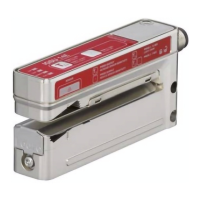
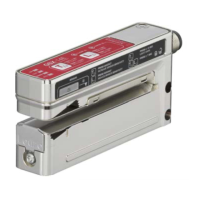
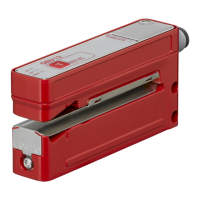
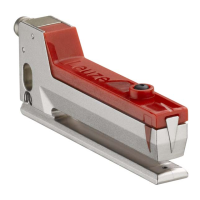
The Leuze IGSU 14E SD is an ultrasonic fork sensor designed for contactless detection of splices on paper, film, or plastic webs. It functions as an ultrasonic sensor for splice inspection, providing high precision and speed in detecting splices.
Function Description:
The sensor operates by detecting splices on web materials. When a splice is detected, the yellow OUT LED illuminates, and a switching output signal is generated. The device offers both light switching (signal on the splice) and dark switching (signal on the web) behaviors. For reliable detection, the web material should be slightly tensioned on the lower fork of the sensor. The sensor is not a safety sensor and is not intended for personnel protection.
Important Technical Specifications:
The sensor's operation is indicated by LEDs:
- ON LED (green): Constantly ON when operating voltage is applied.
- OUT LED (yellow): Indicates the switching signal. It is ON if the sensor detects a splice, regardless of the output setting.
- WARN LED (continuous red light):
- OFF: Indicates error-free operation.
- ON: Indicates a teaching error (web material outside the sensor's working range, e.g., too thin or too thick) or a paper tear of the web being advanced through the sensor.
The device features a fixed pulse stretching of 20 ms, which is activated in the factory settings. This is particularly useful when web speed is high and splice width is thin, as it ensures the signal on the switching output is not too short when moving over a splice. This function can also be deactivated if undesirable.
Usage Features:
The IGSU 14E SD offers several configuration options via its teach (+) and minus (-) buttons, as well as via a teach input (pin 5).
-
Standard function: Normal operation after switch-on.
-
Easy Teach (with or without web transport):
- Press the teach (+) button for 2-7 seconds.
- Preparation: Place paper, film, or plastic web in the sensor.
- Press the teach button until the green ON LED and yellow OUT LED flash synchronously. Release the button.
- The teaching time is approximately six seconds, indicated by a more rapid synchronous flashing of the green ON LED and yellow OUT LED.
- During this time, the web can be advanced through the sensor at a maximum speed of 50 m/min. If not transported, it remains unchanged and slightly under tension.
- If a splice is transported during teach time, the sensor calculates the switching threshold based on both states, ensuring reliable splice detection.
- If no splices are transported, the threshold is calculated based on the web state, offering simple execution.
- After the teach time, the sensor automatically ends the event. If the event is faulty (e.g., unfavorable material combination, uneven transport, jittering), the red WARN LED illuminates, and the warning output is activated. A new adjustment is generally required when changing web types.
-
Setting the pulse stretching:
- Press the teach (+) button for 7-12 seconds.
- Press the teach button until the green ON LED and yellow OUT LED flash alternately. Release the button.
- The green ON LED flashes for another 2 seconds, and the yellow OUT LED indicates the status:
- OUT LED ON: pulse stretching activated.
- OUT LED OFF: pulse stretching deactivated.
-
Set switching behavior (light/dark switching):
- Press the teach (+) button for >12 seconds.
- Press the teach button until only the green ON LED flashes. Release the button.
- The green ON LED flashes for another 2 seconds, and the yellow OUT LED indicates the status:
- Yellow OUT LED ON: light switching (signal on the splice).
- Yellow OUT LED OFF: dark switching (signal on the web).
-
easyTune function – Manual fine tuning of the switching threshold: This function allows for manual adjustment of the sensor's sensitivity, comparable to a potentiometer, to achieve a better function reserve, especially for inhomogeneous web material.
- Increase sensitivity: Briefly press the teach (+) button (<2 seconds). A single flash of the green ON LED confirms actuation.
- Reduce sensitivity: Briefly press the minus (-) button (<2 seconds). A single flash of the yellow OUT LED confirms actuation.
-
Manual locking/unlocking of the buttons on the device:
- Simultaneously press the teach (+) button and the minus (-) button for >7 seconds.
- Press both buttons until the green ON LED flashes approximately six times per second. Release both buttons.
- The buttons are now locked and cannot be operated. The same button combination unlocks them. This locking is stored in volatile memory.
The teach input allows for external control of various functions by applying a low-level signal for a specific duration. Before applying a low level, a high level must be applied for at least 20 ms.
- Duration T [ms] and Function:
- 20 ... 80: easy Teach with or without web transport.
- 120 ... 180: (Reserved, no specific function listed in the table).
- 220 ... 280: Configure the switching behavior of the switching output: light switching.
- 320 ... 380: Configure the switching behavior of the switching output: dark switching.
- 420 ... 480: easyTune (-): reduce sensitivity.
- 520 ... 580: easyTune (+): increase sensitivity.
- 620 ... 680: Activate pulse stretching.
- 720 ... 780: Deactivate pulse stretching.
- A static high signal (≥ 20 ms) on the teach input locks the buttons, preventing manual operation. This locking cannot be undone by the button combination.
- If the teach input is not connected or has a static low signal, the buttons are unlocked and can be operated freely.
- The buttons can also be locked/unlocked via IO-Link.
Maintenance Features:
- When changing to another type of web, a new adjustment must generally be carried out by teaching it to ensure optimal performance.
- The easyTune function allows for manual fine-tuning of the switching threshold to compensate for inhomogeneous web material or to improve function reserve, reducing the need for full re-teaching in some cases.
- The device provides clear warning signals (WARN LED) for teaching errors or web material issues, aiding in quick troubleshooting.

 Need help?
 General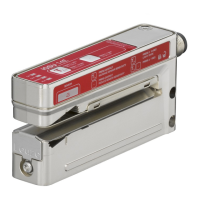

 To Next Page