easyTeach with or without web transport
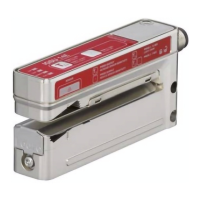
Preparation: place paper, film or plastic web in the sensor.
Ä Press the teach button until the green ON LED and the yellow OUT LED flash
synchronously.
Ä Release the teach button.
ð The teaching time of approx. six seconds begins.
The sensor indicates this by a more rapid synchronous flashing of the
green ONLED and yellow OUTLED.
Ä If desired, advance the web through the sensor at a maximum speed of 50m/
min.
If the sheet is not transported, it remains unchanged and slightly under ten-
sion in the sensor.
ð If a splice is transported through the sensor during teach time, the sensor
calculates the switching threshold as a function of both states.
Advantage
: very reliable detection of splices
ð If no splices are transported through the sensor during teach time, the
sensor calculates the switching threshold as a function of this state.
Advantage
: very simple execution
– After the teach time is over, the sensor automatically ends the teach event.
– If the teach event is faulty (e.g., unfavorable material combination, uneven
transport, jittering during transport), the red WARNLED illuminates and the
warning output (if present for the sensor model) is activated.
If the fault cannot be rectified, the web material cannot be detected.
NOTICE
When changing to another type of web, a new adjustment must gener-
ally be carried out by teaching it.
7
EN


 To Next Page