1. Hotspot Method:
a. To connect your Freezer Sentry to your Wi-Fi network via the hotspot mode, you
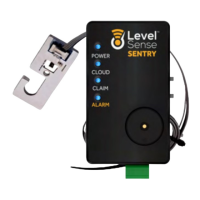
will need a Wi-Fi enabled device like a smartphone or laptop. The Cloud LED of
the Freezer Sentry should be white which indicates the device is broadcasting a
Wi-Fi hotspot. Use your Wi-Fi device (phone, tablet, or computer) to connect to
the Level Sense network (the last four digits of the Level Sense network is the
last 4 digits of the device’s MAC address). Your phone may indicate that this
network has no internet connection. This is normal.
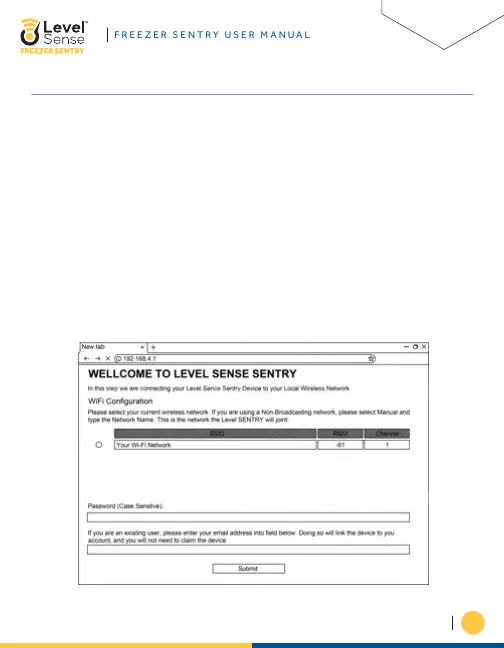
b. Once connected to the Level Sense network, a Wi-Fi configuration page will
automatically appear. If this page does not appear automatically, then open a
web browser and enter the device’s IP address into the address bar: 192.168.4.1
c. On the webpage, you will select the bubble of YOUR HOME 2.4 Ghz Wi-Fi
network. Next you will enter the PASSWORD of YOUR HOME network. Note that
this field is case sensitive.


 To Next Page