11
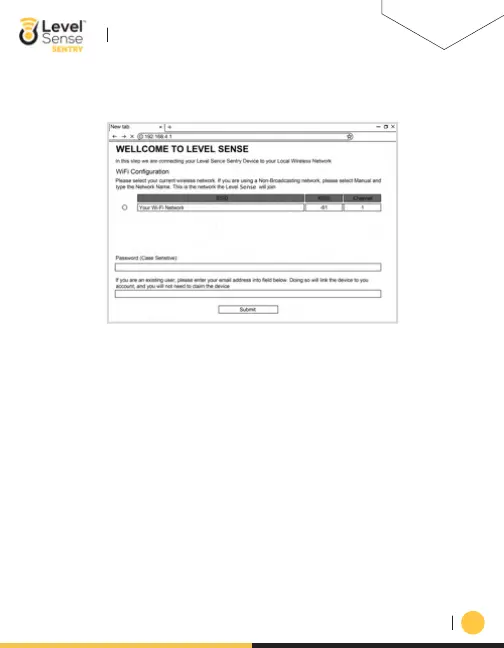
c. On the webpage, you will select the bubble of YOUR HOME 2.4 Ghz Wi-Fi network.
Enter the PASSWORD of YOUR HOME network. Note that this field is case sensitive.
d.
Once complete, you can enter your Level Sense account email address into the email address field
(If you do this, the device will automatically link to your account, and you will NOT be presented
with a claim code). Lastly, press the submit button.
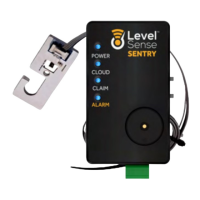
e. The webpage then instructs you to click the RESET button on the Level Sense Sentry. After
restarting, the Cloud LED will pulse yellow until it connects to your Wi-Fi. Upon successful
connection the device will either…
i. Present a claim code (all four LEDS on the device will blink in unison (Proceed to Section 9)
ii. The Cloud LED will change to pulsing blue, followed by blue on the other 3 LEDs (Proceed to
Section 10). This indicates that the device has been successfully linked to your account, and
no claim code is needed.
iii. The Cloud LED changes to red (No local internet connection). This can be caused by an
incorrect password for the Wi-Fi network, or the network is out of range. If this happens, press
the RESET button to try again. If it does not connect on subsequent attempts, please reference
Section 13 for instructions on how to perform a password reset.
LEVEL-SENSE.COM
LEVEL SENSE SENTRY USER MANUAL


 To Next Page