12
2. WPS Method:
a. To connect to Wi-Fi with WPS, first check to see if your Wi-Fi router has a button labeled “WPS.”
Some routers require WPS to be enabled or direct it to a channel (i.e., 2.4Ghz or 5Ghz). We
recommend using a dedicated 2.4Ghz network, and WPS must be enabled.
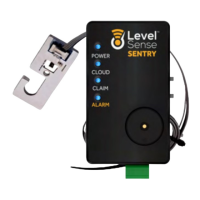
b. Temporarily move the Level Sense Sentry unit into proximity of the Wi-Fi router. Pres the WPS
button on your router, wait 15 seconds then double click the silence button on the Level Sense
Sentry. The Cloud LED will turn from white to solid yellow. This indicates that the Level Sense
Sentry is attempting to connect to your network. This process can take up to 5 minutes. Upon
successful completion, all four LEDs on the Level Sense Sentry will illuminate and pulse in
unison. This is a claim code. Please proceed to Section 9.
c. If the Cloud LED turns red following a WPS attempt, press the Reset button on the Level Sense
Sentry. If the cloud LED returns to red after restarting, please proceed to Section 13 for
instructions on how to perform a password reset.
LEVEL-SENSE.COM
LEVEL SENSE SENTRY USER MANUAL


 To Next Page